

ERP core
Accounting
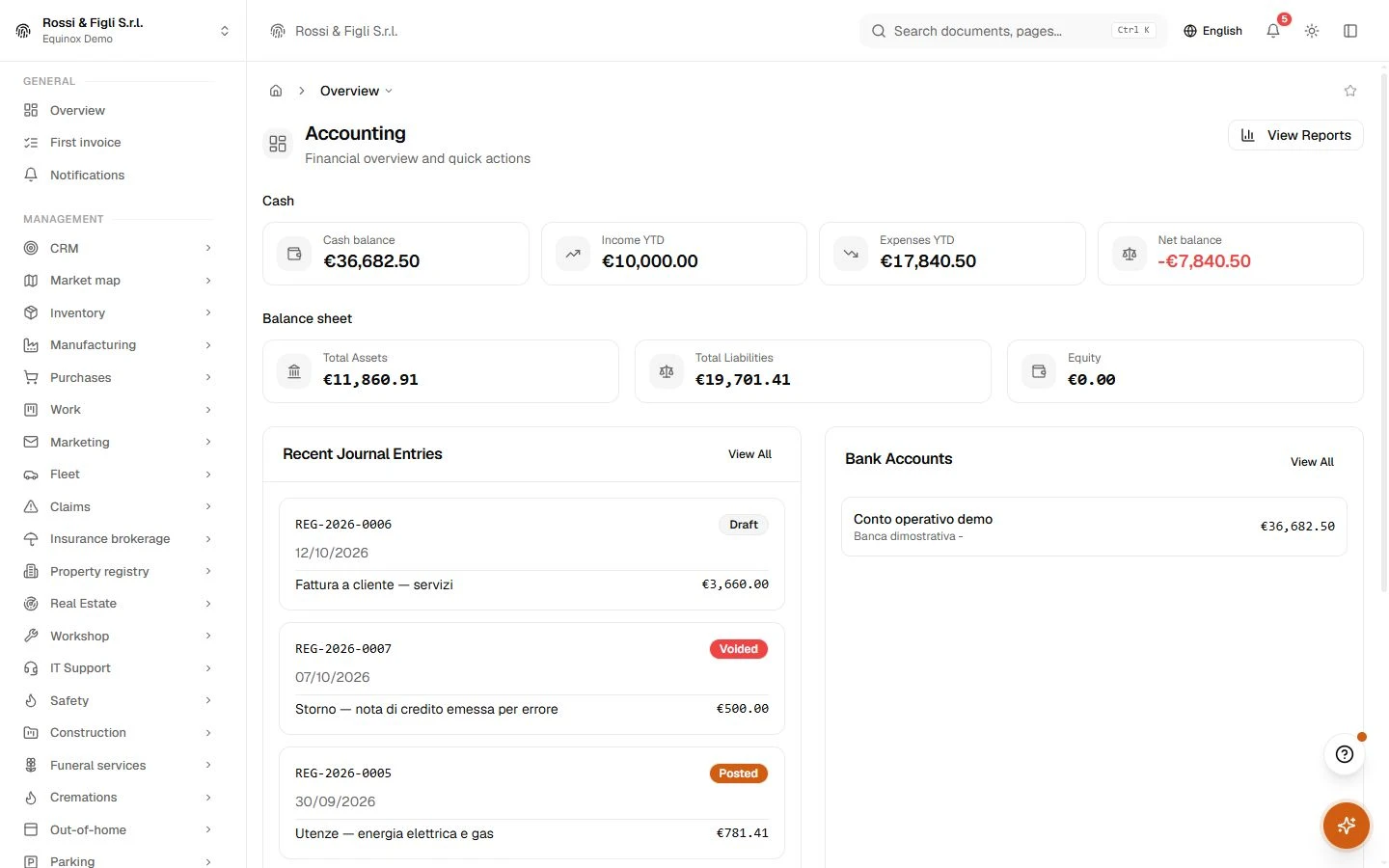
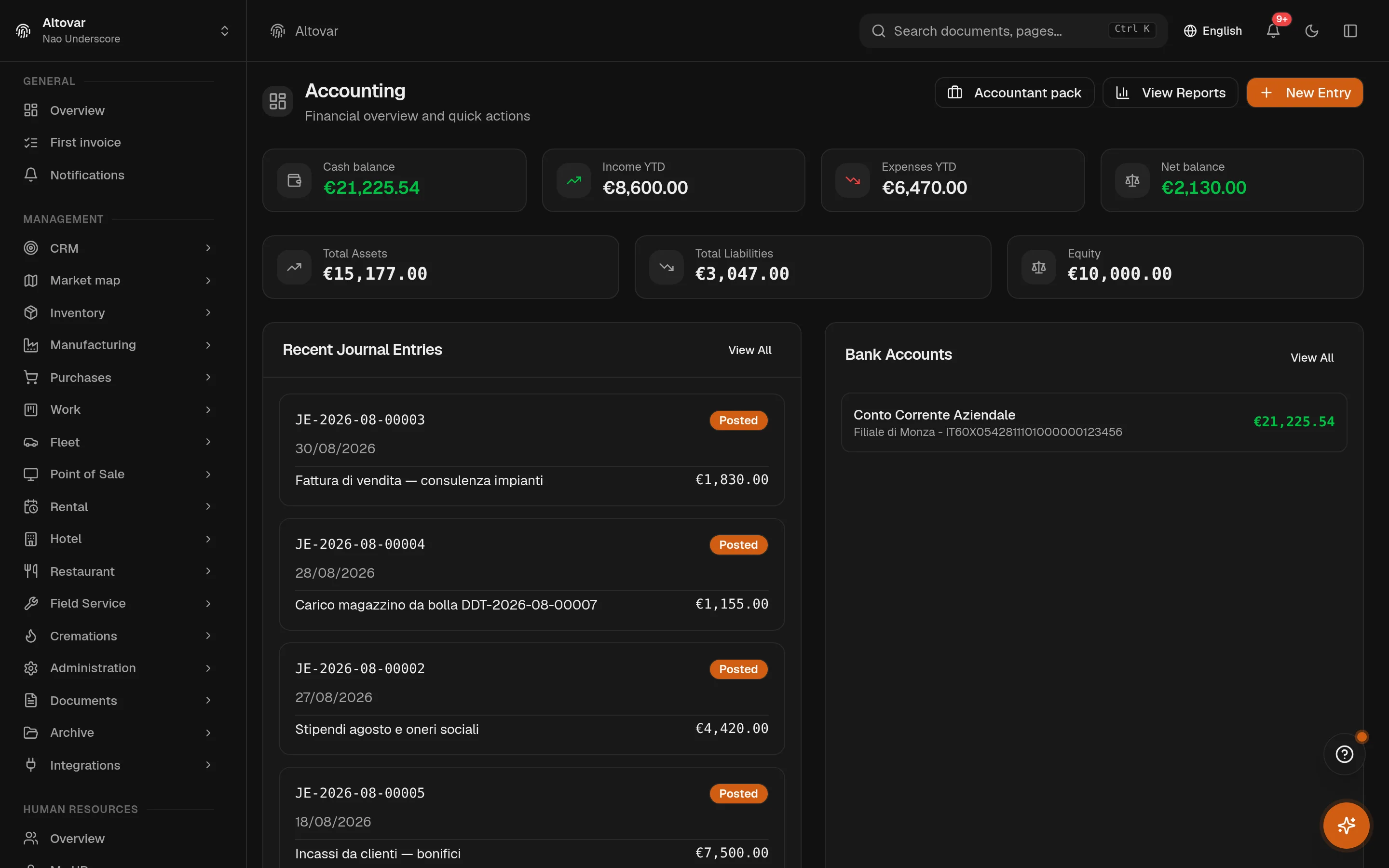
Keep journal entries, the chart of accounts and reporting in the same working area.
Review the movements behind each balance and prepare the records your accounting team needs to close a period.
 Try the demo

Accounting · In the plans
The books, kept like books.
A real double-entry journal, a chart of accounts that maps to the statutory statements, VAT registers that settle themselves into the periodic summary, and a year close that refuses to run until everything is posted. This is accounting as the module the rest of Equinox writes into — not a report bolted on top.
Availability depends on your Equinox plan.
Features
Inside the module.
Explore the working areas, records and tools available in this module.
Accountant pack
Exports your accountant already uses: LIPE, VAT, CU, F24, and the fiscal package. Nothing is filed from here.
Single Certification (CU)
Aggregate the withholding tax operated on payments made, per recipient, and generate the CU data for your accountant.
Direct taxes
Estimate IRES, IRPEF and IRAP from income and the balance sheet
Fiscal Deadlines
Italian tax deadlines for the next 12 months
Fiscal package
Export a period's invoices, VAT registers and SDI receipts for your accountant.
Fiscal years
Define the accounting period that journal entries and financial statements belong to
General Journal
View and manage journal entries
VAT periodic communication (LIPE)
Generate the periodic VAT settlement communication (IVP18 XML) for your accountant.
Payroll Accounting
Import payslips from external payroll software and post to the general ledger.
Prima Nota
Daily cash and bank day book
Firm desk
The companies you follow, with live VAT and overdue figures, plus the exports you already use.
VAT Registers
Manage VAT registers, entries, and liquidations
Annual VAT return
Annual VAT balance and credit (Quadro VL) and balance F24 (code 6099)
Balance Sheet
View assets, liabilities, and equity at a point in time
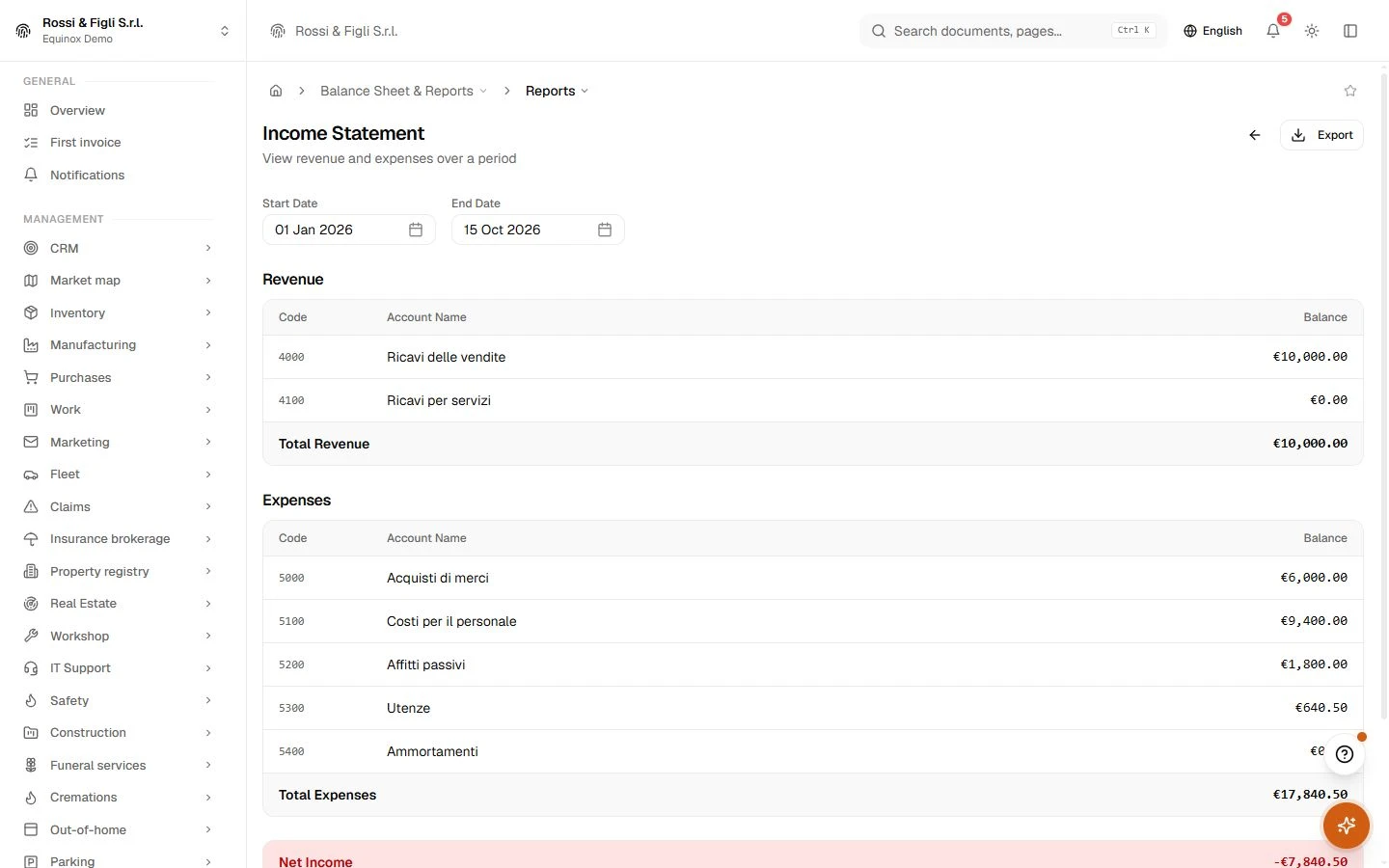
Income Statement
View revenue and expenses over a period
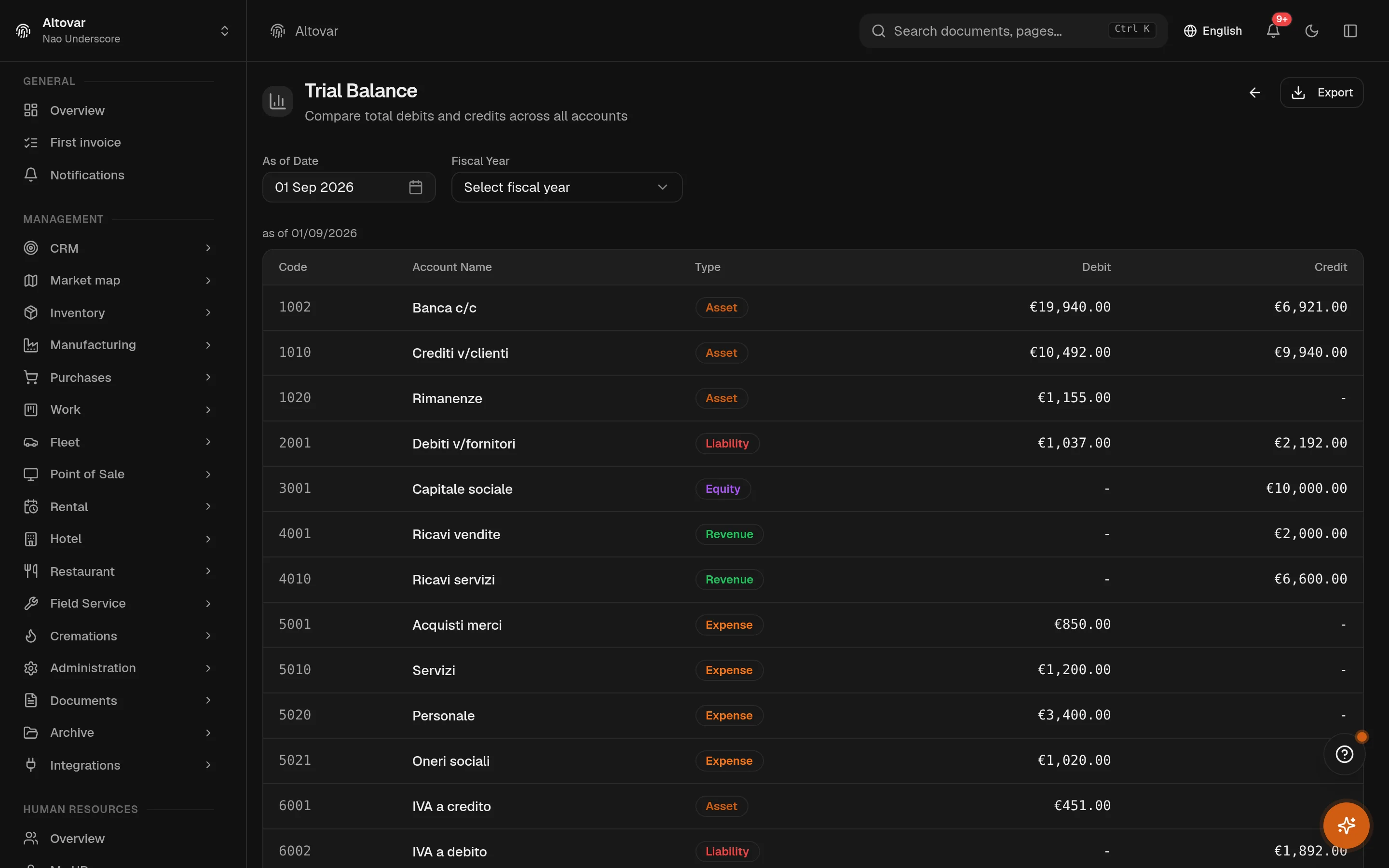
Trial Balance
Compare total debits and credits across all accounts
Import Transactions
Upload bank statements to import transactions
Sync Rules
Auto-categorize imported transactions with custom rules
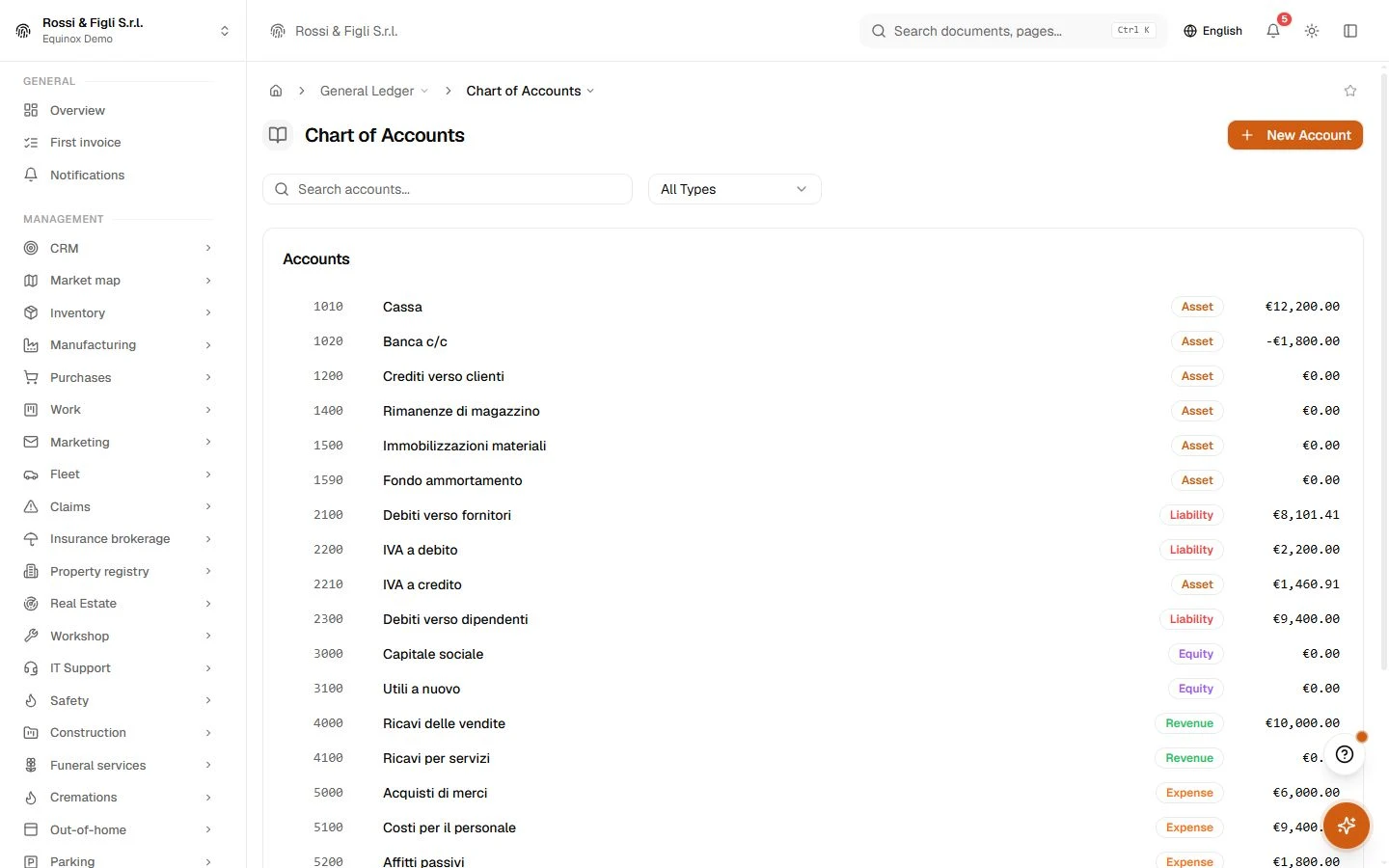
Chart of accounts
Organise account codes, categories and the structure used by journal entries.
Bank accounts and reconciliation
Review bank movements and match them with accounting records.
Legal preservation
Record external preservation agreements and renewal dates, and export backup copies of electronic invoices.
Fixed Assets / Depreciation
Maintain the fixed-asset register and review depreciation plans.
CEE Balance Sheet
Prepare a structured balance sheet and income statement from mapped accounts.
No matching features. Try a different word.
Accounting
How it works
A journal that refuses to be wrong
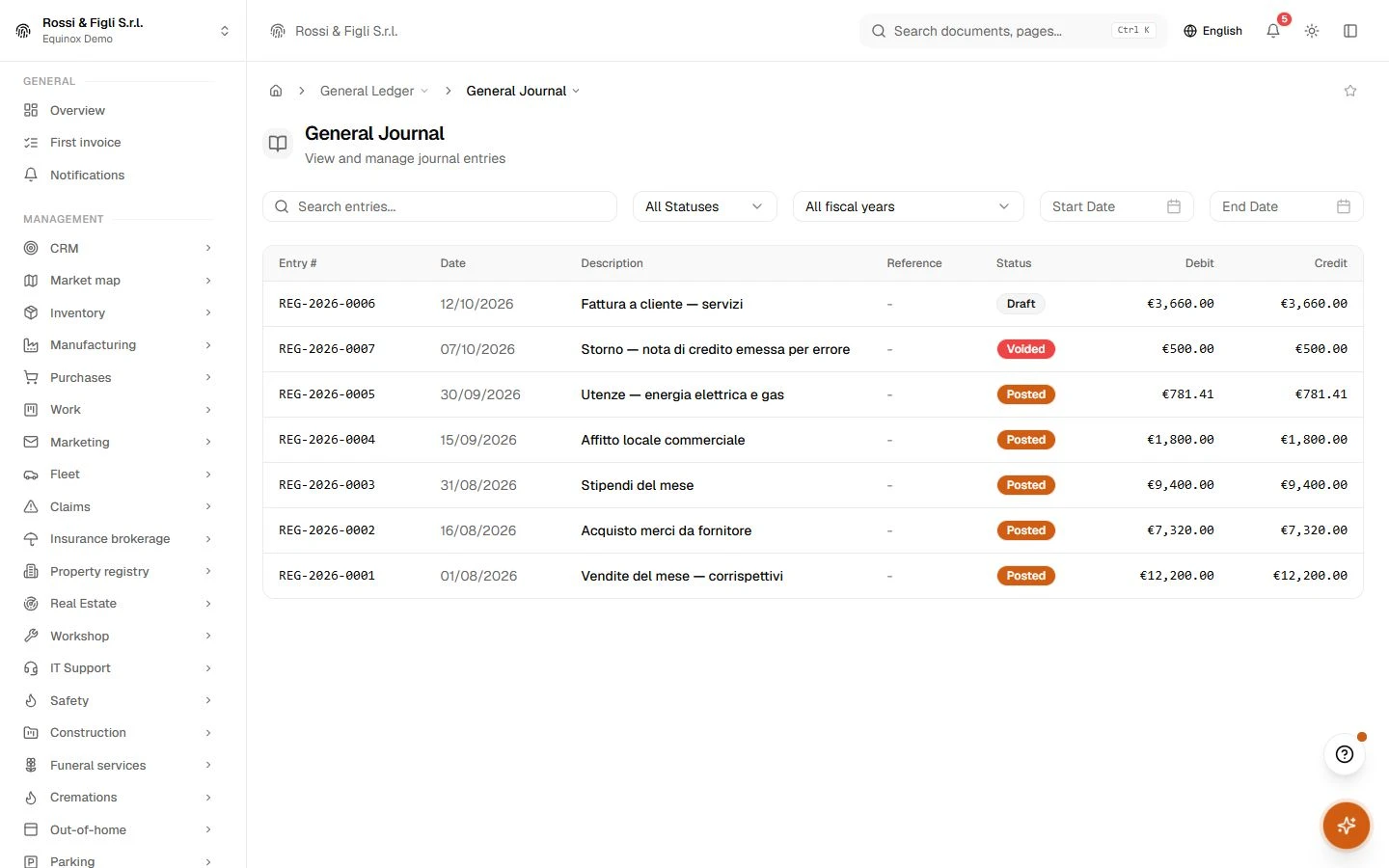
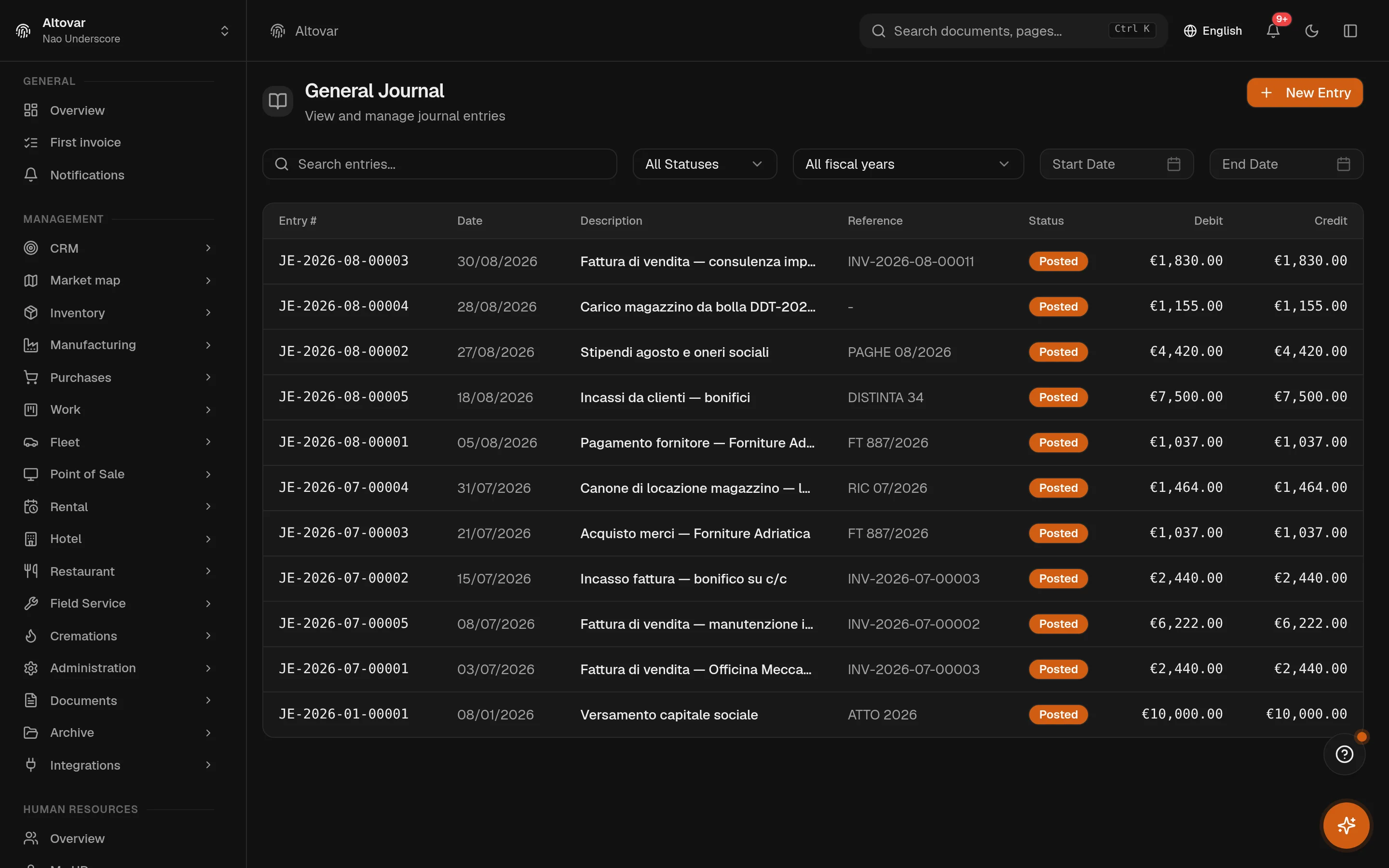
Registrations are drafted, posted, or voided — and a draft that does not balance never becomes a posted entry. Each line carries its account, debit and credit; the running totals are checked at creation, on every edit, and again at posting. Alongside the journal, a simplified prima nota records plain income and expense movements for the day-to-day that does not need full double entry.
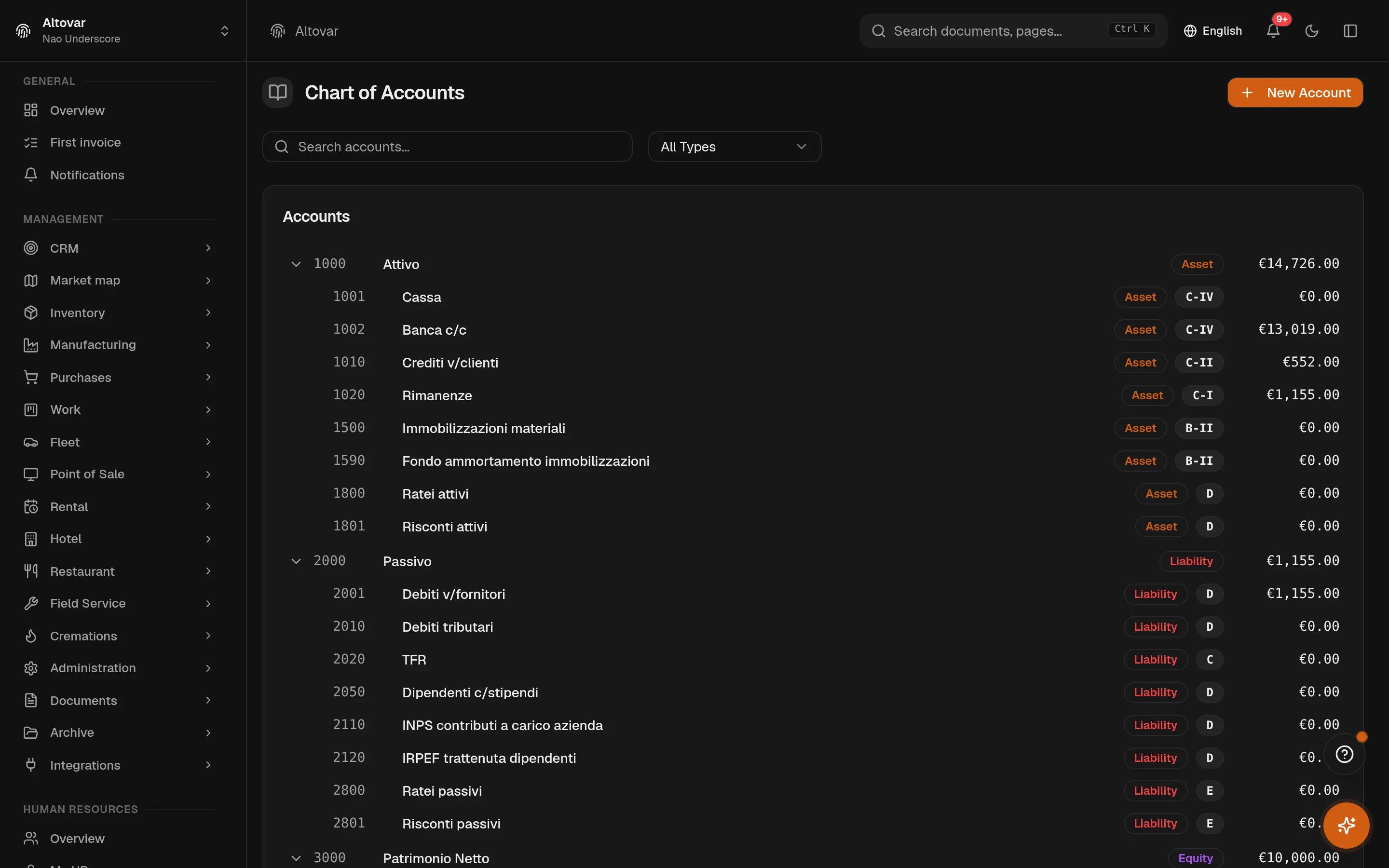
A chart of accounts that knows the statements
The chart is a tree: classes, sub-accounts, codes you control. Forty Italian accounts are seeded on first run so the module works on day one, and every account can be mapped to its line of the statutory balance sheet and income statement — which is what makes the CEE report at the end of the year a reclassification, not a spreadsheet.
- Account ledger
- Open any account and read its posted movements — the partitario, filtered by period, straight from the journal.
- Statutory mapping
- Accounts carry their CEE statement line; the unmapped ones are shown, deliberately, as the signal that the statement does not yet reconcile.
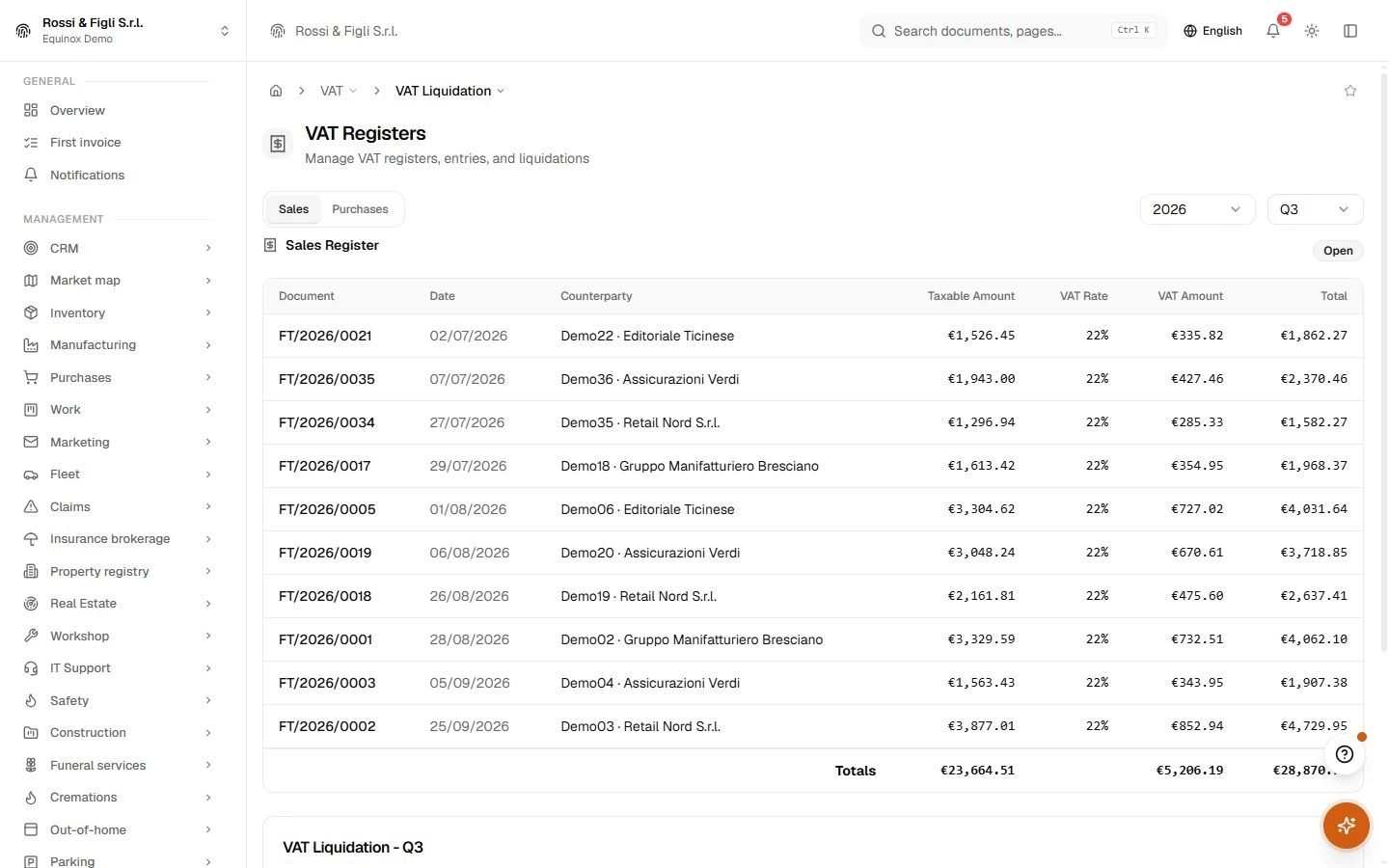
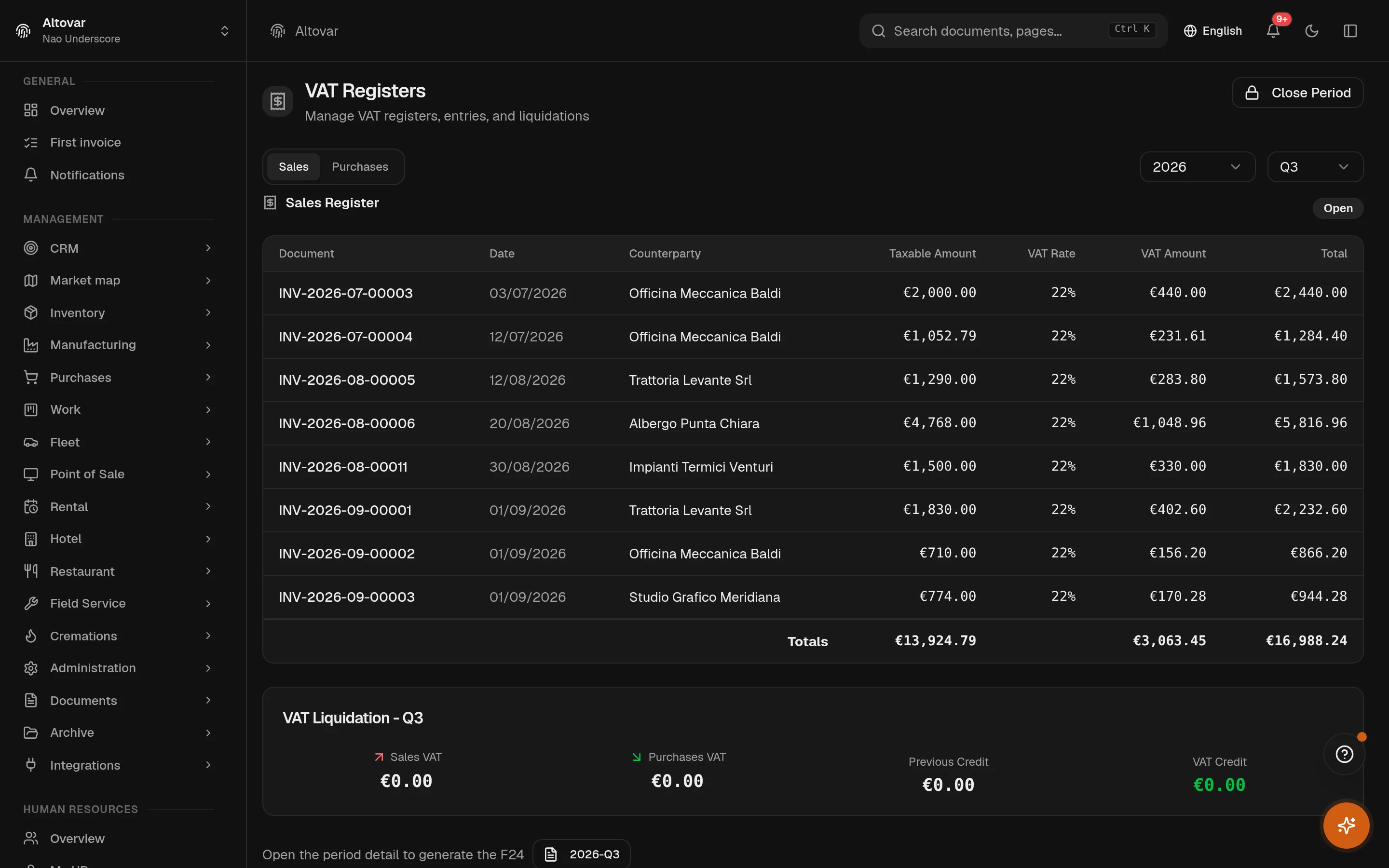
VAT, from registers to settlement
Sales and purchase registers are fed by the documents themselves — issued invoices on one side, received electronic invoices on the other. The periodic settlement reads them by month or quarter and applies the fiscal rules as written: quarterly interest, the minimum-payment floor, the year-end advance on the historical method. The annual declaration view assembles the VL to VX frames from the same registers.
A year you can actually close
Fiscal years are first-class: open, closed, locked. The close blocks while draft registrations exist, then generates the closing entries for revenue and cost accounts itself, balancing the result into the profit-and-loss account — and refuses to finish if the maths does not hold. Accruals, deferrals and inventory valuations post their reversals into the new year.
- Assets, on two tracks
- Each asset holds a civil-code schedule and a fiscal one, computed per year — constant quotas pro-rated by month on one side, the ministerial coefficient as ceiling on the other.
- Four reports
- Balance sheet, income statement, trial balance, and the statutory CEE layout with the prior-year column and a PDF export.
- Double entry
- It must balancea journal entry out of balance by more than 0.001 does not save. The rule lives in the service layer, so no client and no import can sneak past it.
- Chart of accounts
- 40 accounts, seededan Italian hierarchical chart arrives with the module — cash, banks, receivables, payables, VAT — and each account can carry its statutory statement line.
- VAT settlement
- Monthly or quarterlythe periodic summary applies the 1% quarterly interest, the €100.00 minimum-payment floor and the 88% year-end advance, with the statute cited next to each rule in the source.
- Depreciation
- Two trackscivil-code and fiscal schedules kept side by side for every asset, with the ministerial coefficient table as the fiscal ceiling and the first-year half rate applied.
In practice
The work, step by step.
Explore the activities this module brings together. Choose a step to see what you can manage.
Record
Organise the chart of accounts and record journal entries.
Reconcile
Review bank movements and match them during reconciliation.
Review balances
Consult the trial balance, balance sheet and income statement.

Start with the way you work.
Equinox
Start with the way you work.
Tell us about your processes. We can identify the modules and configuration that fit your business.
Talk about your project