

ERP core
Finance
See what is due, what has been paid and which expenses recur.
Bring customer and supplier deadlines into a practical view of upcoming commitments, with the documents needed to understand each amount.
 Try the demo

Finance · In the plans
What is due, in both directions.
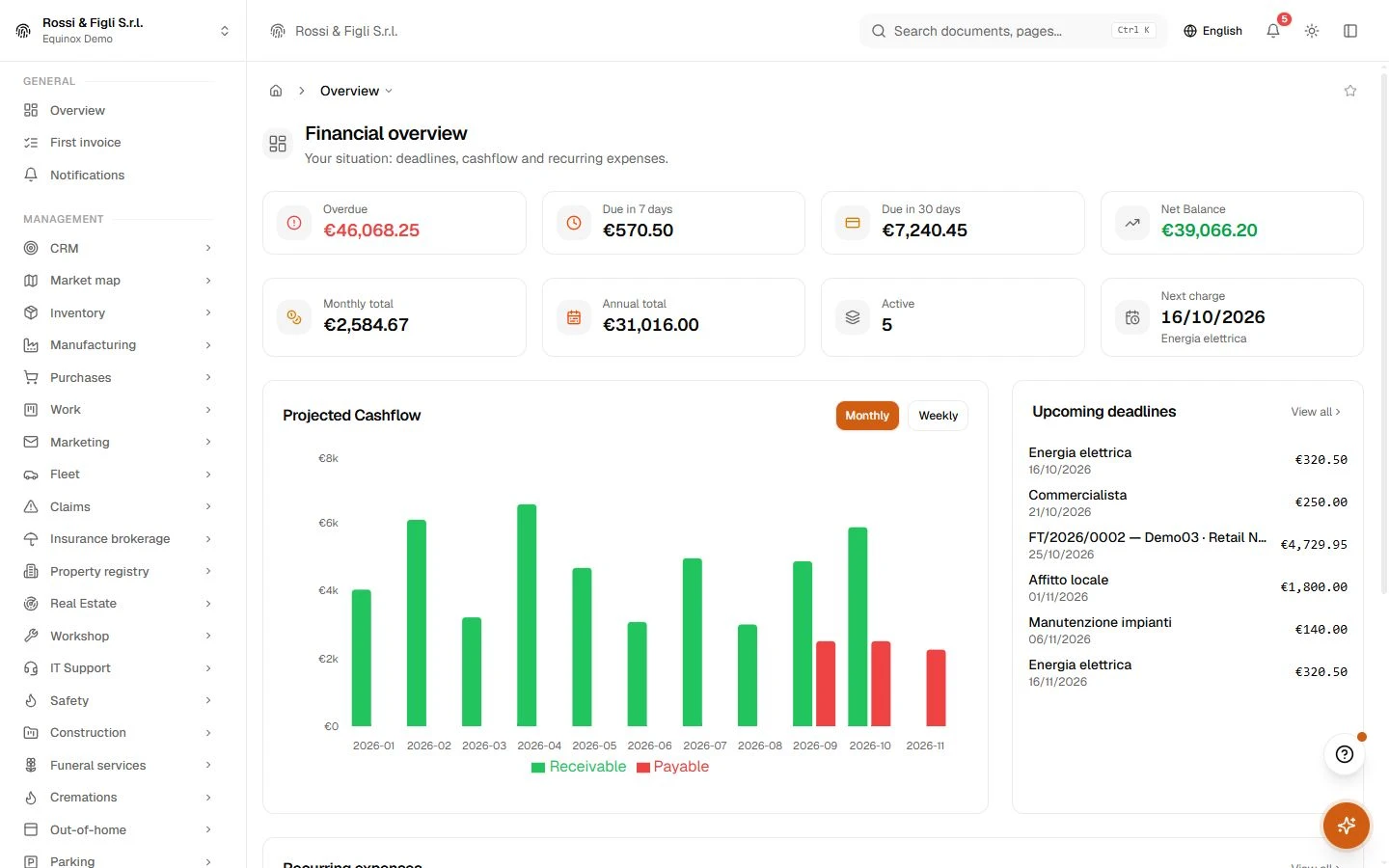
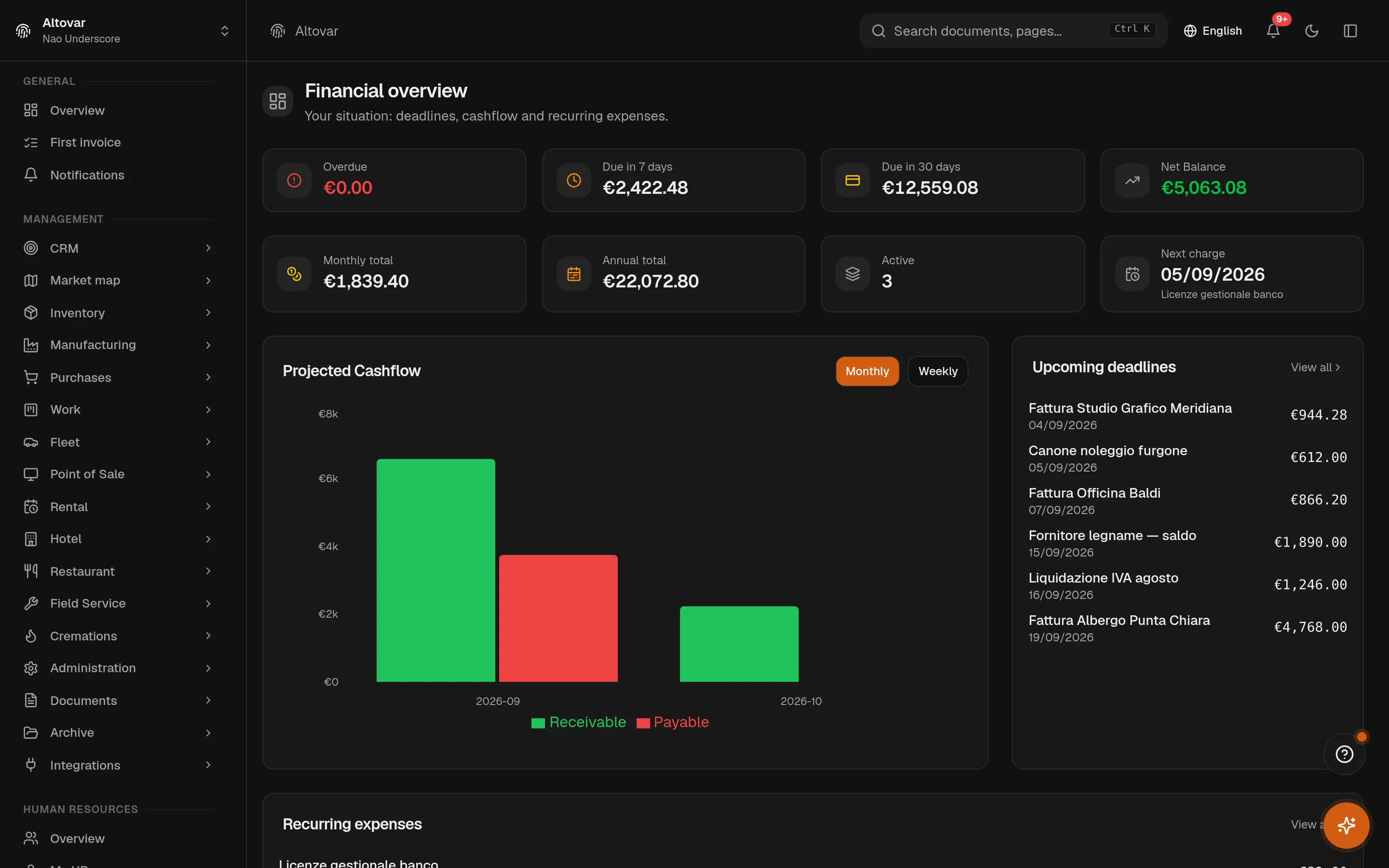
Money you are waiting for and money you owe, on one schedule: each deadline carries its amount, its residual and its due date, supplier invoices and recurring costs enter by themselves, and the open lines project forward into a cashflow you can read before it happens — not after.
Availability depends on your Equinox plan.
Features
Inside the module.
Explore the working areas, records and tools available in this module.
Payment Deadlines
Track all payment receivables and payables
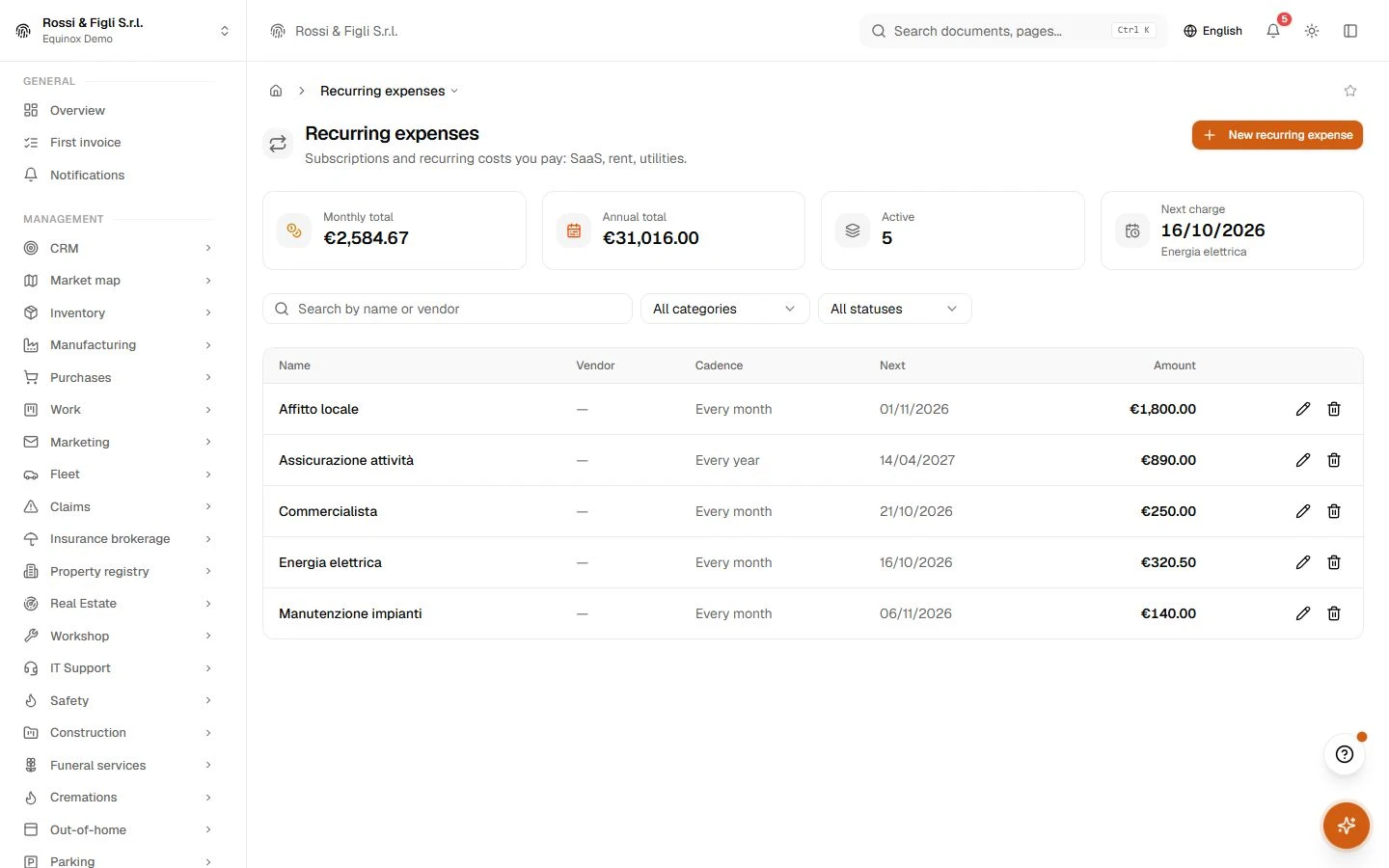
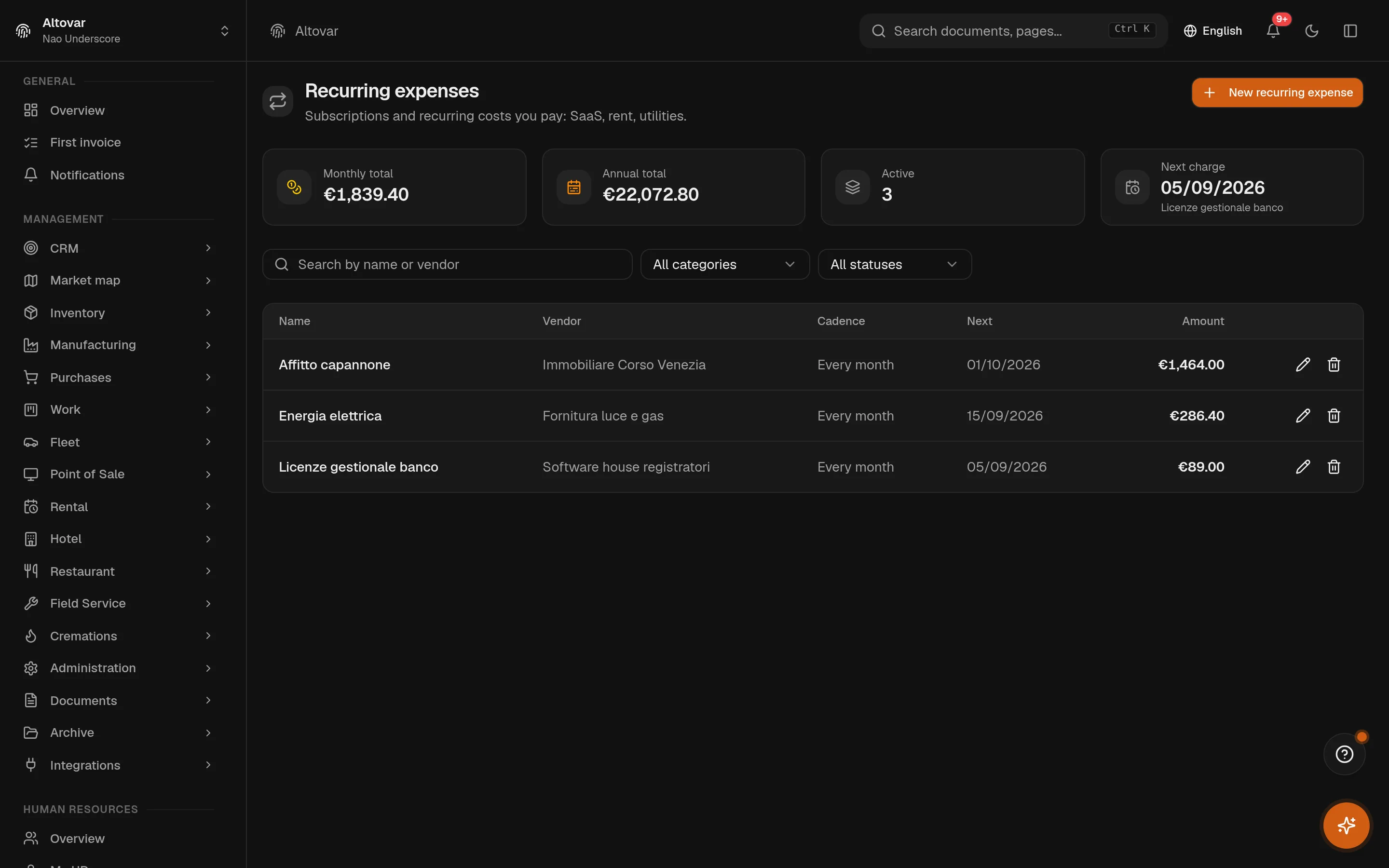
Recurring expenses
Subscriptions and recurring costs you pay: SaaS, rent, utilities.
Cash-Shield
Virtual buffer for labour cost: at every till close a share of the net takings stays protected. No bank account is touched.
No matching features. Try a different word.
Finance
How it works
One schedule, not a guess
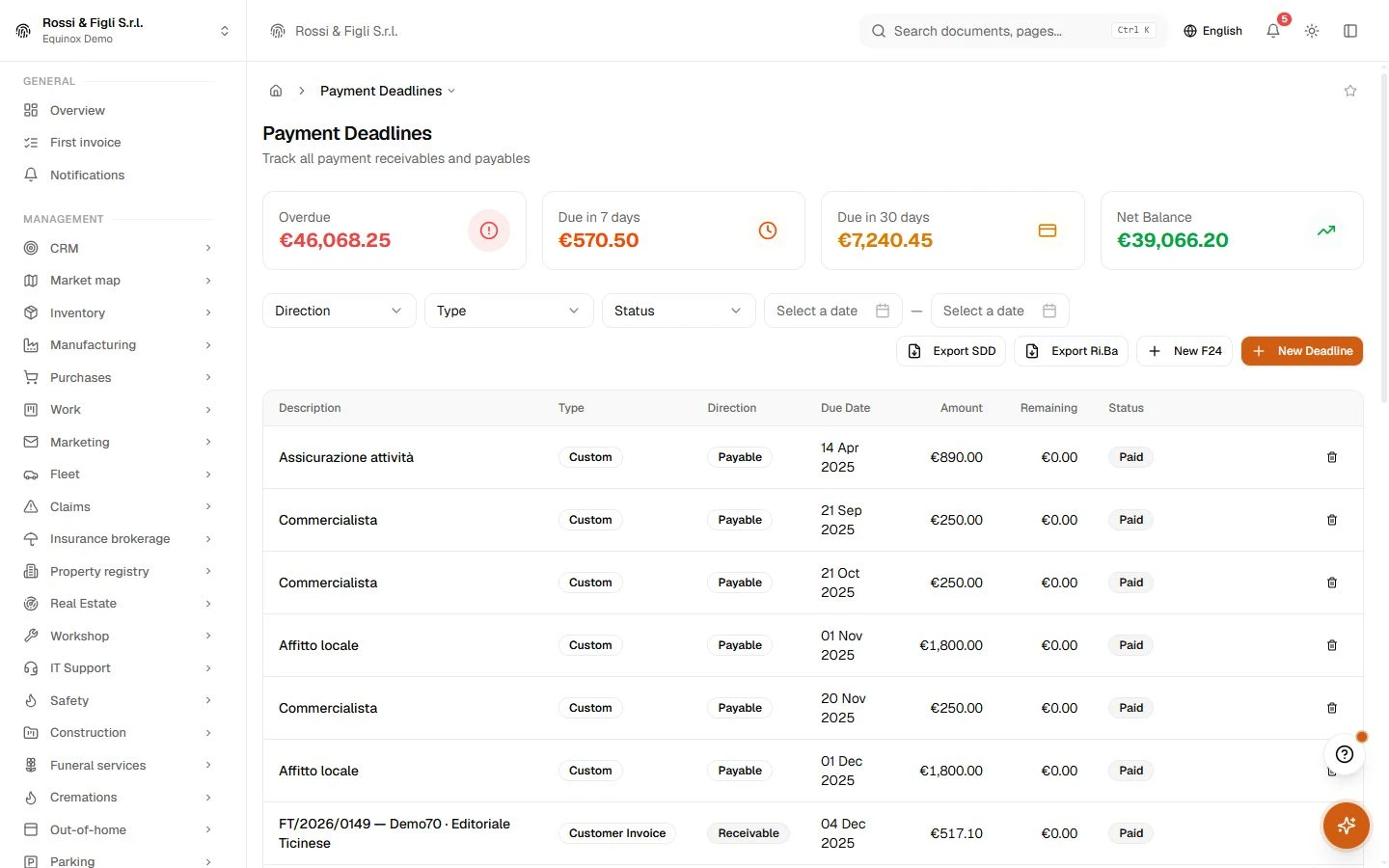
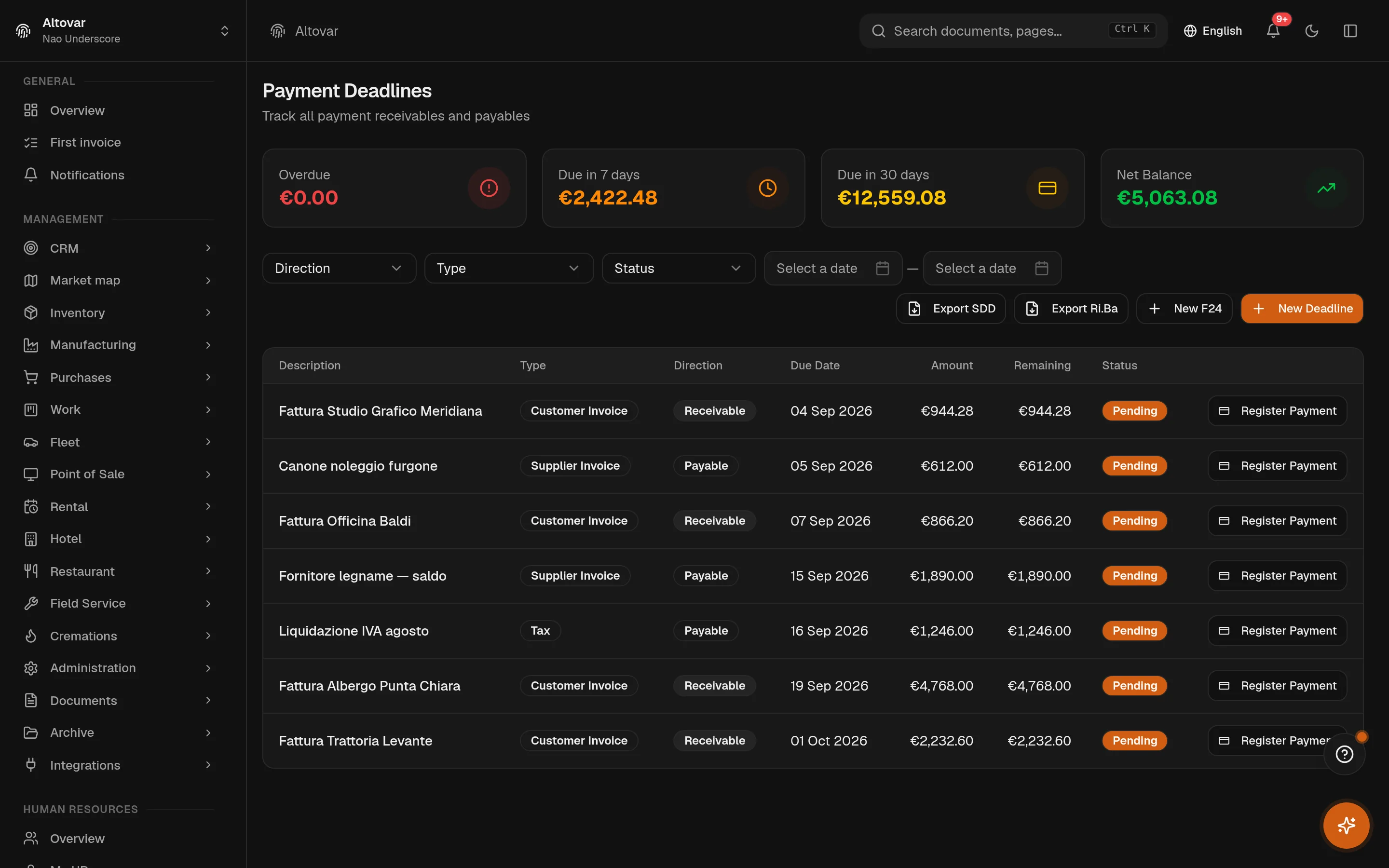
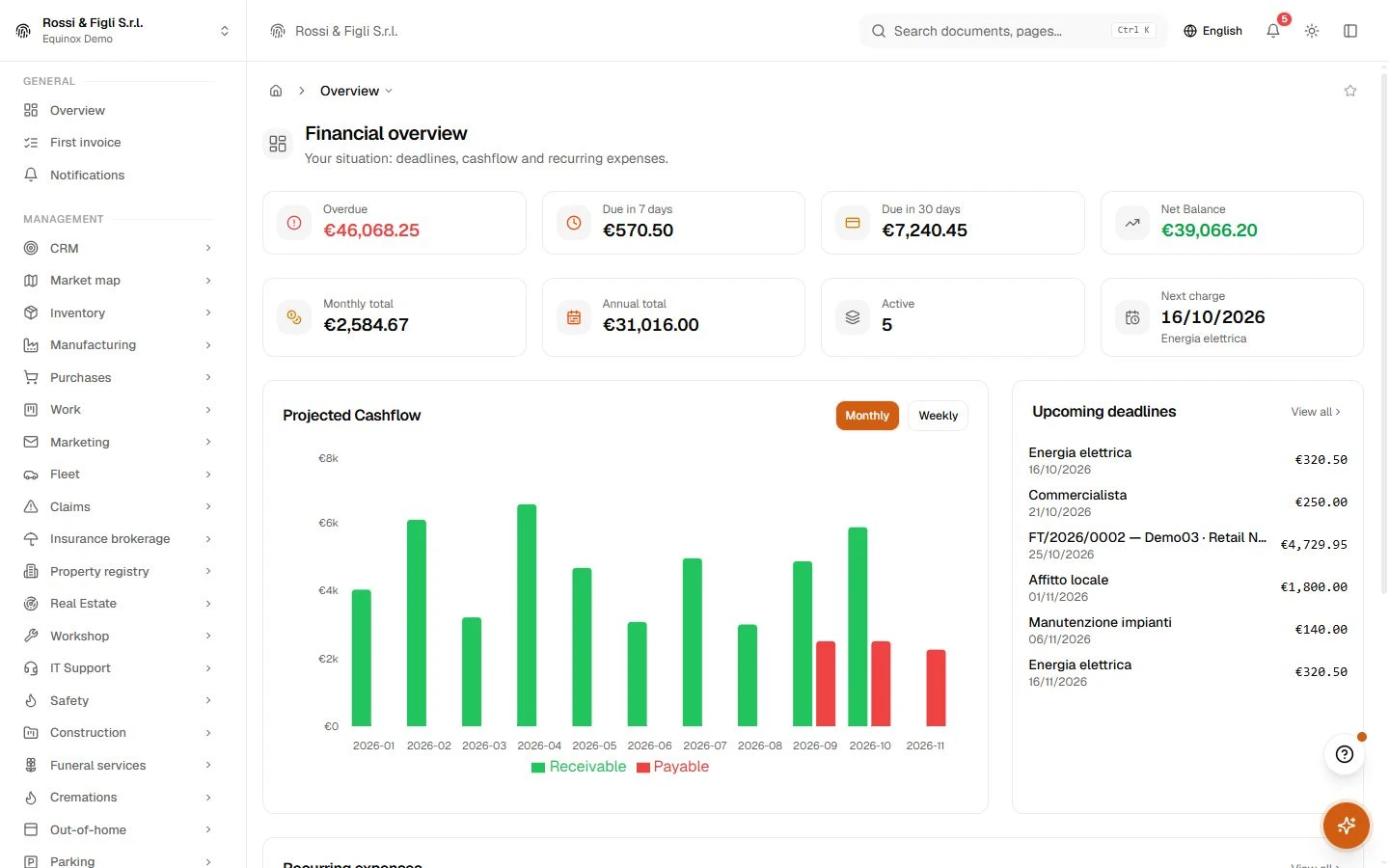
The deadline list holds both directions with filters for type, state and period, and the indicators that matter at a glance: what is overdue, what falls due within seven days, within thirty. Overdue is computed when you look, never stored — so the list is right even on the morning something tipped over. Payments are recorded on the line itself, partial or full, and the residual follows.
- They enter by themselves
- A registered supplier invoice creates its payable deadline on the spot; recurring templates add theirs every hour. Manual entries and F24 tax deadlines complete the picture.
- Reminders, opt-in
- Overdue customer invoices can send a dated reminder email automatically — switched on per company, never twice for the same silence.
Cash, projected forward
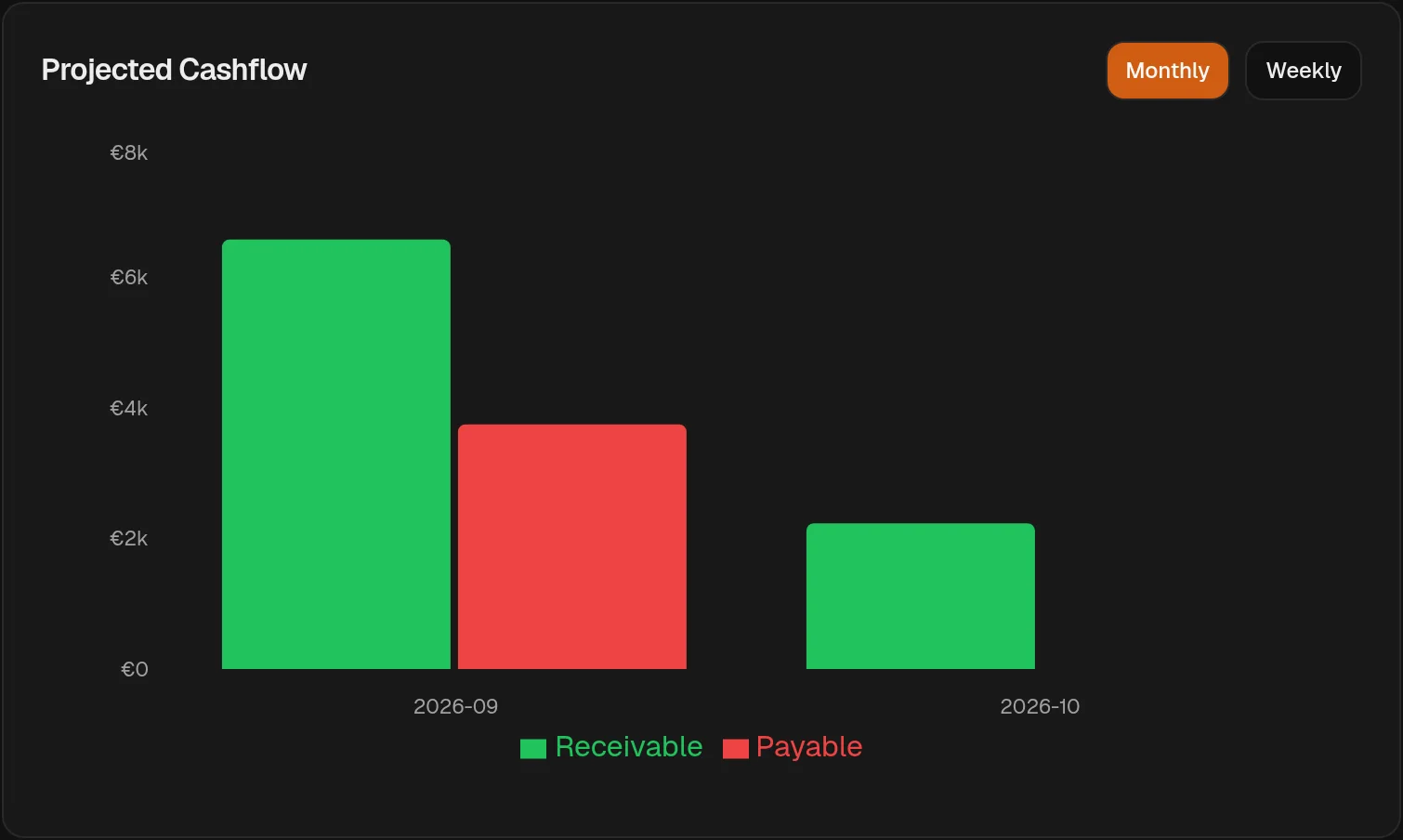
The cashflow view takes every open deadline — pending or partially paid — and lays the residuals out by week or by month, incoming against outgoing. Nothing hypothetical enters the chart: it is the sum of what the schedule already knows, which is exactly why it is worth reading on a Monday morning.
Aging that names the customer
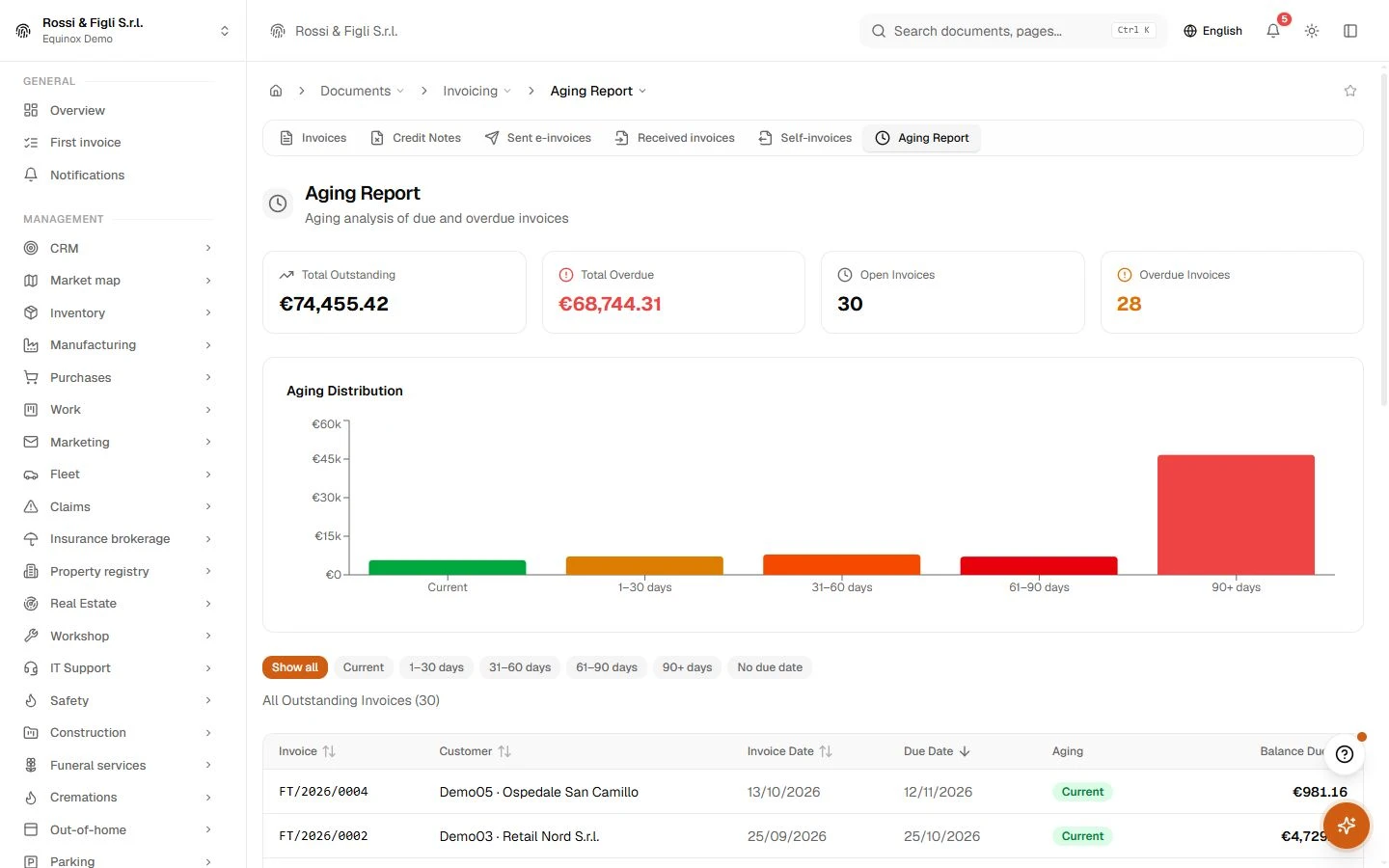
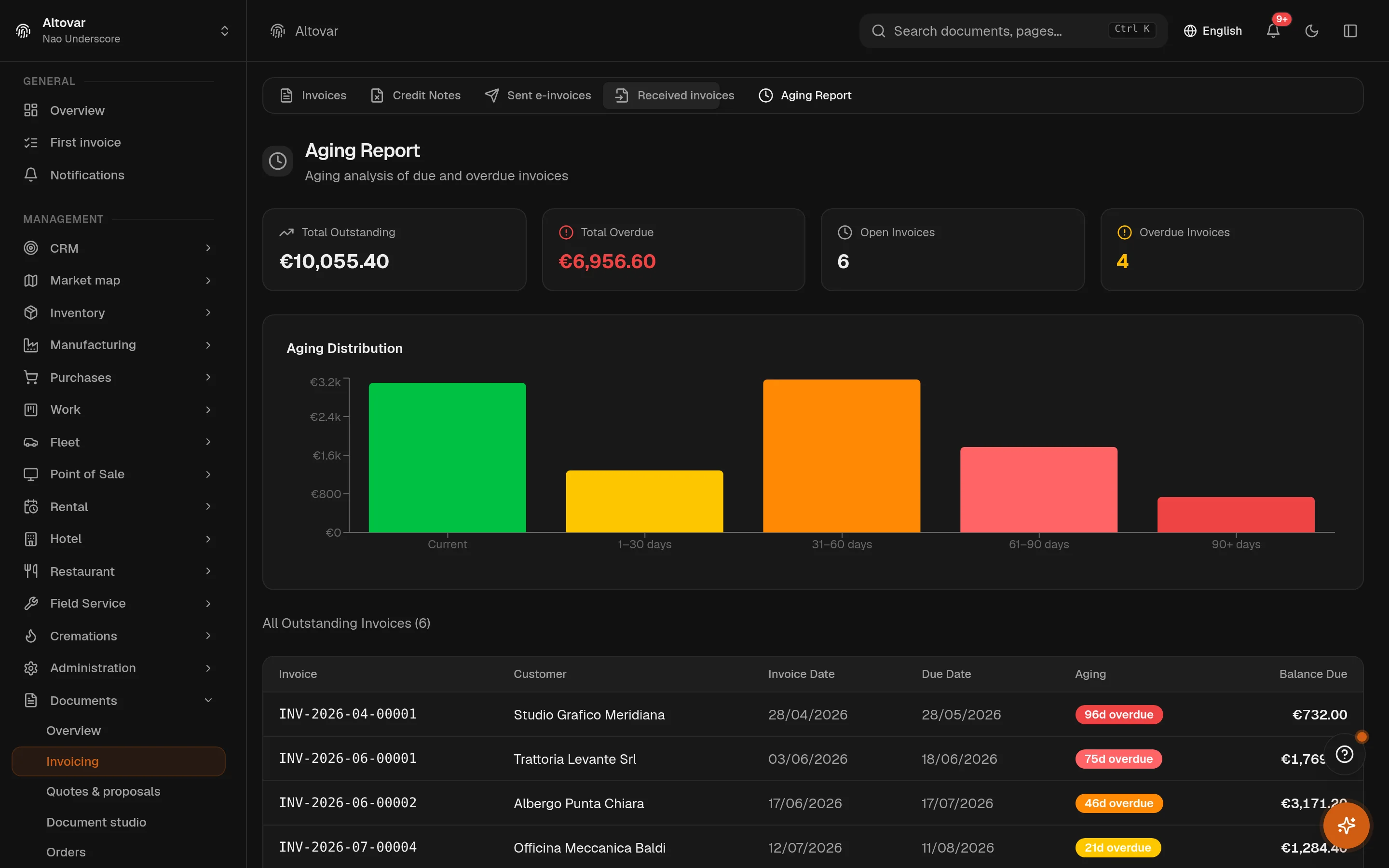
The aging report reads the issued invoices and groups the overdue into five buckets — current, then 1–30, 31–60, 61–90 and over 90 days. Each bucket opens into the customers behind it, so the conversation about a late payment starts from a number both sides can see.
Recurring costs, on a template
Rent, utilities, subscriptions: define the rule once — frequency, amount, supplier — and the hourly sweep generates each occurrence as a deadline on the schedule. The template shows its next occurrence, so you always know what is about to enter the list.
- Directions
- In and outreceivables and payables live in the same schedule — amount, residual and due date on every line, with partial payments recorded against it.
- Aging
- 5 bucketscurrent, 1–30, 31–60, 61–90 and over 90 days — computed from the issued invoices themselves, with drill-down per customer.
- Recurring costs
- Hourly sweeprecurring-expense templates generate their deadlines on an hourly schedule, so rent and subscriptions appear on the list before they surprise the account.
- Projection
- By week or monththe cashflow view sums only what is still open — pending and partially paid residuals — so a settled deadline leaves the projection the moment you record it.
In practice
The work, step by step.
Explore the activities this module brings together. Choose a step to see what you can manage.
Review deadlines
Review customer and supplier deadlines by date and status.
Follow payments
Track the payments associated with outstanding business documents.
Plan expenses
Plan recurring expenses alongside your other financial commitments.

Start with the way you work.
Equinox
Start with the way you work.
Tell us about your processes. We can identify the modules and configuration that fit your business.
Talk about your project