

ERP core
Projects
Turn an agreed scope into tasks, milestones and recorded work.
Keep the project roadmap beside time entries and billing, so progress and the effort spent remain visible throughout the assignment.
 Try the demo

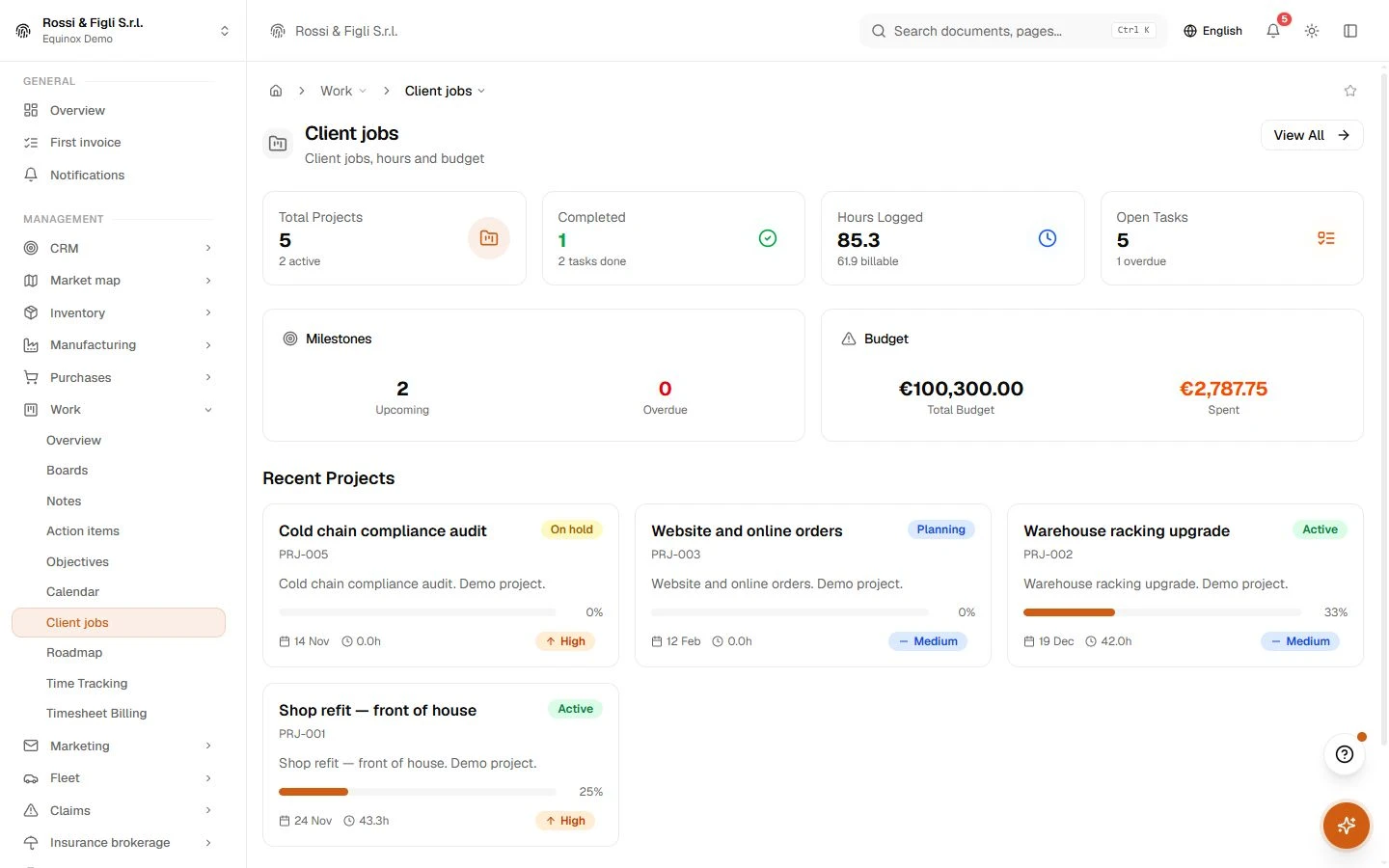
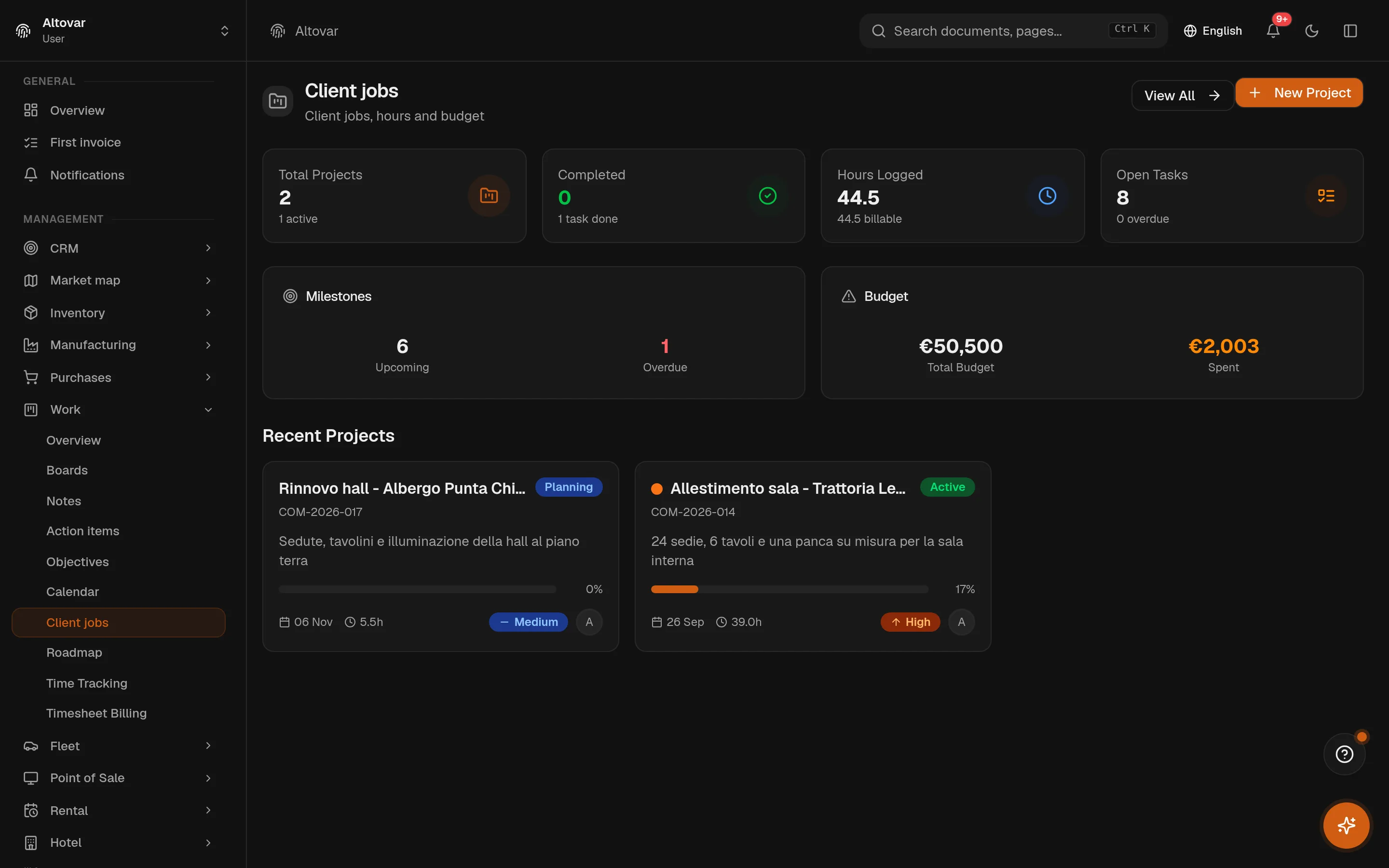
Projects · In the plans
Hours become invoices. Work orders come home signed.
A project in Equinox holds its client, budget, tasks and milestones — and every billable hour logged against it. When it is time to invoice, the unbilled hours are already grouped by project and priced at their rate, one click from a draft in the same invoicing engine the fiscal module uses. Out in the field, work orders carry the checklist, the parts, the photos and the customer’s signature.
Availability depends on your Equinox plan.

Features
Inside the module.
Explore the working areas, records and tools available in this module.
Timesheet Billing
Generate invoices from tracked time
Client jobs
Manage client jobs, tasks, and time tracking
Roadmap
Milestones from every project on a single timeline
Time Tracking
Log and manage your work hours
No matching features. Try a different word.
Projects
How it works
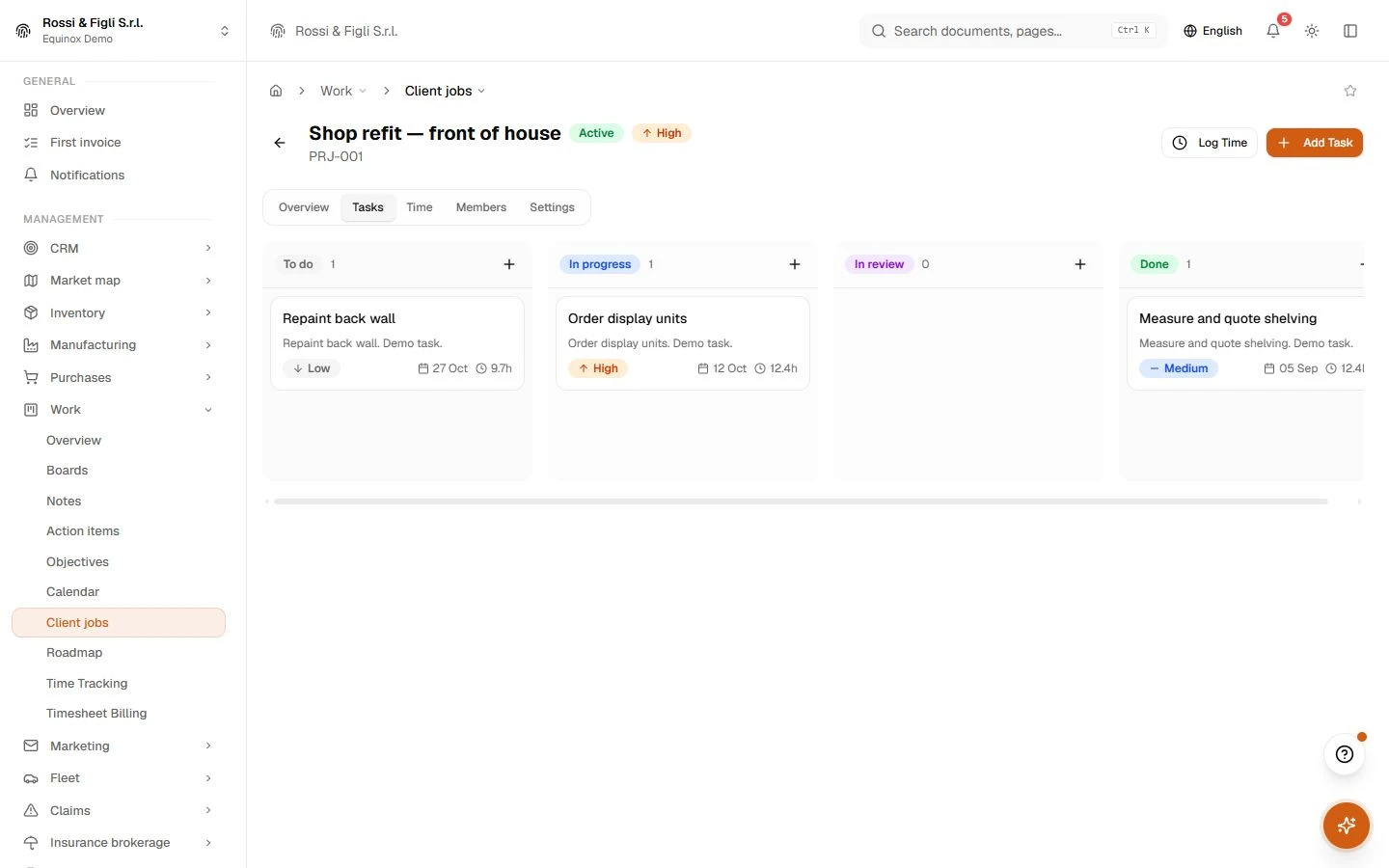
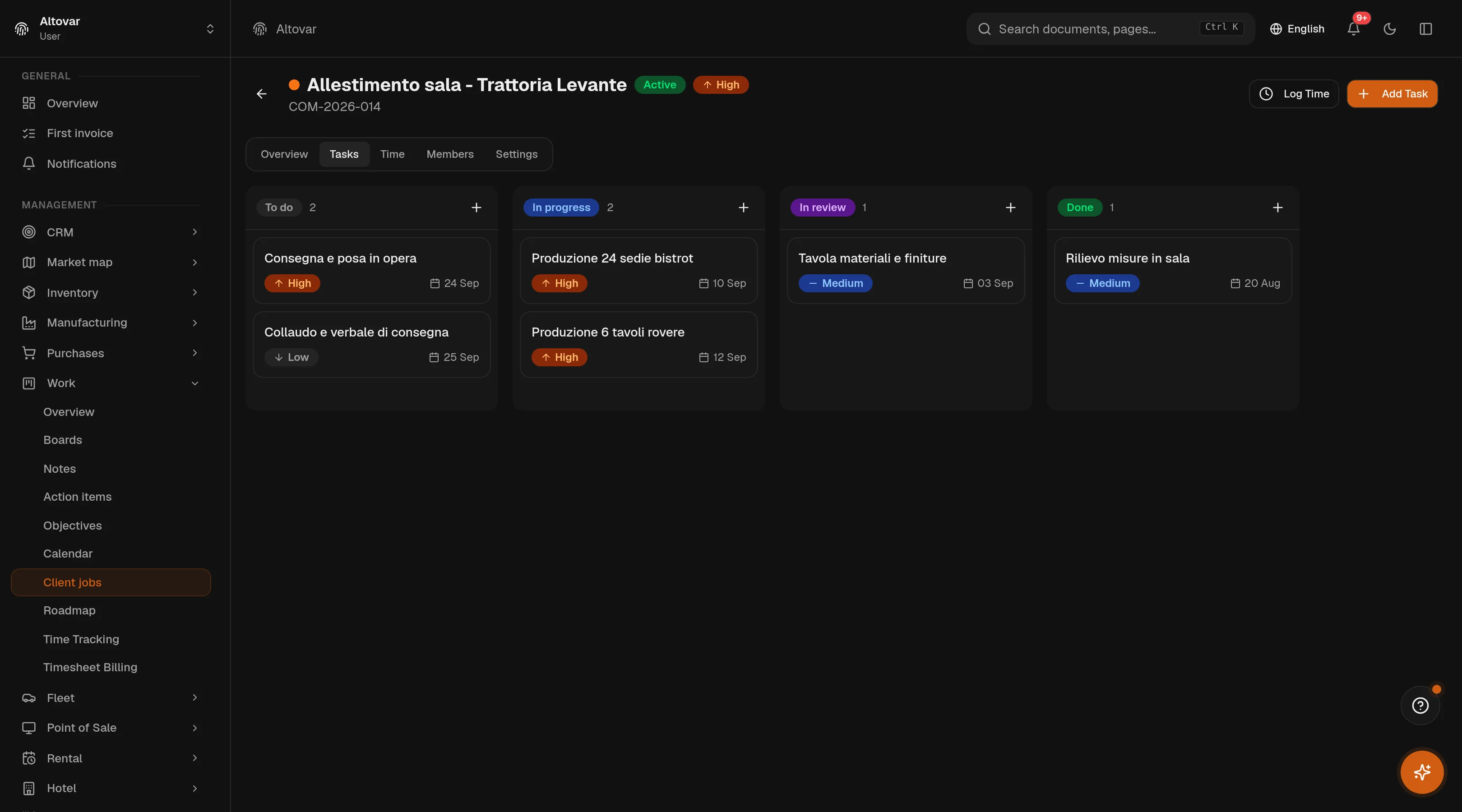
The project, alive on a board
Tasks move across todo, in progress, in review, blocked, done — with priorities, due dates and estimated hours on each card. Milestones mark the path, and the roadmap lays every project’s milestones on one timeline so the month ahead is a picture, not a meeting. Client, budget and deadline live on the project itself.
- Milestones on one timeline
- The roadmap draws every project’s milestones as a gantt on desktop and a timeline on mobile, filterable by state and project.
- Members and roles
- Each project carries its team — owner, manager, member, viewer — and whoever creates it is on it from the first second.
Hours, priced as they land
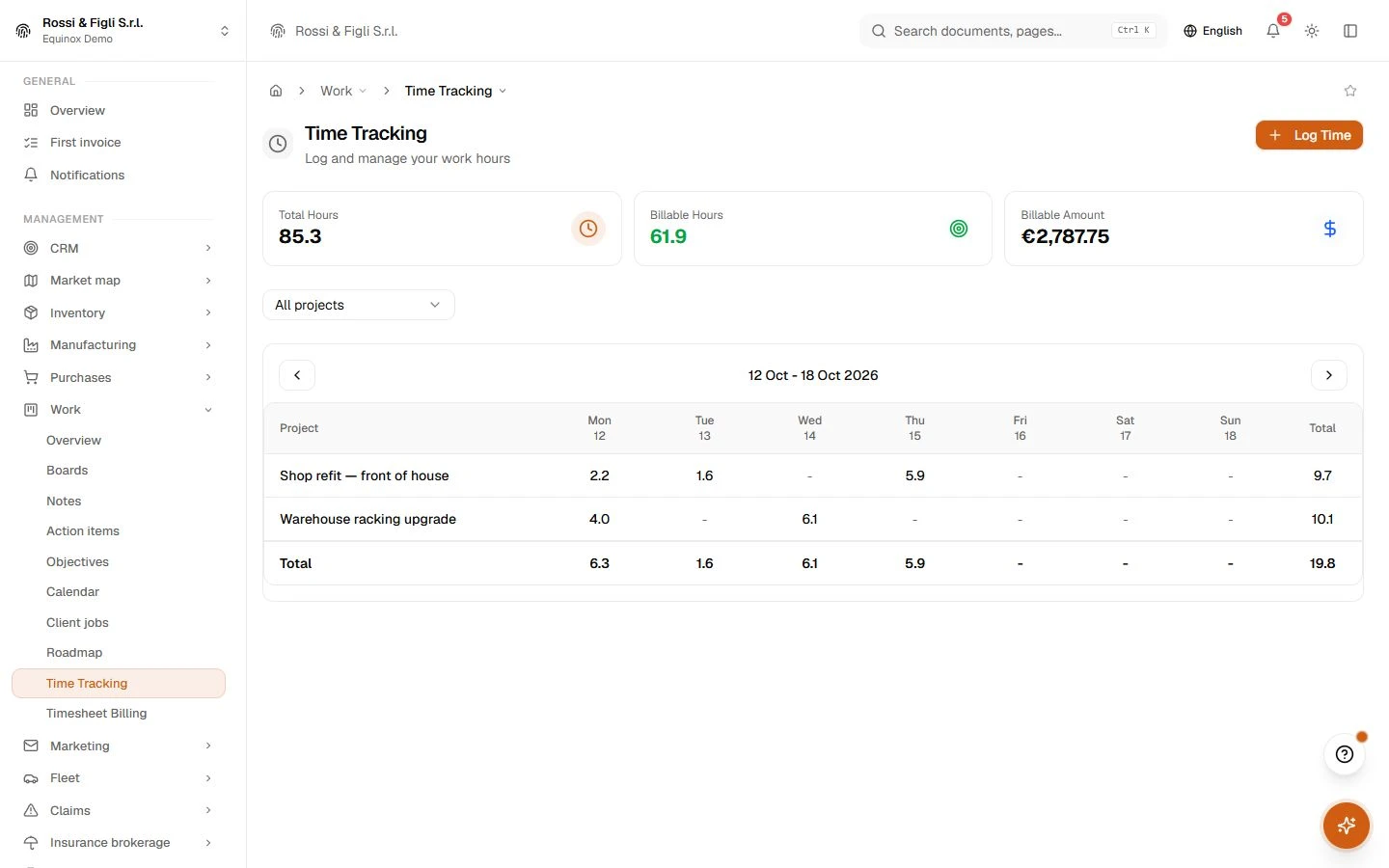
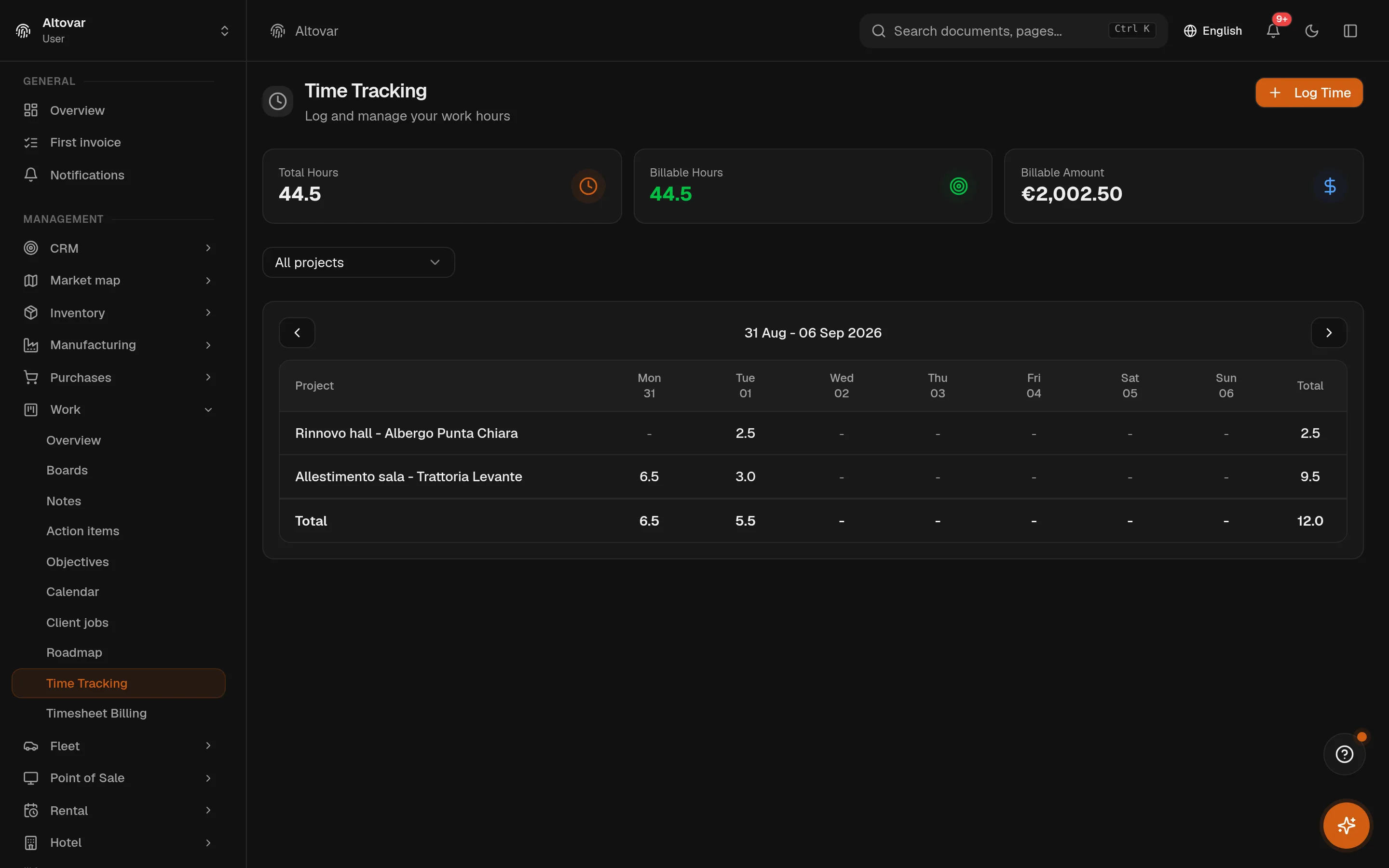
Hours are logged on the project — and, if you want, on the task — with a date, a note, a billable flag and an hourly rate. The weekly grid reads them back per project and per day, with billable totals and the amount they are worth. It is deliberate, honest timesheeting: entered, not surveilled.
From the timesheet to the invoice
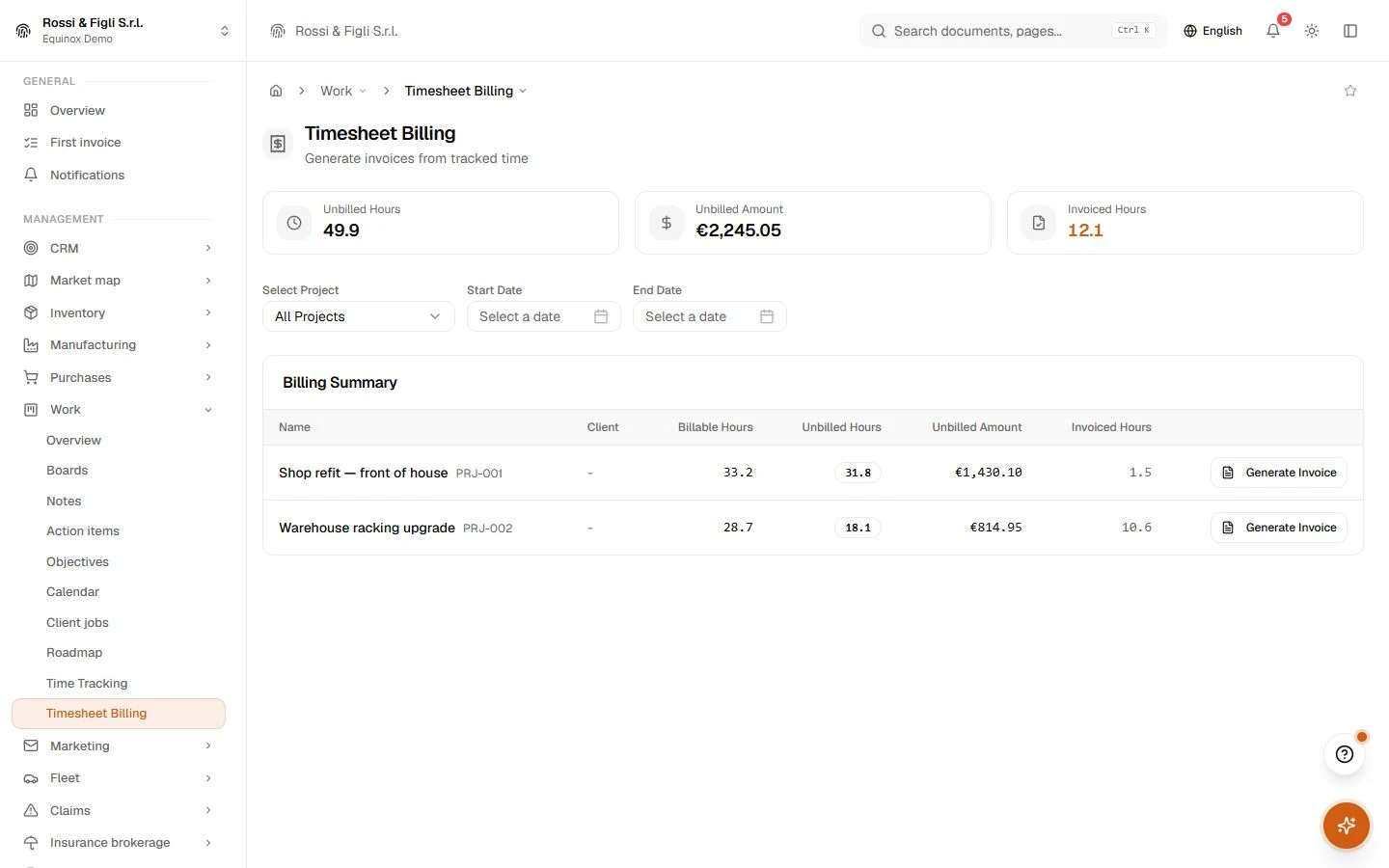
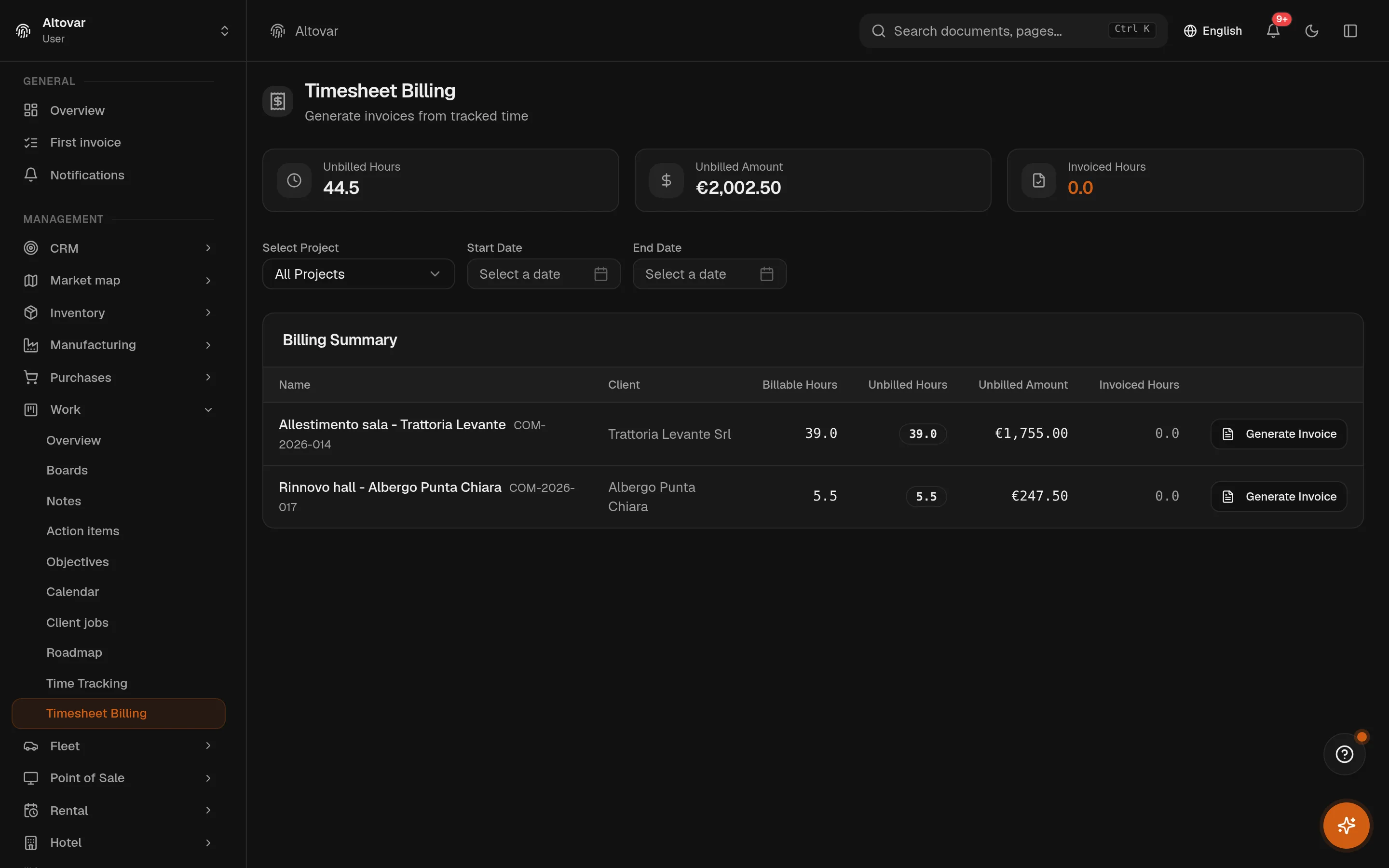
The billing page groups every unbilled billable hour by project and client, shows what it is worth, and generates the invoice from a four-step wizard: pick the project, pick the entries, check the lines, confirm the draft. The draft is created in the same document engine the fiscal module uses — so numbering, statuses and electronic invoicing are the ones you already have, and the hours are marked invoiced so they cannot be billed twice.
Work orders that survive the road
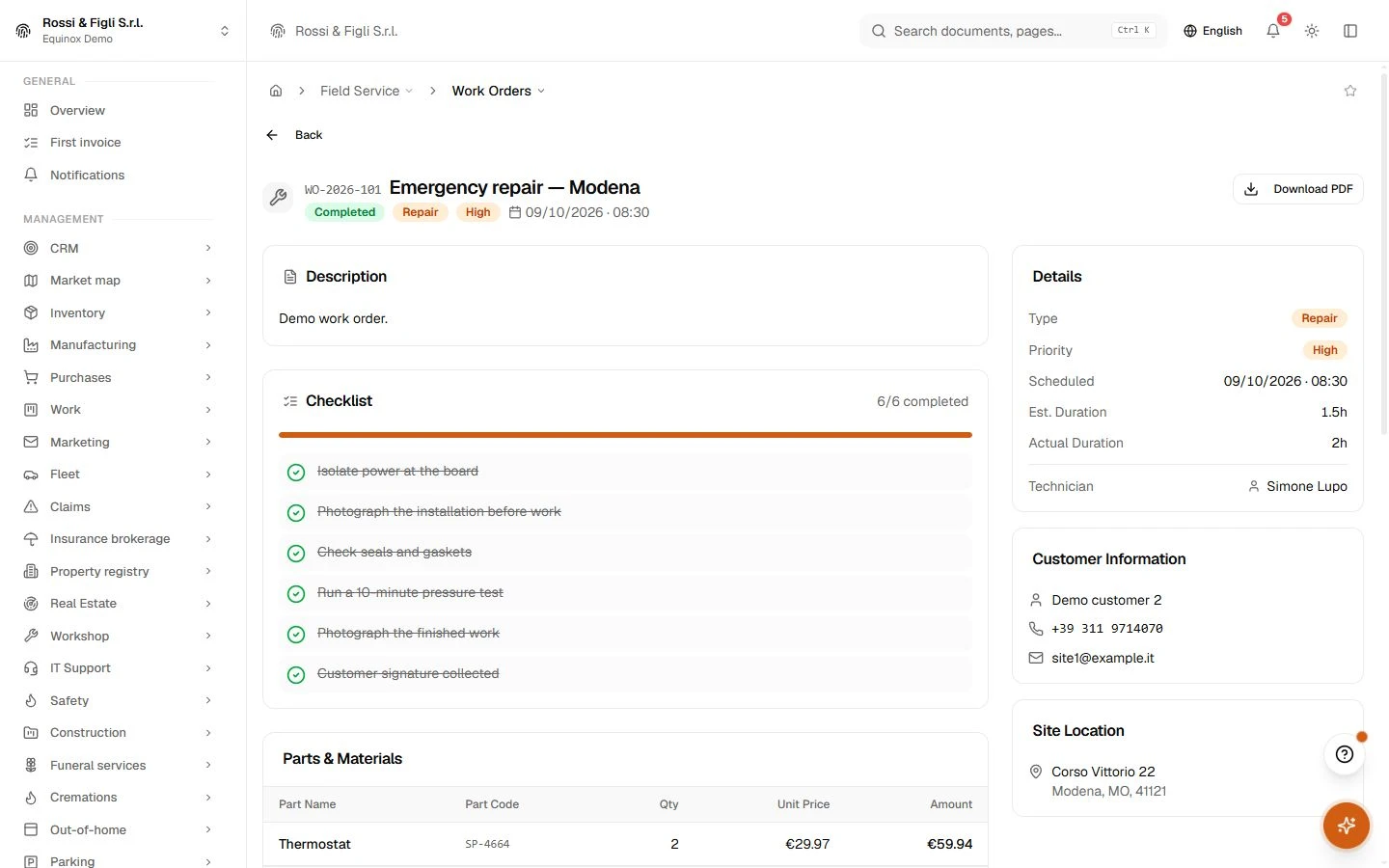
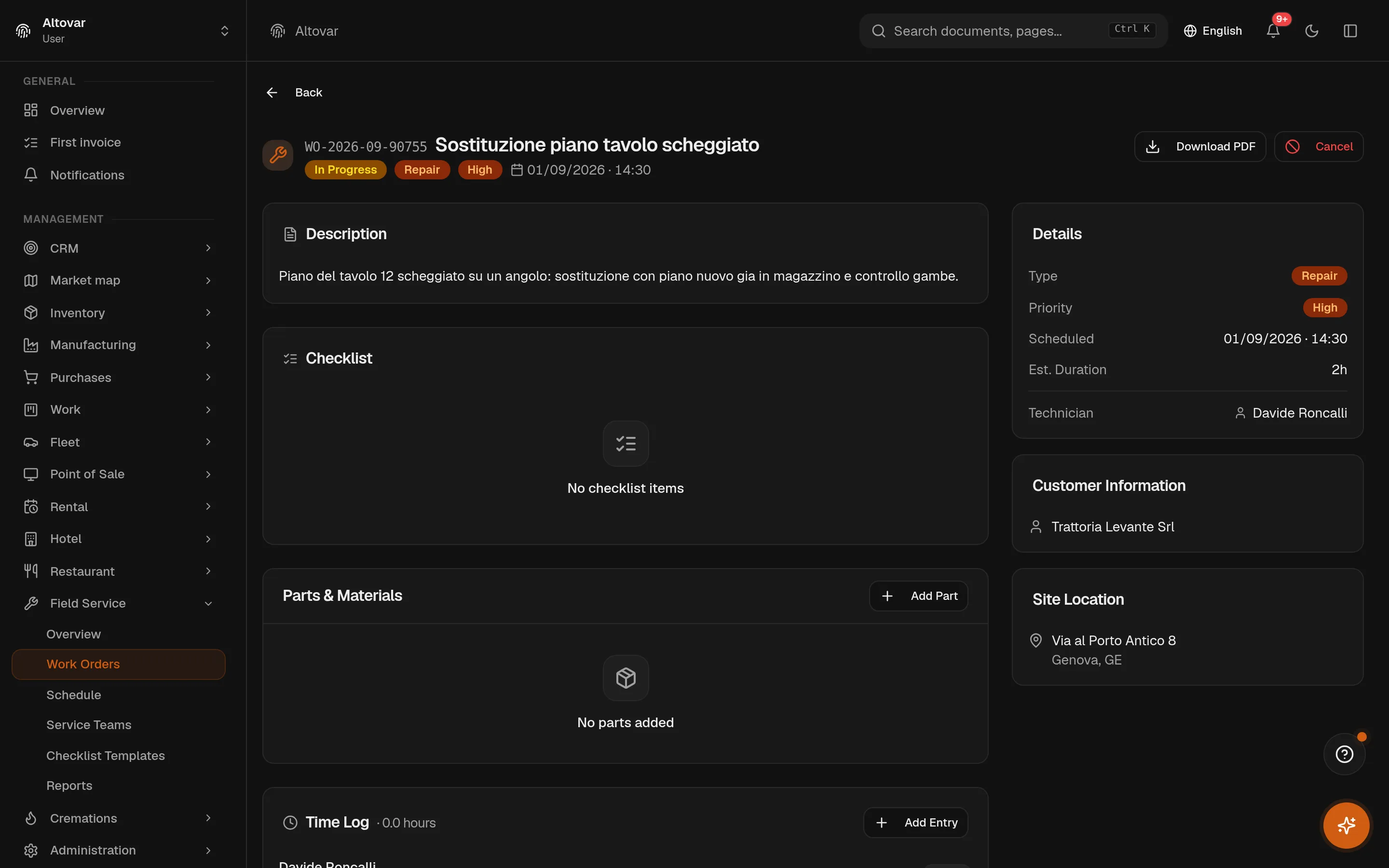
A field order carries the customer, the site address, the team and the technician, and walks draft, scheduled, dispatched, in progress, completed — every step checked by the server. On it travel the checklist from a reusable template, the parts used, the photos, the logged time, the customer’s signature and feedback, and a PDF report at the end. If a required checklist item is still open, the order does not close. Full stop.
- Teams and workload
- Field crews with a lead and members; the schedule shows who is where, and the reports count completed orders and hours per technician.
- Drafted by the AI, decided by you
- Describe the job and the built-in AI drafts the order — title, type, priority, checklist. It writes nothing until you save, and it draws on the same prepaid AI balance as the rest of Equinox.
- Billable hours
- 44.5 h → €2,002.50the demo project’s logged hours, priced at their hourly rate and already grouped in the billing summary. The numbers come from the timesheet, not from a guess.
- Invoicing
- One pipelinethe invoice drafted from a timesheet is born in the same document engine as the fiscal module — numbering, statuses and the exchange system included. No parallel invoices to reconcile.
- Checklists
- They block completiona work order with open required checklist items refuses to complete. The rule is enforced by the server, on the road as in the office.
- Lifecycles
- 6 + 5 statessix for project tasks, five for a field order from draft to completed — with the transitions checked server-side, not left to habit.
In practice
The work, step by step.
Explore the activities this module brings together. Choose a step to see what you can manage.
Plan the work
Plan project tasks, responsibilities, priorities and milestones together.
Record time
Record working time against the projects your team delivers.
Prepare billing
Review billable work and prepare the associated project billing.
Start with the way you work.
Equinox
Start with the way you work.
Tell us about your processes. We can identify the modules and configuration that fit your business.
Talk about your project