

Solutions
Hospitality and POS
Reservations, tables, orders, payments and stock move together while each team keeps the view it needs.
 Try the demo

Inside the flow
Front desk, dining room and till in one operating flow.
Reservations, tables, orders, payments and stock move together while each team keeps the view it needs.
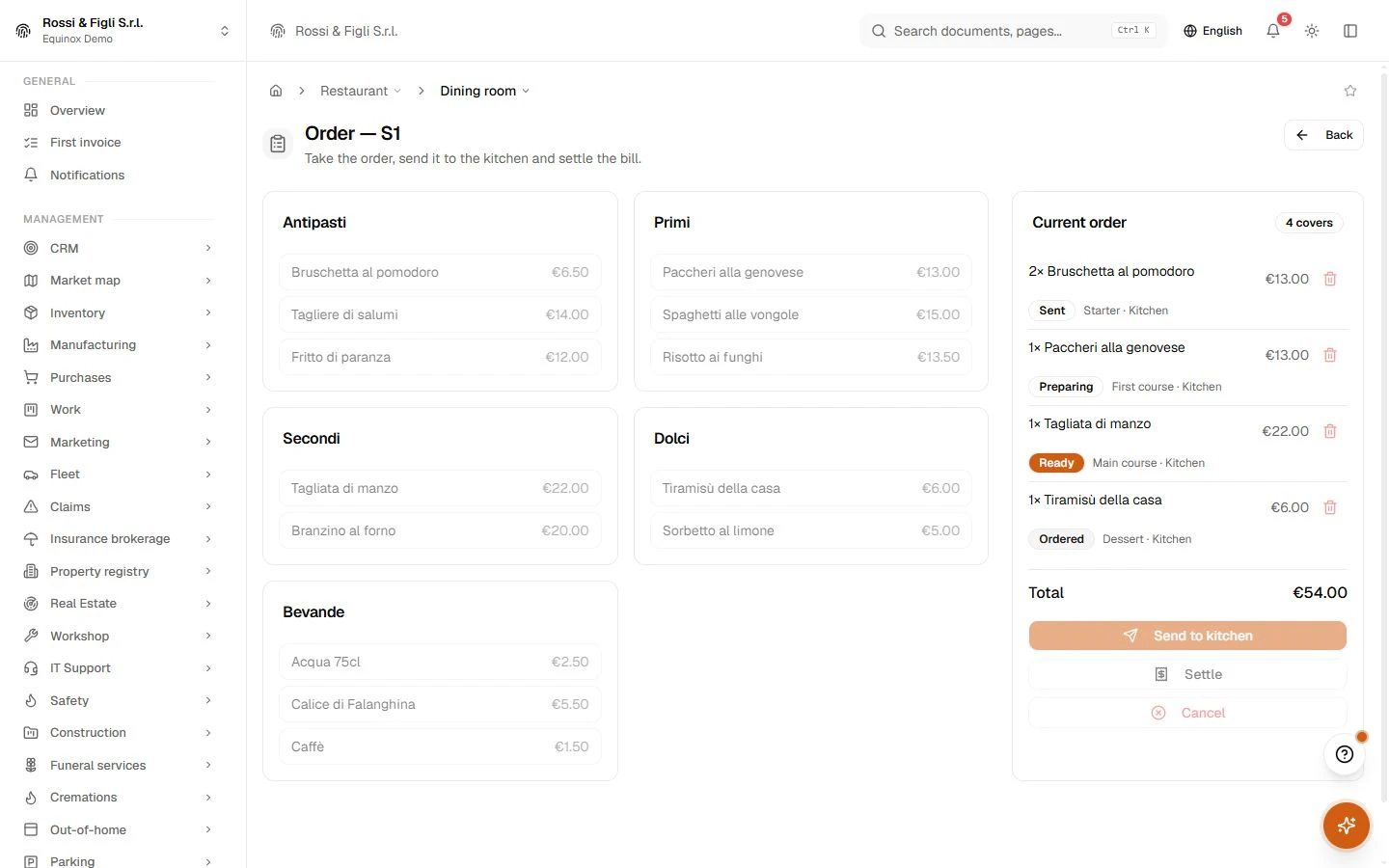
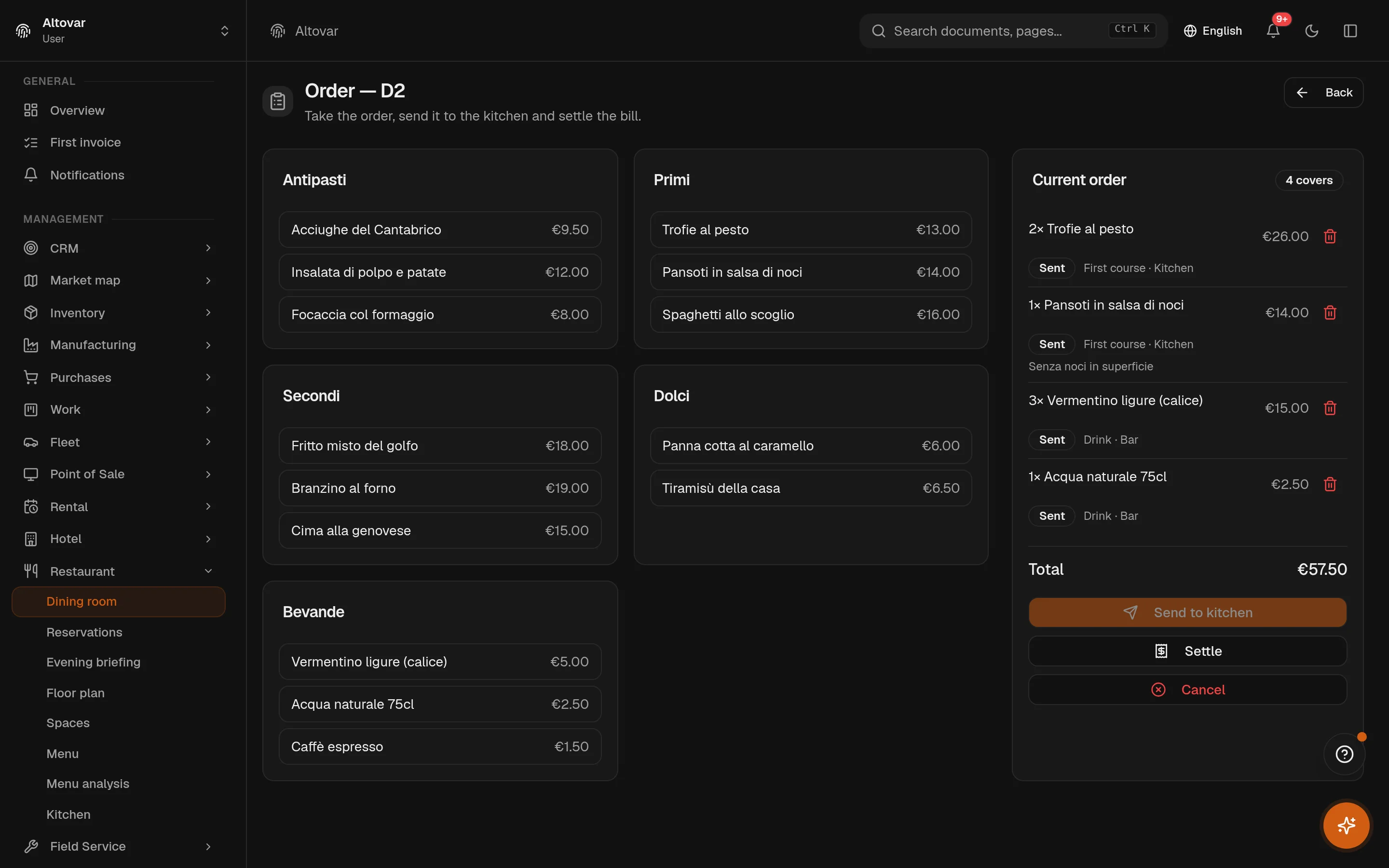
The order, taken at the table
Open the table, set the covers, pick from the menu by category, add a note per dish — well done, sauce on the side. Send, and the kitchen has it. Dishes can be added to an open order at any time; the bill is settled on the point of sale of the same system, or cancelled with a trace.
Restaurant · Open the moduleA kitchen without shouted tickets
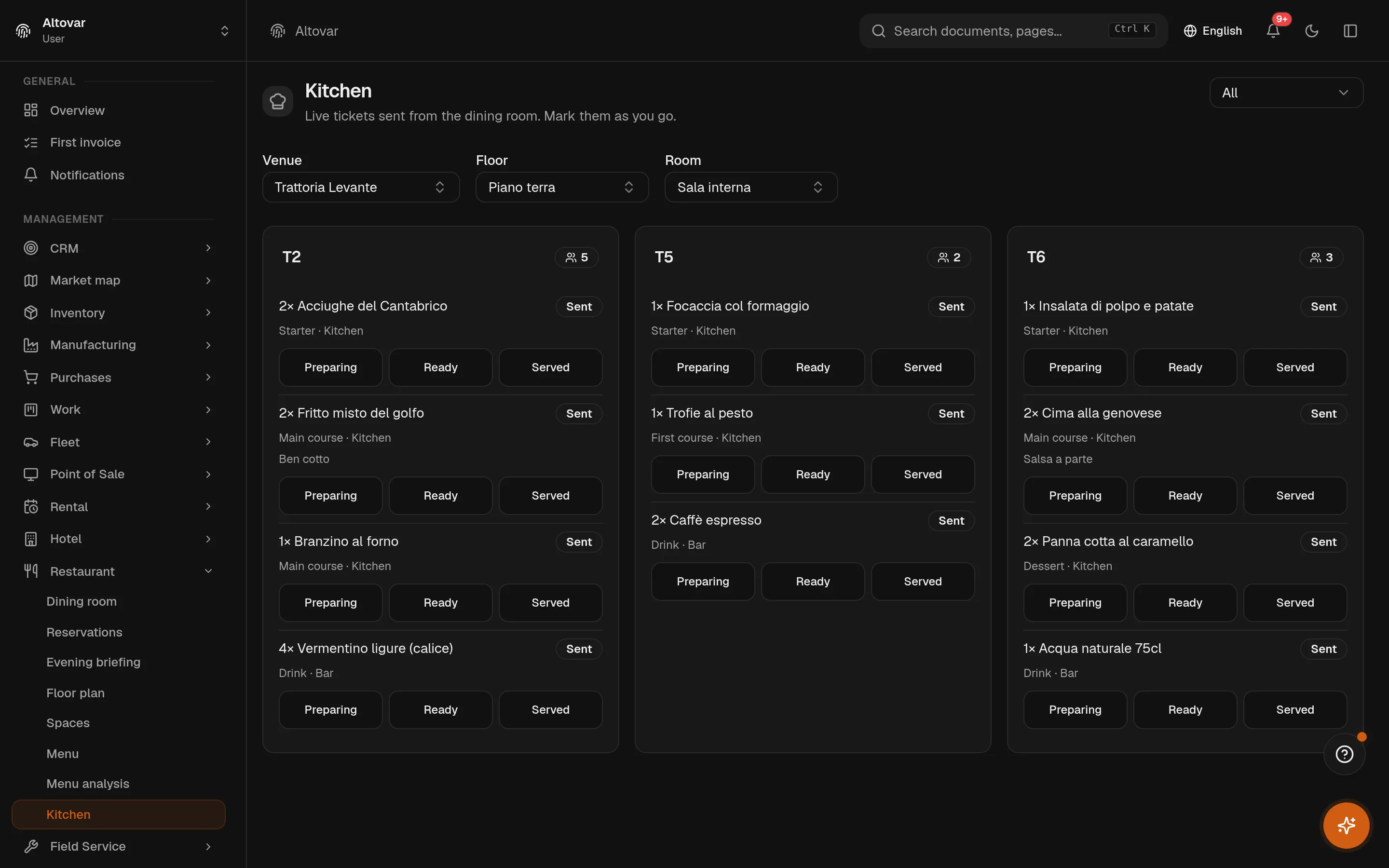
The kitchen screen shows the sent orders of the venue, floor and room you pick, one card per table with the covers. Every line carries the course, the station and the note in plain text, and moves forward on a tap: preparing, ready, served. When the last line is served the order is served; the floor sees it without asking.
Restaurant · Open the module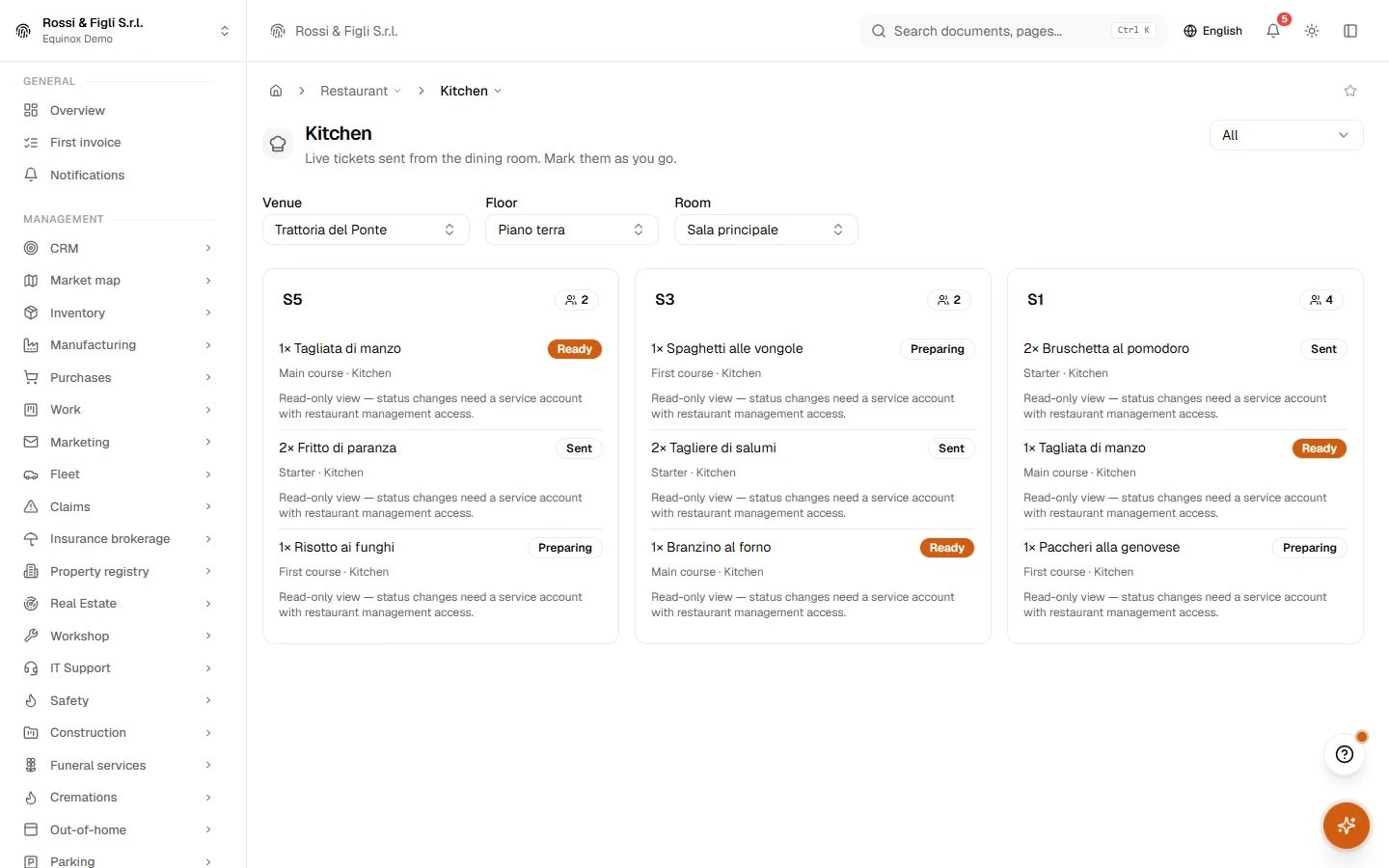
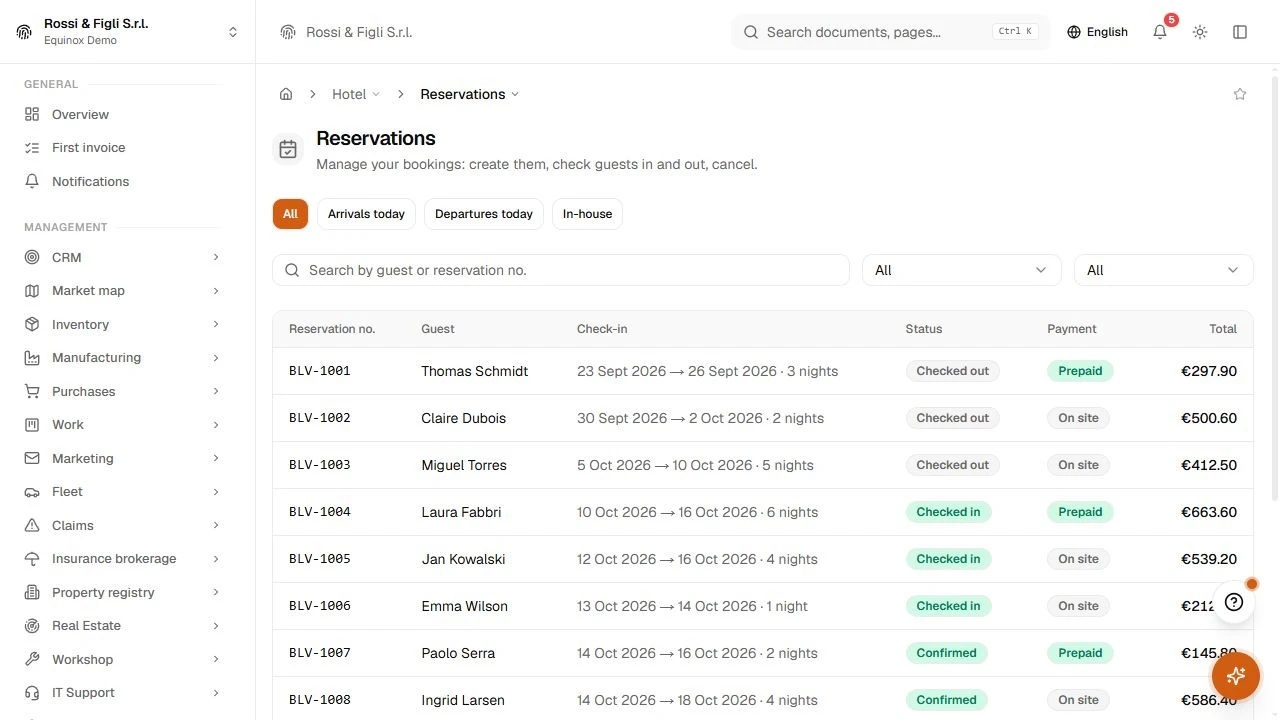
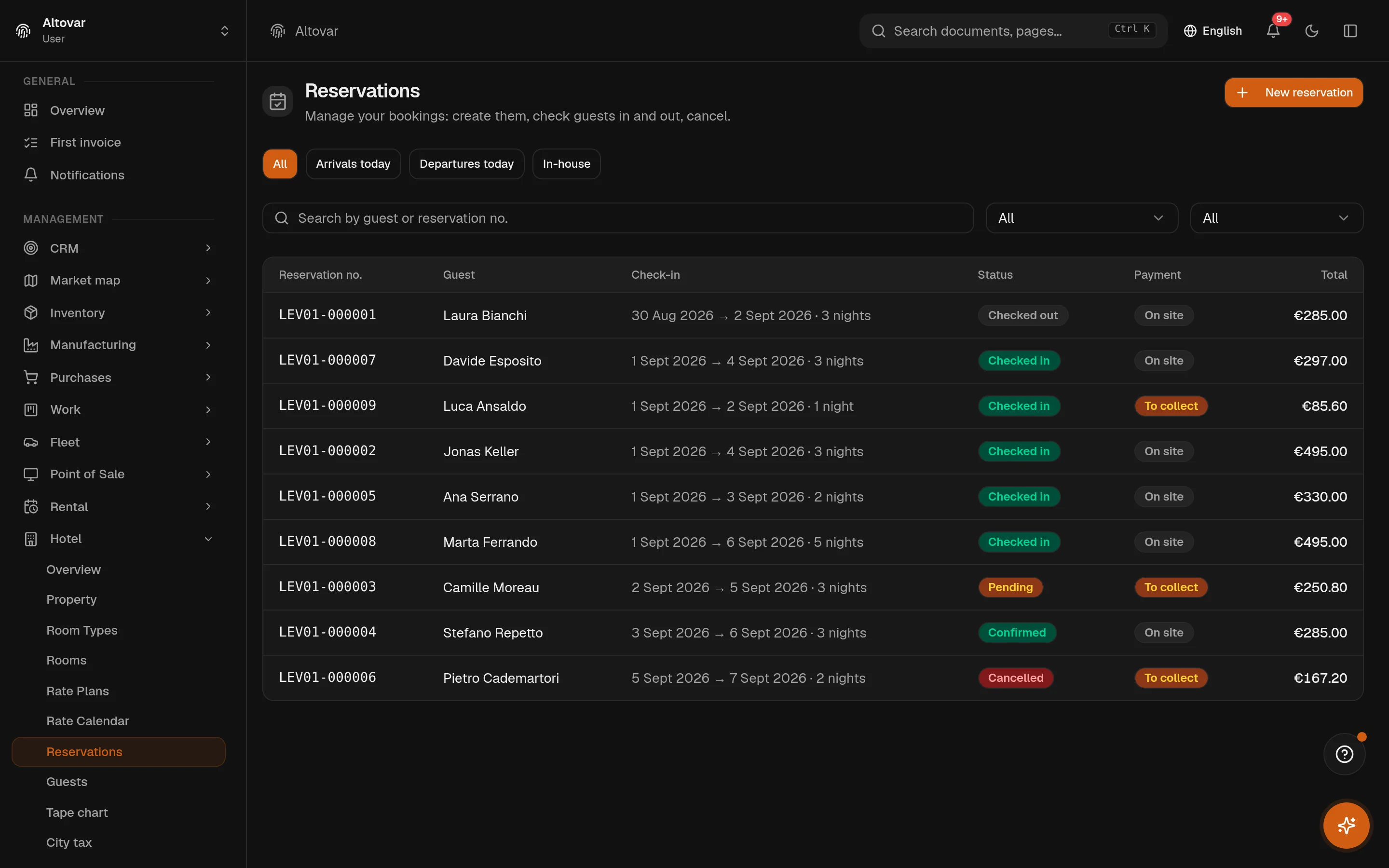
Six states, no ambiguity
A booking arrives from the reception, the phone, the web page or a portal, with its guests, its room type and its rate plan. Pending or confirmed depending on the plan; checked in when a room is assigned; checked out, cancelled or no-show when the stay ends the way it ends. The list filters on today's arrivals, departures and in-house guests, and every row shows the payment state next to the total.
- Guests and locale
- Guests have their own registry; the guest's language drives the confirmation and reminder emails.
- Groups
- A group of bookings can be cancelled together; rooms can be blocked for maintenance or for a portal.
Equinox
Keep exploring Equinox.
Explore the flows that run across Equinox: documents, controls, operations, automation and permissions.
Electronic invoicing
Create Italian electronic invoices, follow the exchange system outcomes, receive supplier invoices and keep signatures beside the document they belong to.
02 · SolutionsFinance and control
Double entry, VAT, assets and statutory reports share the same data, rules and company boundary.
03 · SolutionsSales and operations
Customers, deals, projects and stock stay connected from the first conversation to delivery.
04 · SolutionsBuilt-in AI
There is no chatbot bolted on the side. The AI drafts documents, imports messy lists, reads receipts, searches across modules and takes voice — inside the permissions of whoever asked.
05 · SolutionsThe platform
Equinox stands on the Altovar platform — the same identity, tenancy and permission model that carries the rest of what we build.

Talk to the people who build it.
Equinox
Talk to the people who build it.
Tell us how you work today. We will show the modules on your workflow and explain clearly what Equinox covers.
Book the call