

Services and commerce
Hotel
Keep room availability, reservations and the daily work of reception in view.
Manage room types, rates and guest records, then coordinate arrivals and housekeeping around the stays on your calendar.
 Try the demo

Hotel · Add-on
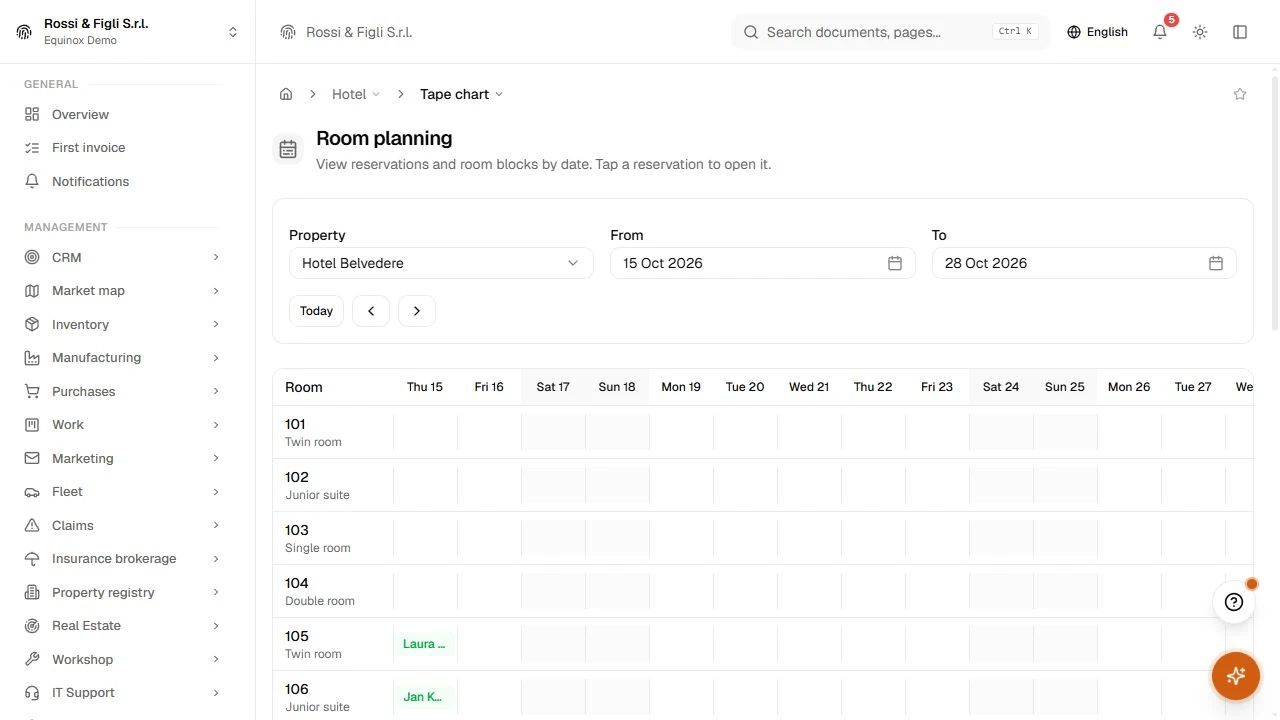
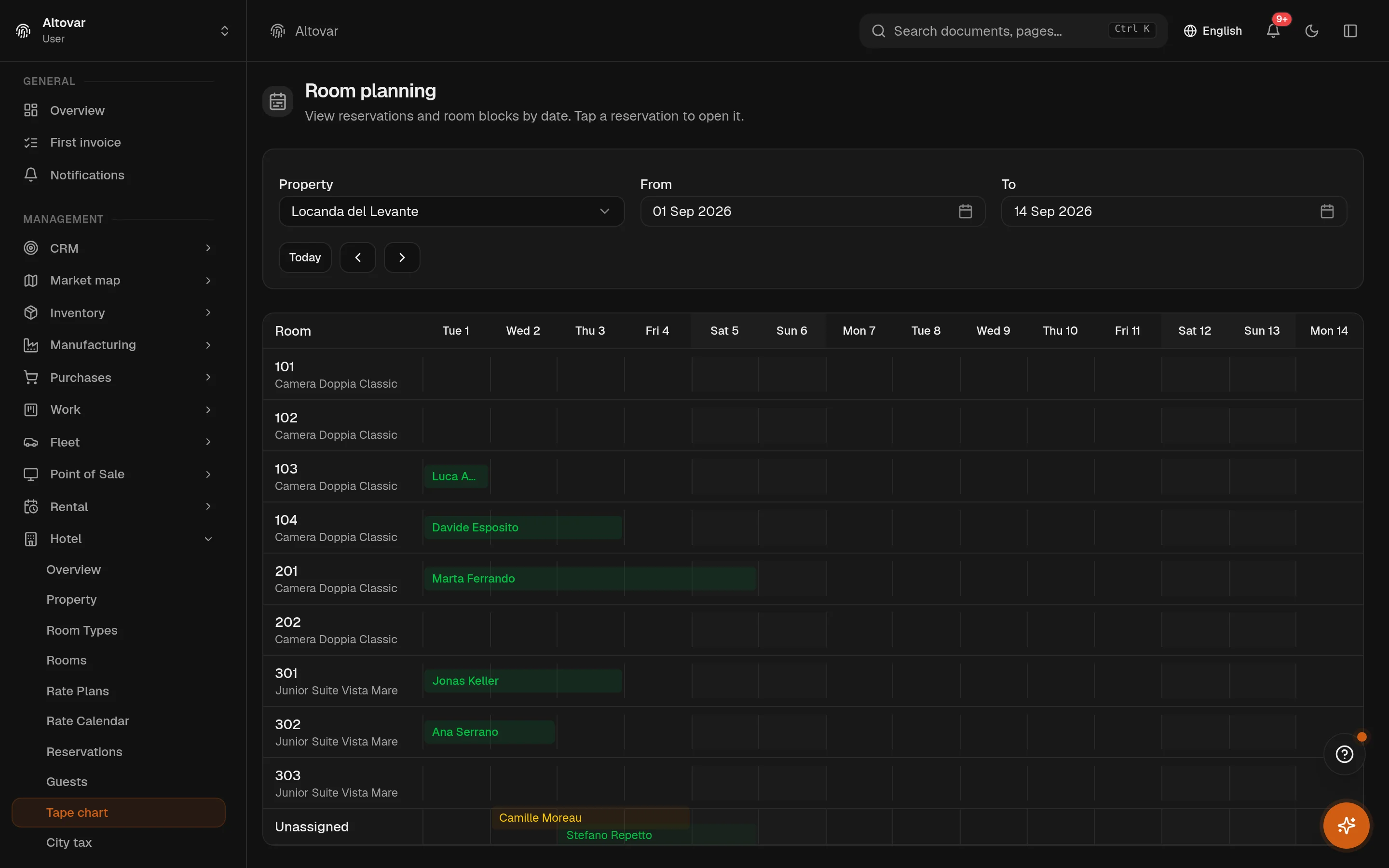
The front desk, one row per room.
Room planning, rates, housekeeping and city tax in the same system as your accounting. A booking is created with its room type and rate plan; check-in assigns the room; the folio fills itself with the stay, the tax and the extras. The tape chart is the one screen the reception keeps open, and it reads in a second.
Available as an optional module for your Equinox setup.

Features
Inside the module.
Explore the working areas, records and tools available in this module.
Rate calendar
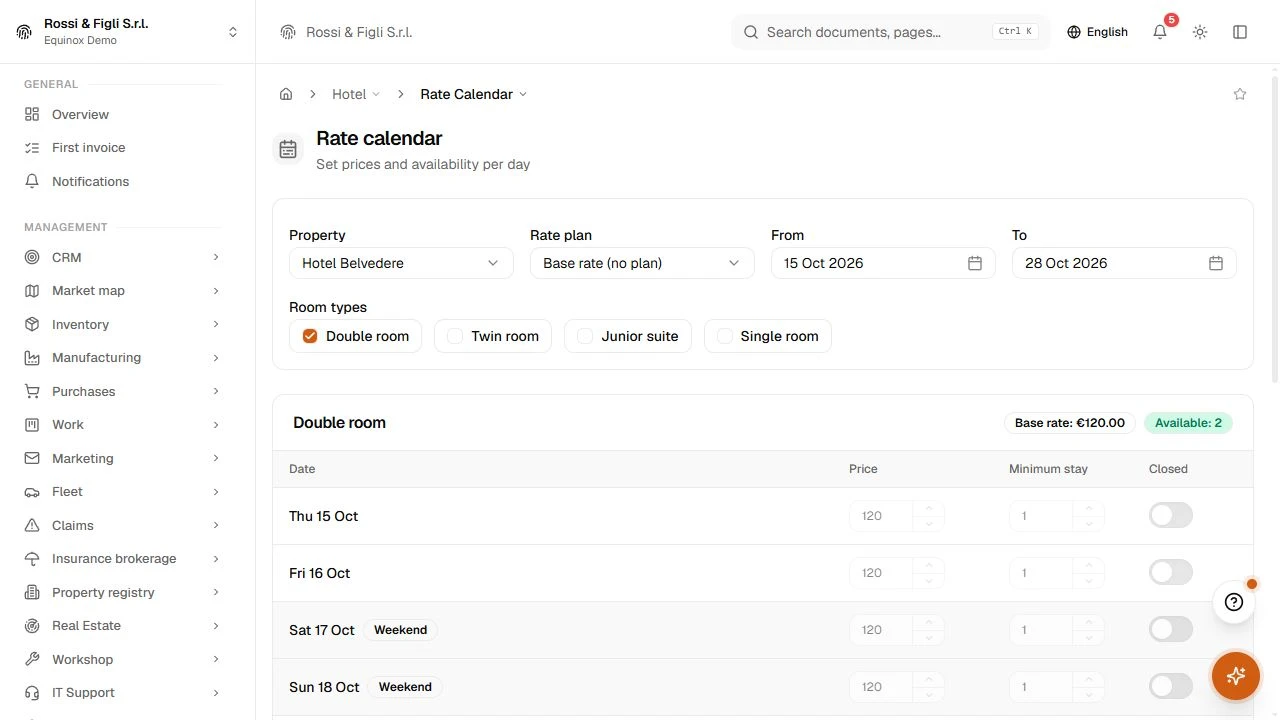
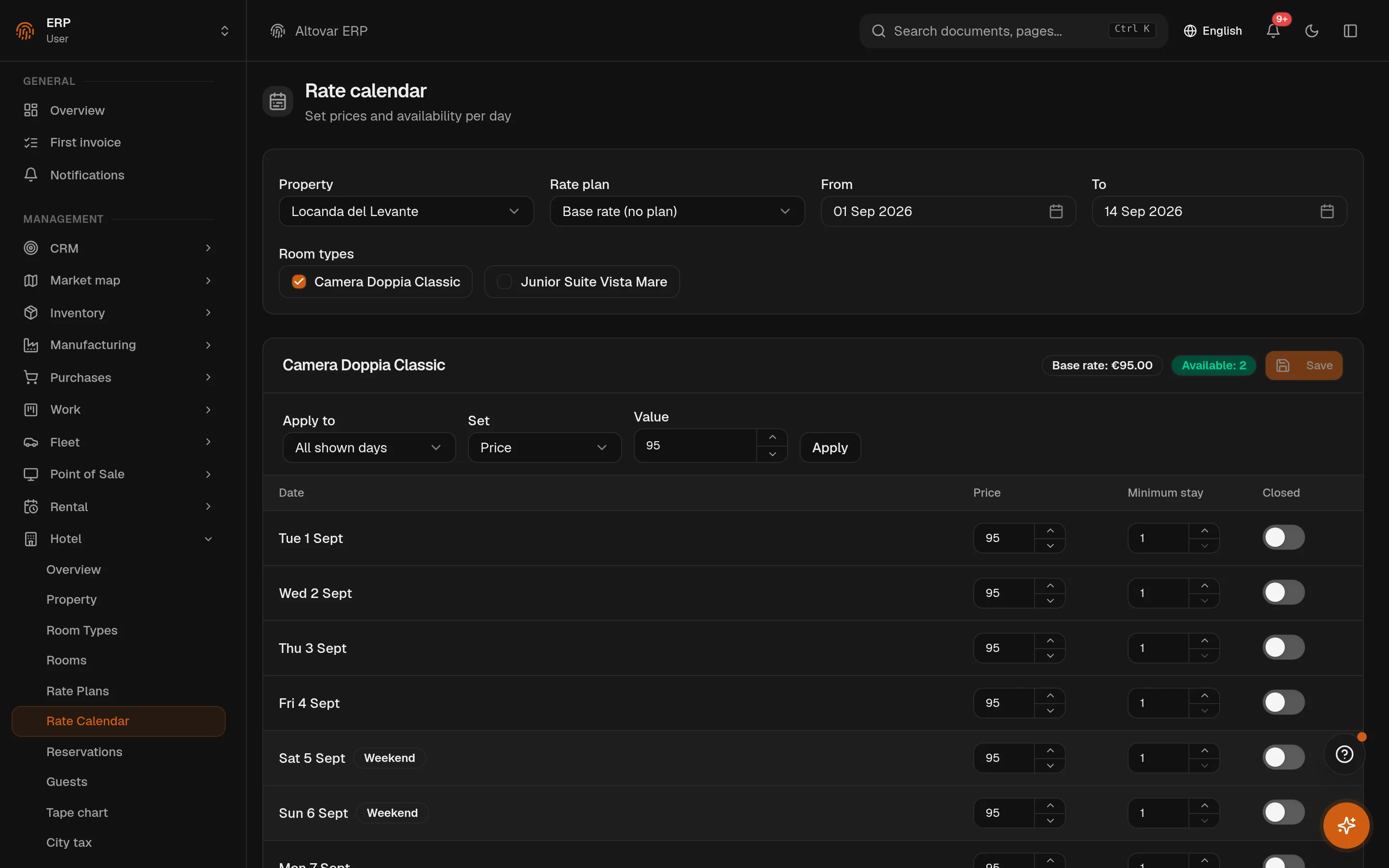
Set prices and availability per day
Channels / OTA
Connect your calendar to OTAs over iCal: export your availability or import bookings from the portals.
City tax
Set the tourist tax for this property.
Compliance
Generate the Alloggiati Web records and export the city tax.
Guests
Guest profiles and documents.
Housekeeping
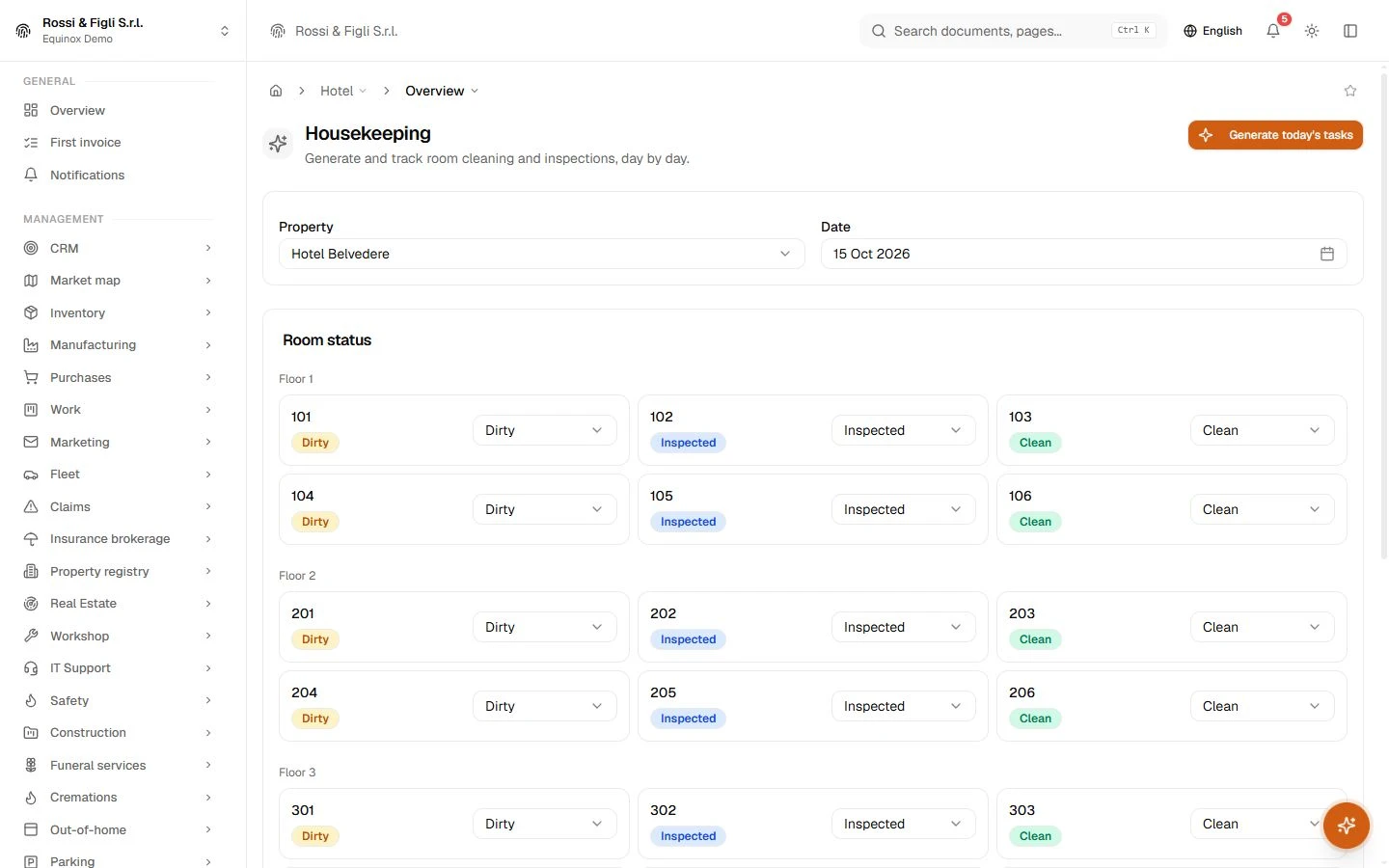
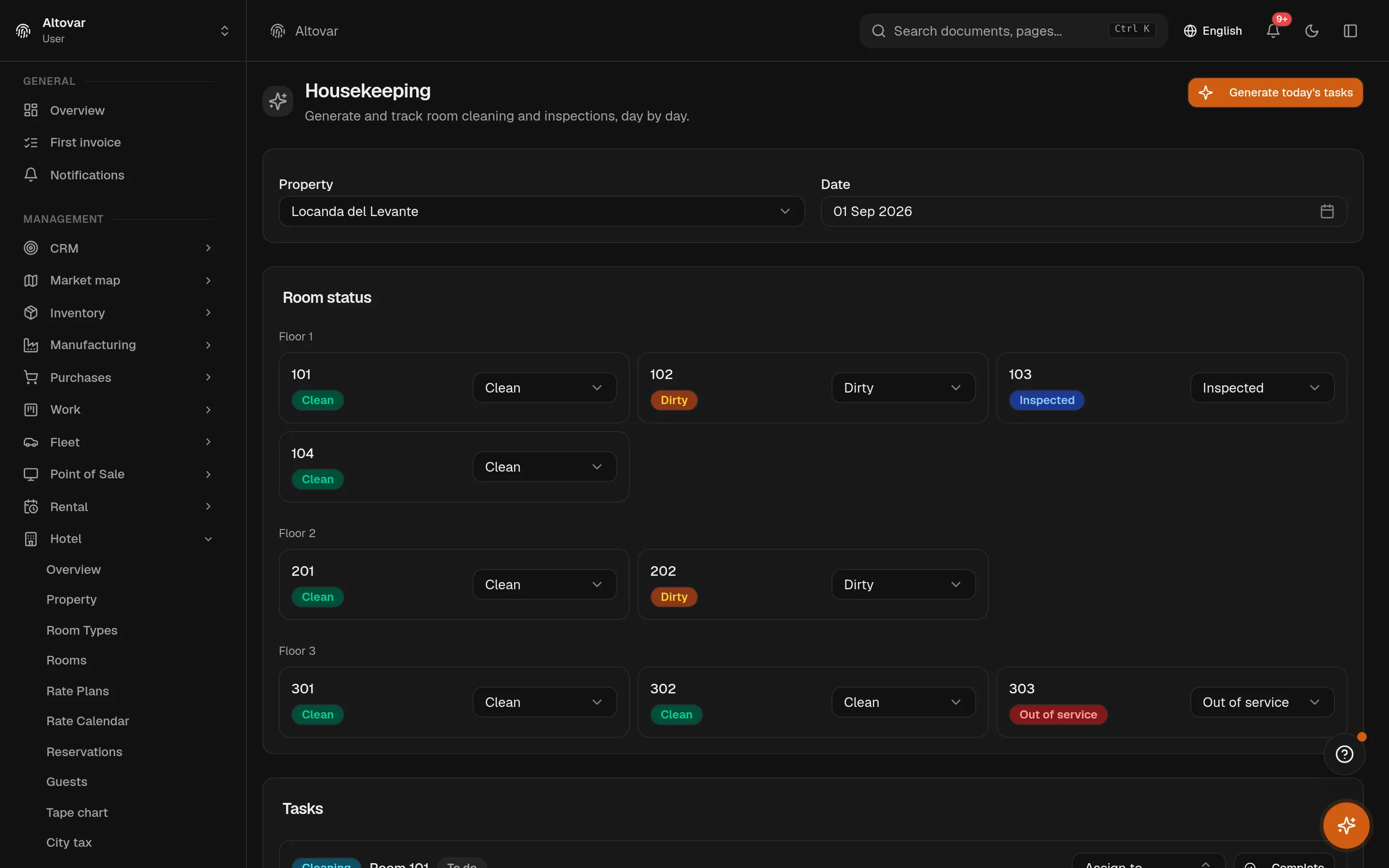
Generate and track room cleaning and inspections, day by day.
Property
Your hotel and its check-in details
Rate plans
How you price and sell your rooms
Reports
Property performance indicators: occupancy, ADR, RevPAR, arrivals and departures.
Reservations
Manage your bookings: create them, check guests in and out, cancel.
Room types
The categories of room you sell
Rooms
The physical rooms you can assign
Room planning
Review reservations and room blocks by date in a room-planning view.
No matching features. Try a different word.
Hotel
How it works
Six states, no ambiguity
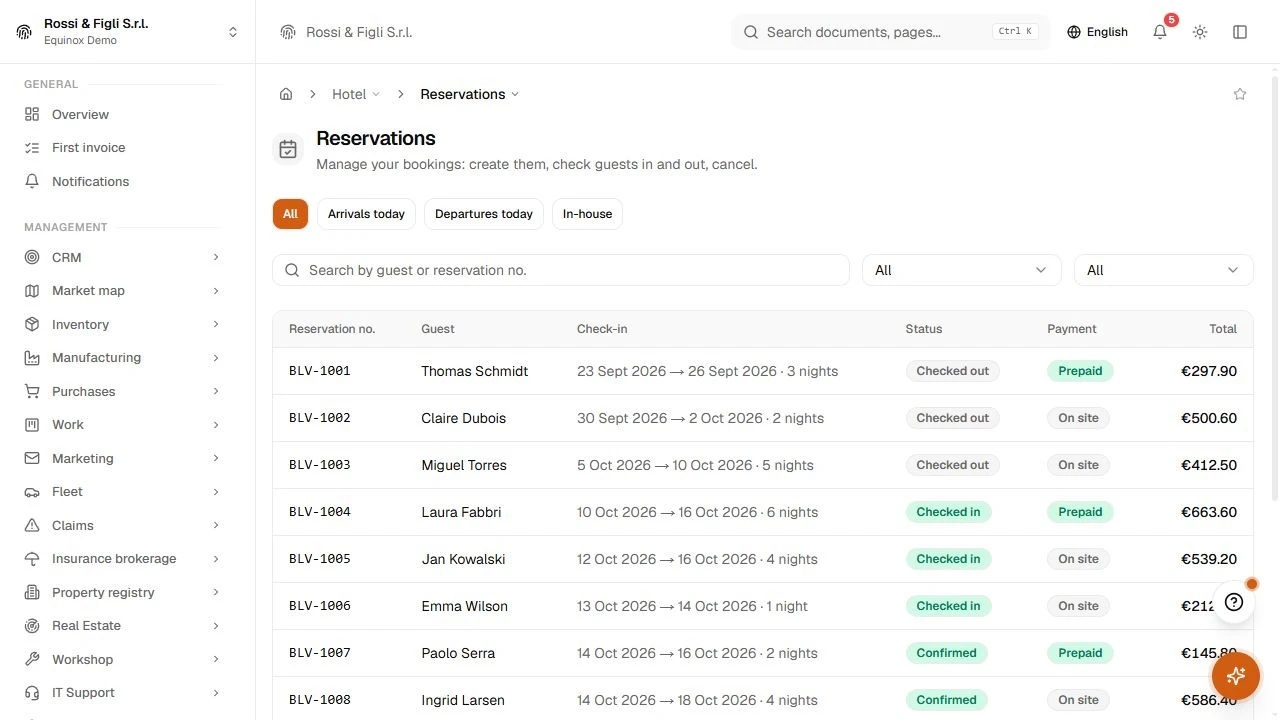
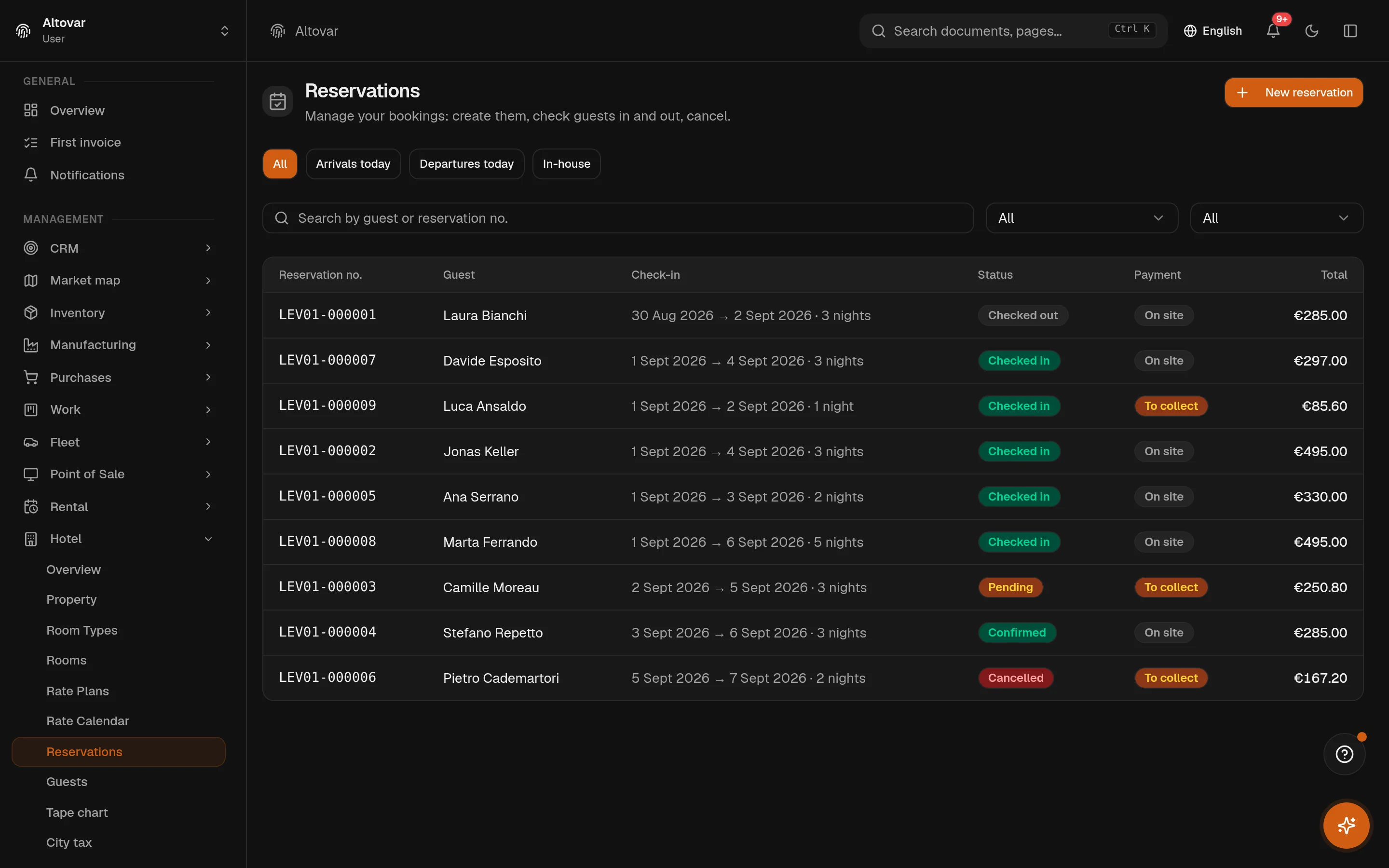
A booking arrives from the reception, the phone, the web page or a portal, with its guests, its room type and its rate plan. Pending or confirmed depending on the plan; checked in when a room is assigned; checked out, cancelled or no-show when the stay ends the way it ends. The list filters on today's arrivals, departures and in-house guests, and every row shows the payment state next to the total.
- Guests and locale
- Guests have their own registry; the guest's language drives the confirmation and reminder emails.
- Groups
- A group of bookings can be cancelled together; rooms can be blocked for maintenance or for a portal.
Rates, day by day
A rate plan is four choices: prepaid or paid at the property, refundable or not, breakfast or room only, an explicit price or a percentage on the base rate. Then the grid: for every day and room type, the price, the minimum stay and whether the day is closed — edited one cell at a time or applied in bulk to a range, with the rooms still available shown for the period.
Housekeeping without loose paper
Every room has a state — clean, dirty, inspected, out of service — shown floor by floor and changed in place. Tasks are cleaning or inspection, with a due date and an assignee; the day's tasks are generated in one action from the departures and the arrivals, and move from pending to in progress to done.
City tax that computes itself
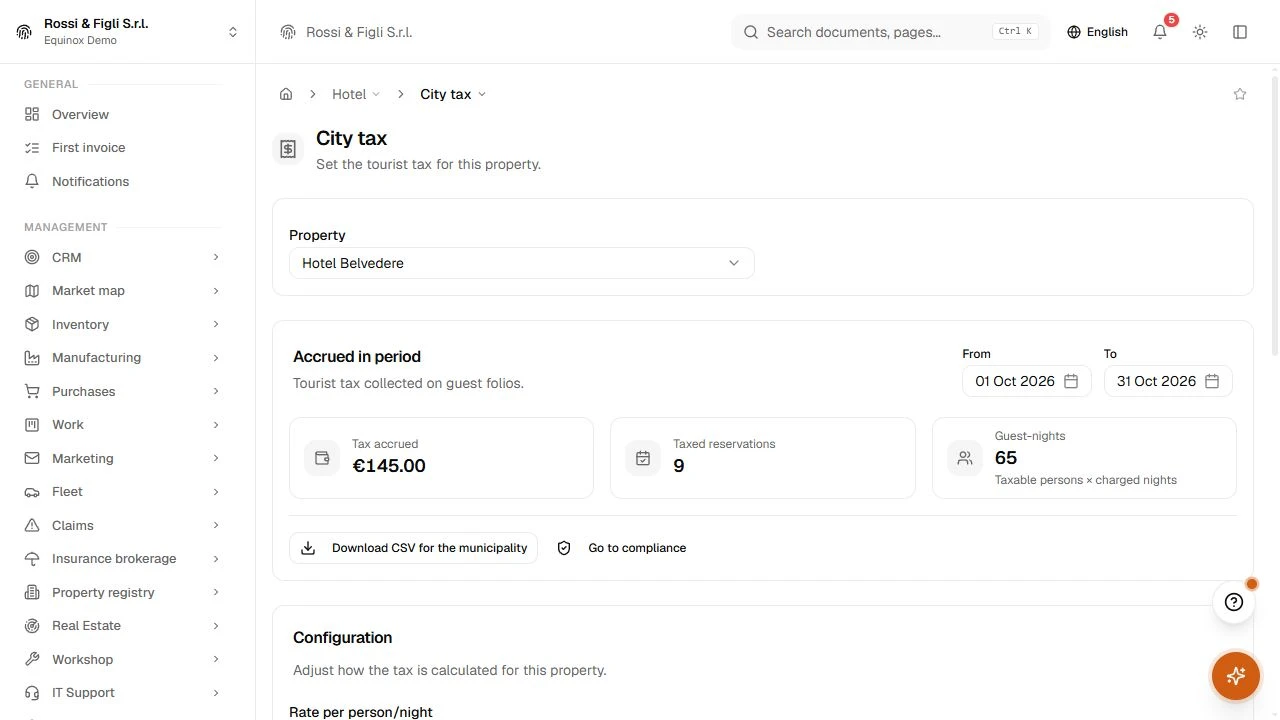
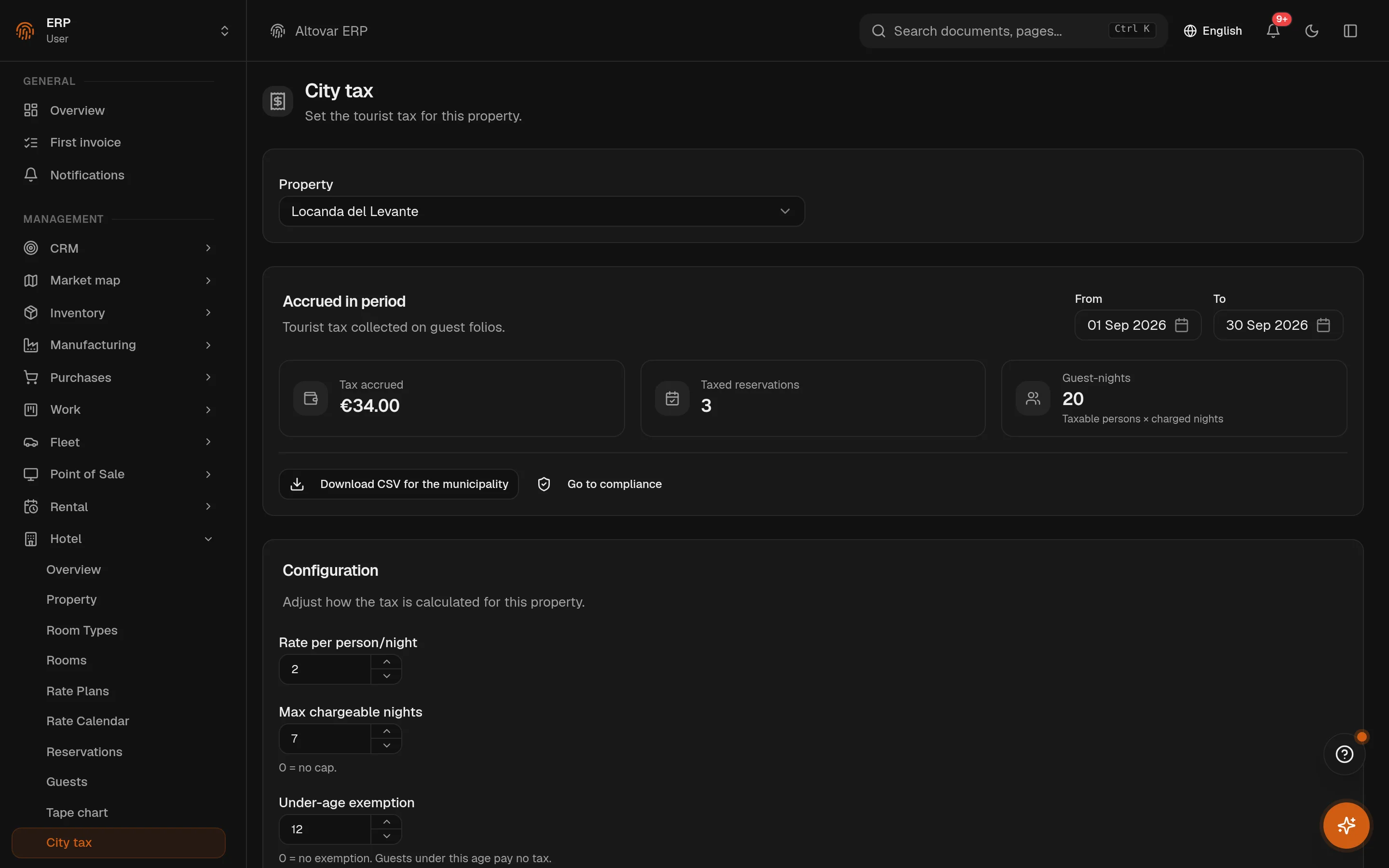
Set the rate per person and night, the cap on chargeable nights, the age under which guests are exempt. Every booking computes its tax on creation; every check-in posts the line to the folio. The period view shows the amount accrued, the stays charged and the guest-nights, and the CSV for the municipality is one click — next to the guest-registry export the law asks for.
Direct bookings, on your site
A public booking page and a widget you embed on your own site, limited to the origins you authorise and protected by a bot check. The guest picks dates and room type, sees the plans that apply, and — on a prepaid plan — pays online before the booking confirms. Reminders go out on schedule in the guest's language.
- Booking states
- 6pending, confirmed, checked in, checked out, cancelled, no-show. Numbers are sequential per property, and a retry key stops a double click from creating a double booking.
- Folio
- Signed linesroom, city tax, extras, payments and refunds on one folio per stay — charges positive, payments negative, the balance is the sum. Prepaid plans can be paid online before arrival.
- City tax
- Per person, per nighta rate, a cap on chargeable nights and an exemption by age. It is computed when the booking is created and accrues on check-in; the municipality gets a CSV for the period.
- Channels
- Calendar feeds, both waysyour occupancy is published as a calendar feed the portals read, and their calendars are imported as room blocks — with a notification when a feed stops answering.
In practice
The work, step by step.
Explore the activities this module brings together. Choose a step to see what you can manage.
Set availability
Organise room types, individual rooms and the available rate plans.
Manage reservations
Manage reservations and guest records from the availability calendar.
Prepare rooms
Coordinate housekeeping with the rooms and stays in progress.
Start with the way you work.
Equinox
Start with the way you work.
Tell us about your processes. We can identify the modules and configuration that fit your business.
Talk about your project