

Services and commerce
Restaurant
Connect the dining room to the kitchen through the order.
Arrange tables and menus, manage reservations, and follow service from the first items entered to the orders the kitchen needs to prepare.
 Try the demo

Restaurant · Add-on
From the floor plan to the kitchen.
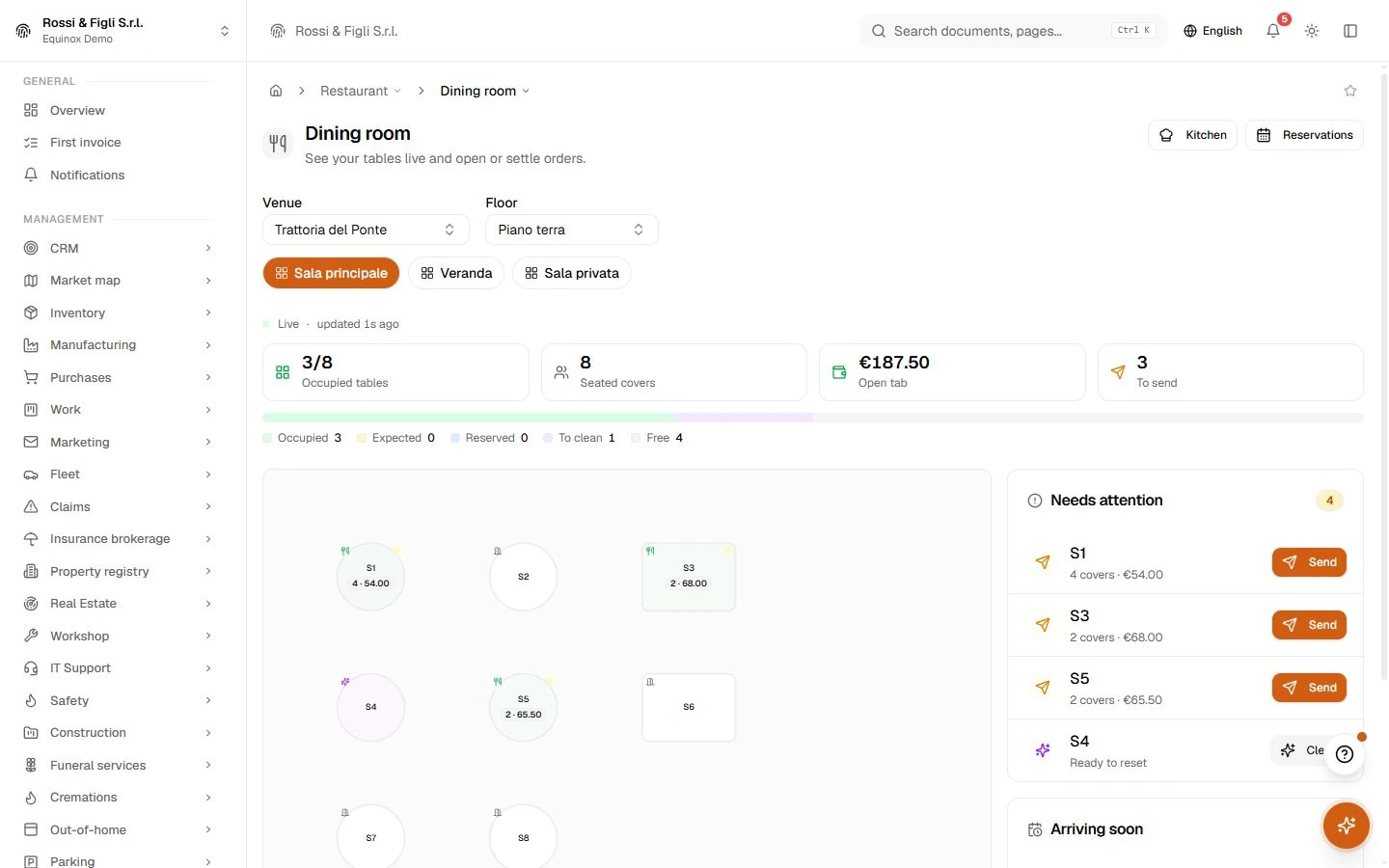
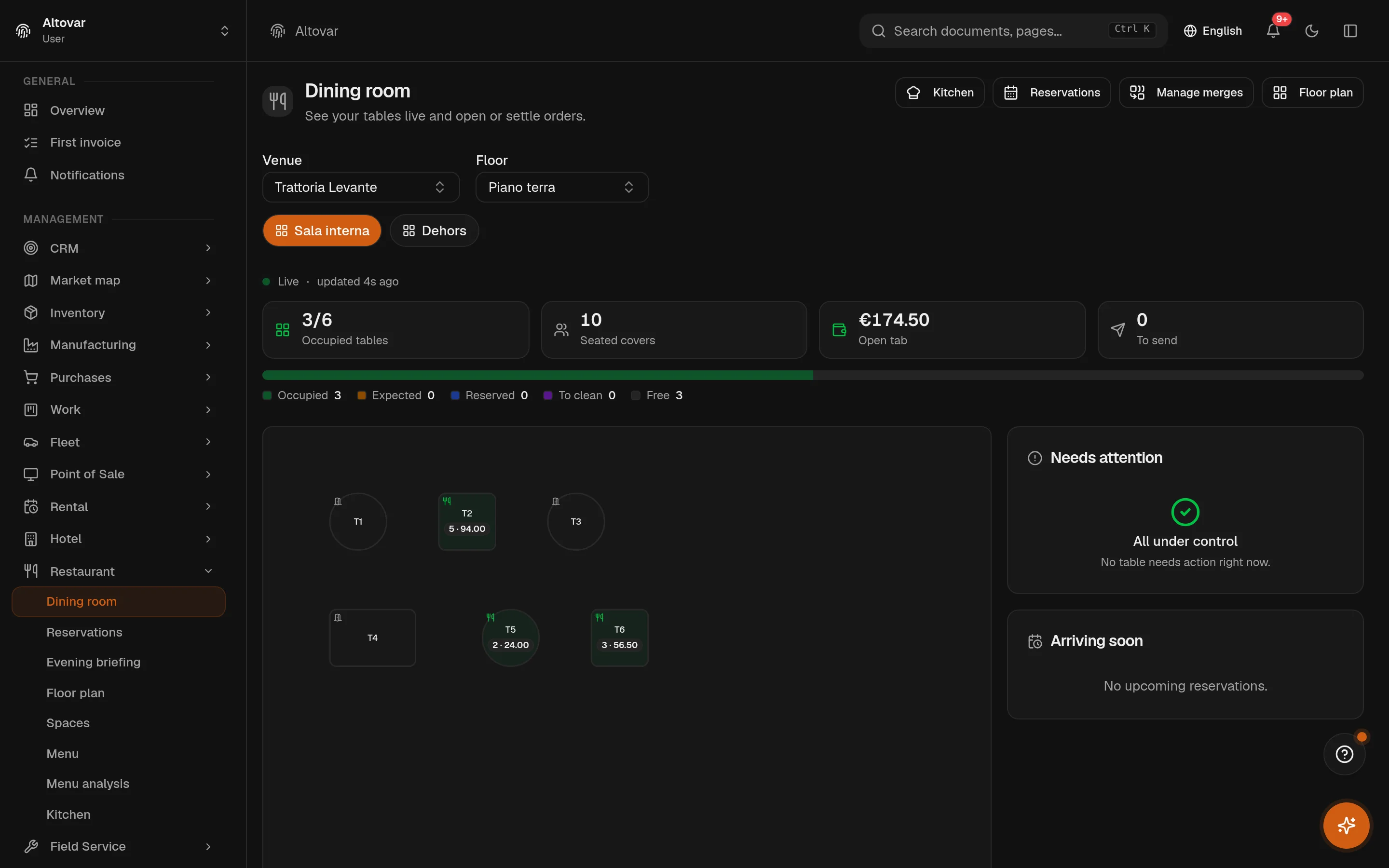
You draw the room, the waiter takes the order at the table, the kitchen sees it the moment it is sent. The menu is written once and becomes the order pad, the public QR menu and the allergen sheet. Bookings follow the service hours you set, and the bill closes on the till of the same system — nothing is retyped between the room and the accounts.
Available as an optional module for your Equinox setup.
Features
Inside the module.
Explore the working areas, records and tools available in this module.
Evening briefing
Tonight's service at a glance: reservations, risks, waitlist, yesterday and menu highlights
Floor plan
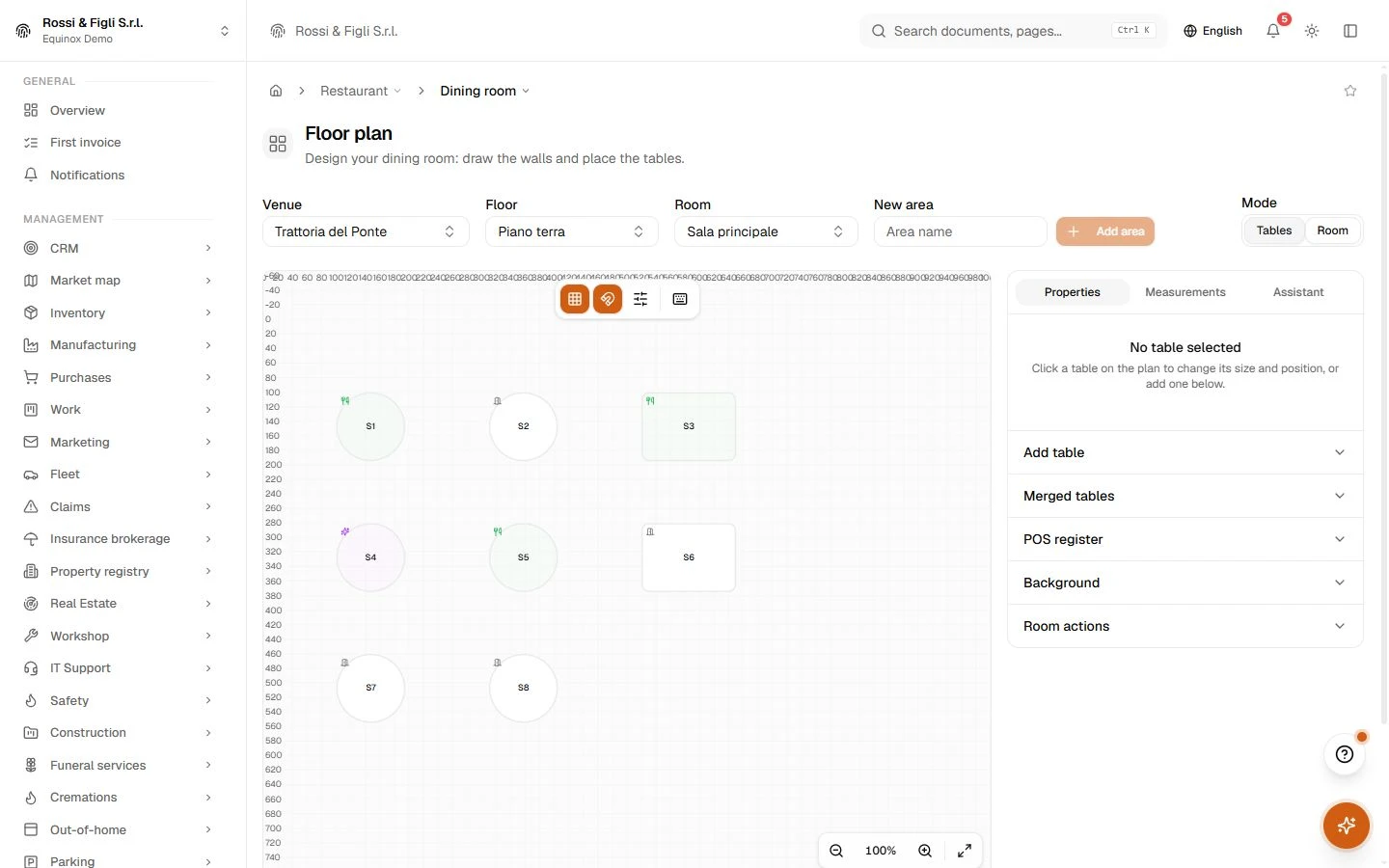
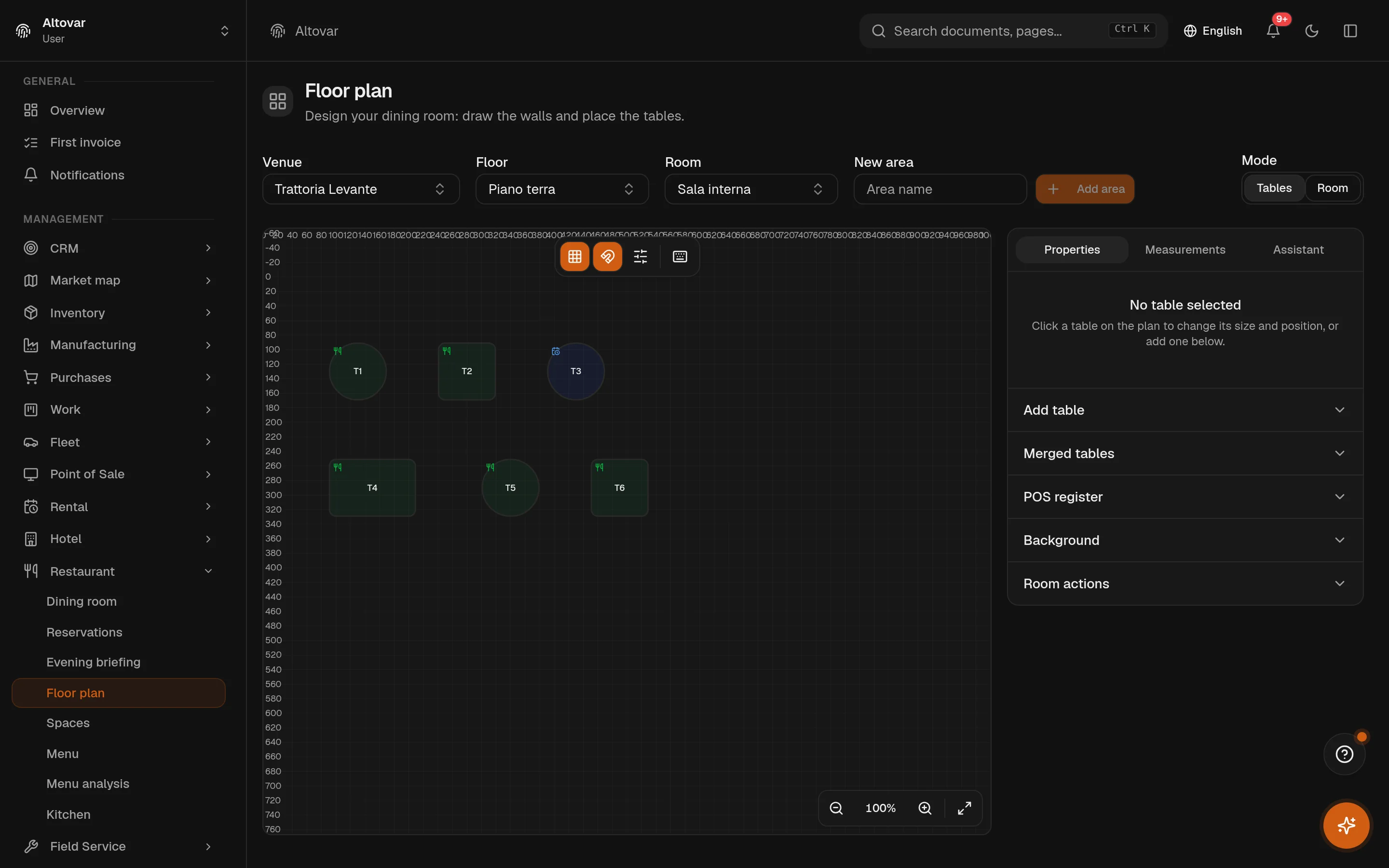
Design your dining room: draw the walls and place the tables.
Handheld
Take orders on the floor, one tap at a time.
Kitchen
Live tickets sent from the dining room. Mark them as you go.
Reservations
Manage table reservations: confirmations, seating, and waitlist.
Spaces
Manage your restaurant's venues, floors and rooms.
Reservation settings
Configure service hours, capacity and online reservations for each venue.
Menu analysis
The menu-engineering matrix crosses popularity and margin to see which dishes to push, rework or drop.
Menu, allergens and public menu
Organise dishes, prices and allergens, and prepare the menu accessible through a QR code.
No matching features. Try a different word.
Restaurant
How it works
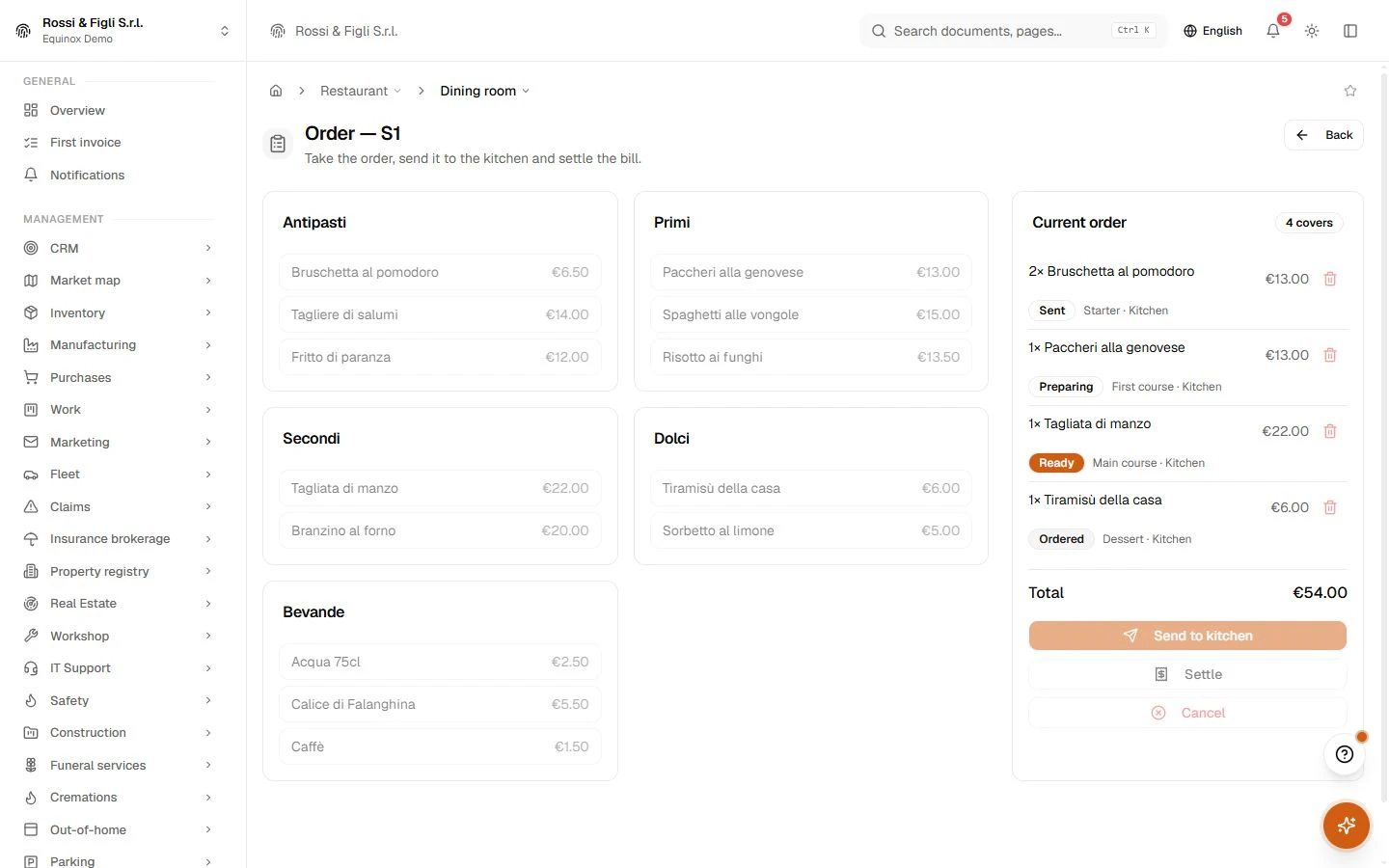
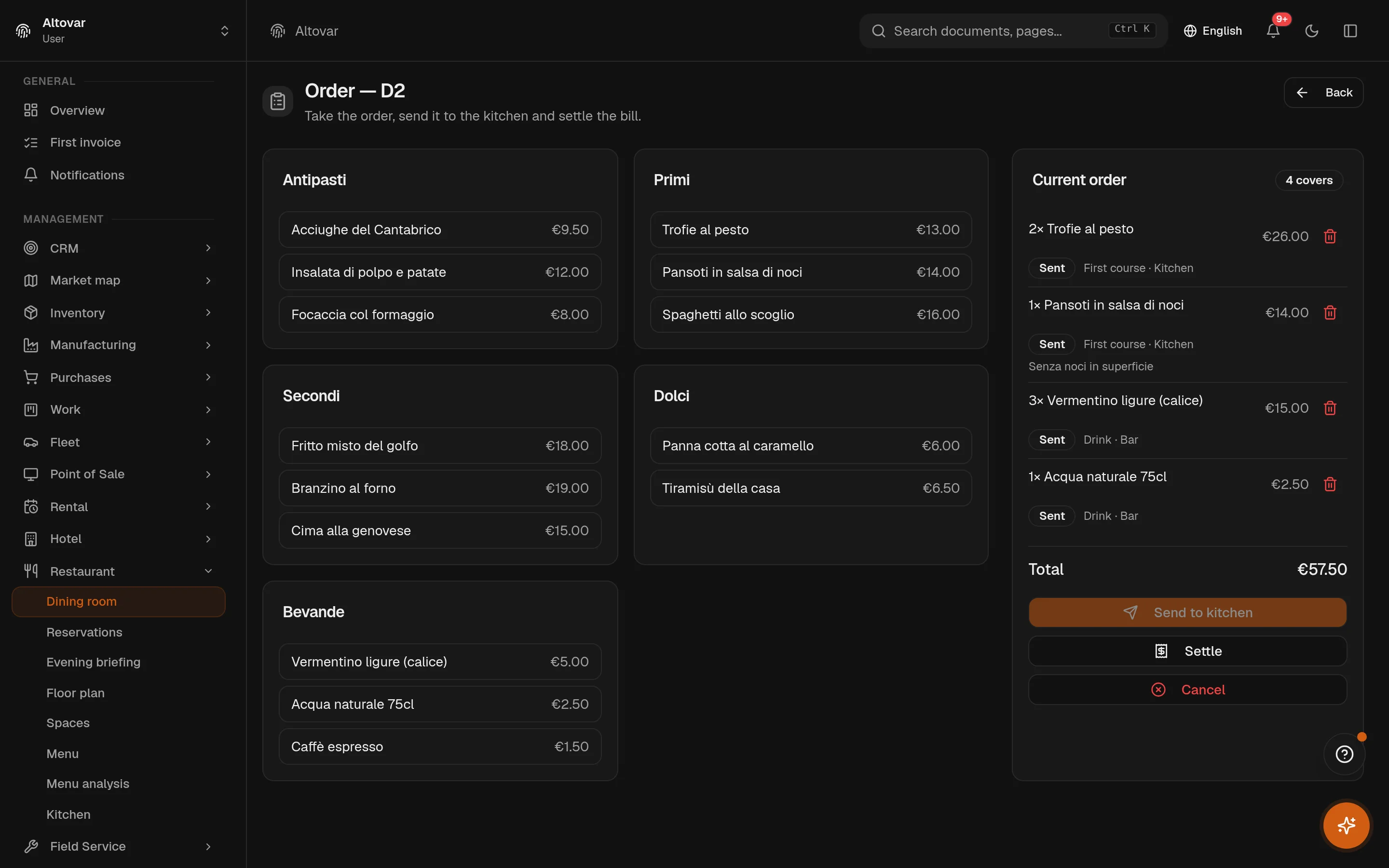
The order, taken at the table
Open the table, set the covers, pick from the menu by category, add a note per dish — well done, sauce on the side. Send, and the kitchen has it. Dishes can be added to an open order at any time; the bill is settled on the point of sale of the same system, or cancelled with a trace.
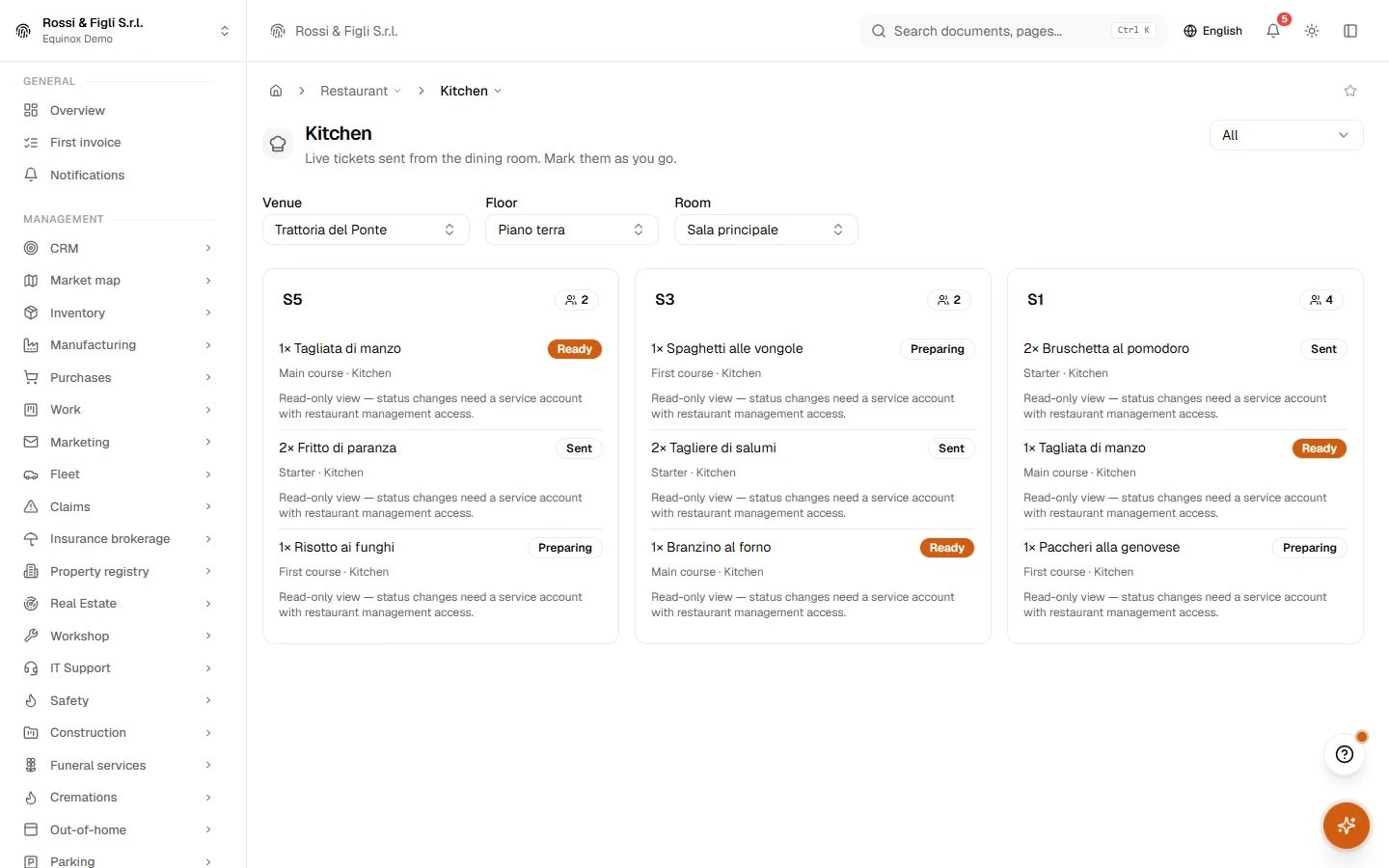
A kitchen without shouted tickets
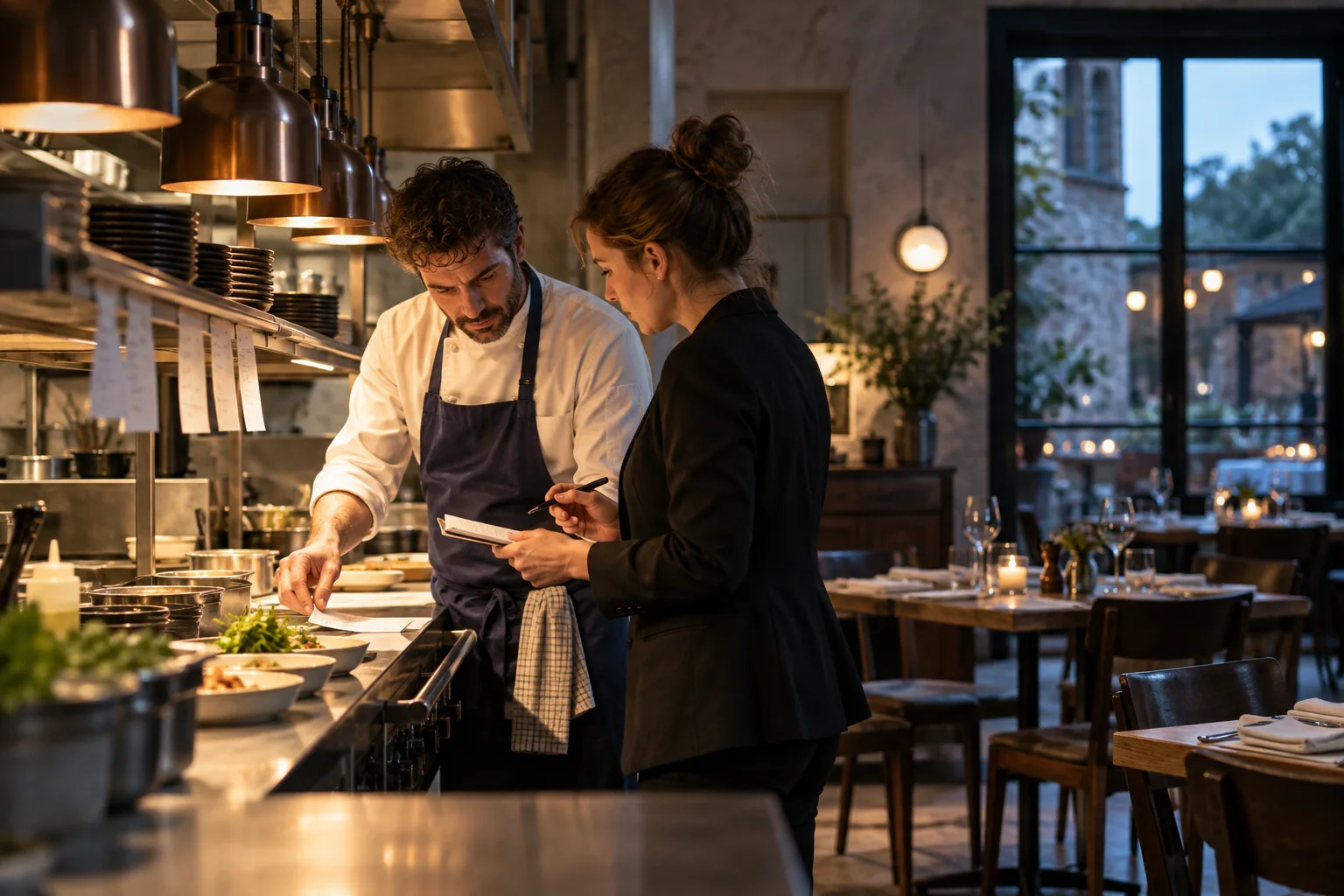
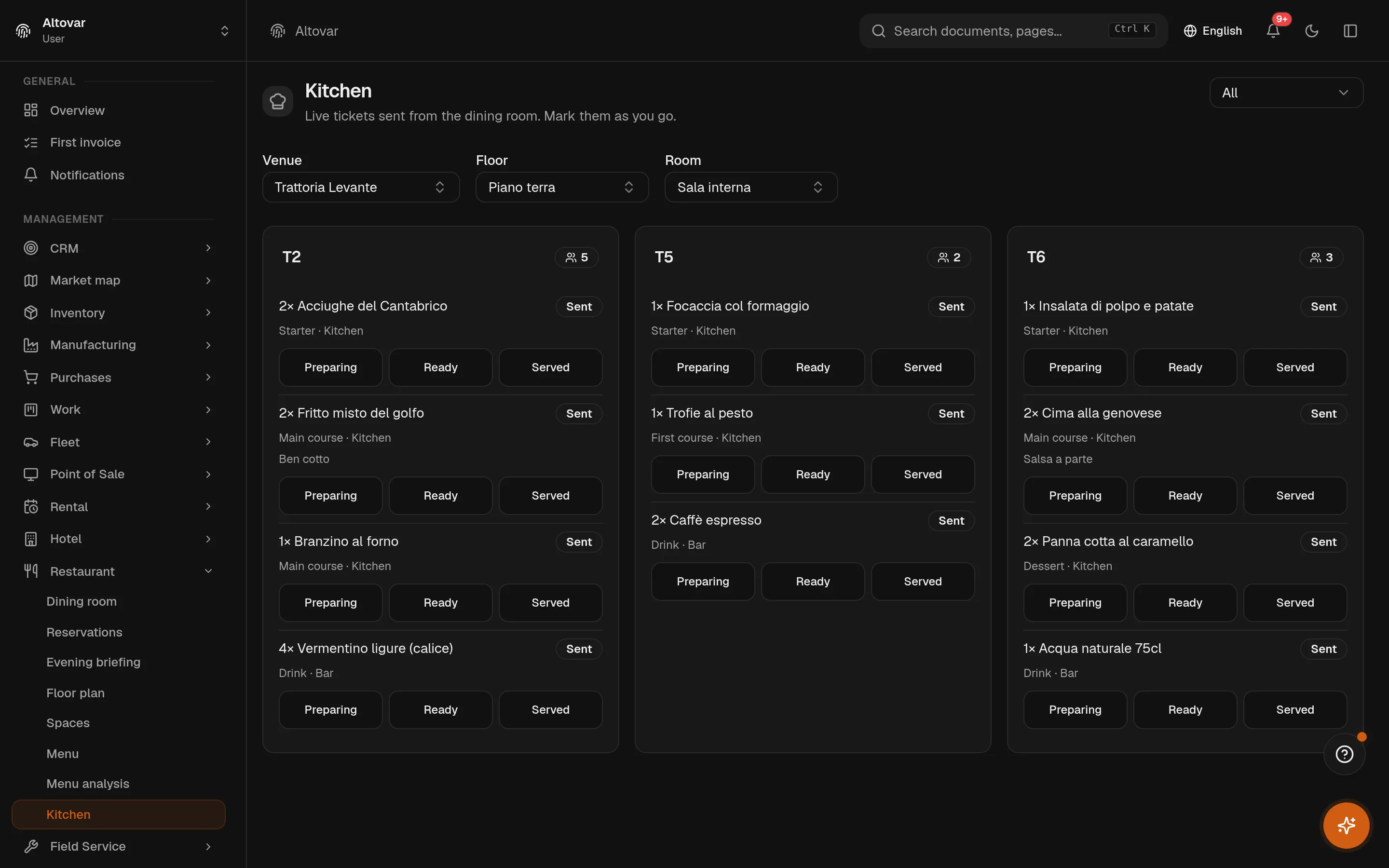
The kitchen screen shows the sent orders of the venue, floor and room you pick, one card per table with the covers. Every line carries the course, the station and the note in plain text, and moves forward on a tap: preparing, ready, served. When the last line is served the order is served; the floor sees it without asking.
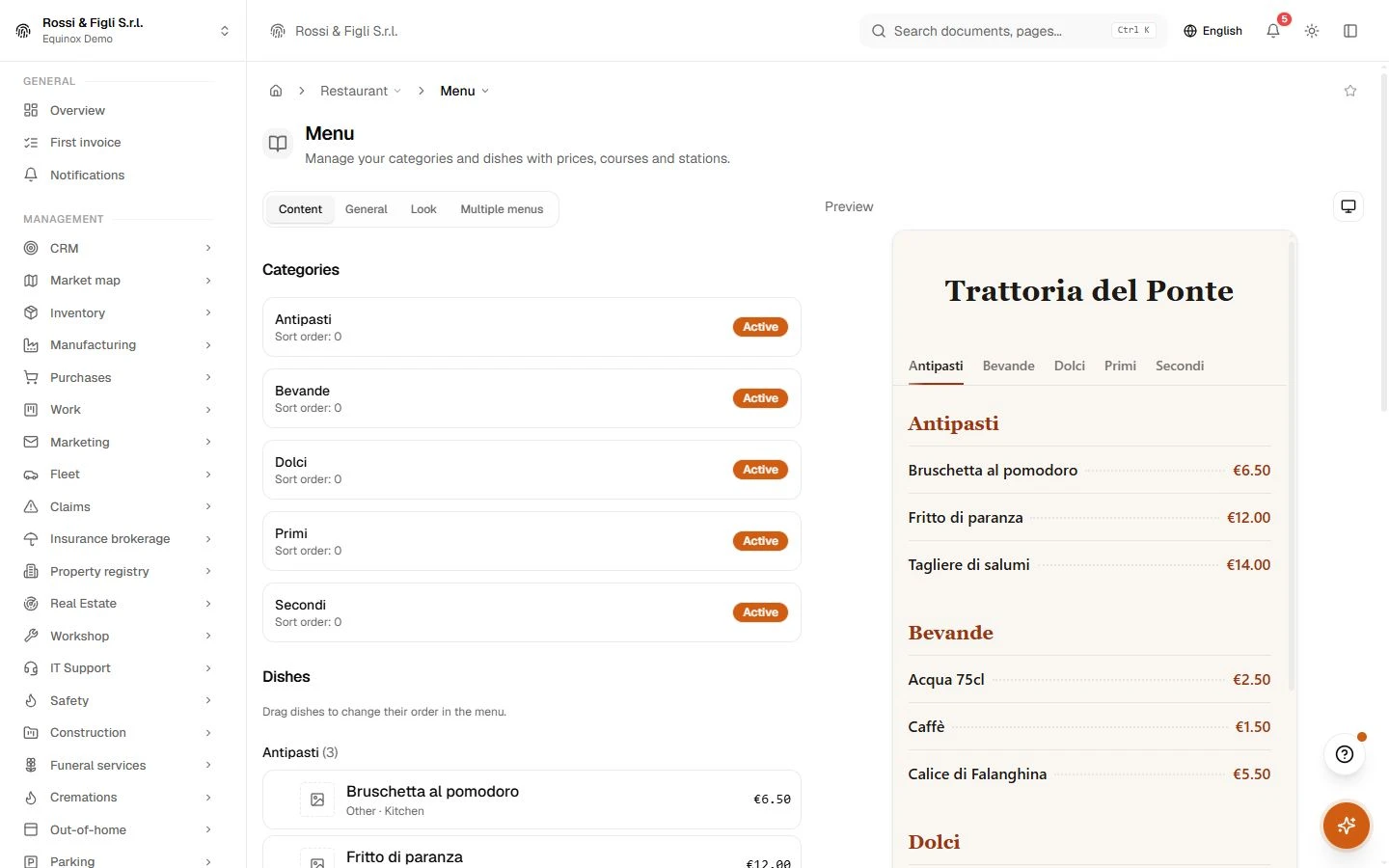
One menu, written once
Categories in the order you want, a price per dish or a range, or a price inherited from the category. Each dish has a course, a station, its food cost, its ingredients and its allergens. The preview on the right is the public menu as the guest will see it. The AI writes descriptions, extracts allergens from the ingredients, suggests a price and translates the whole menu; a menu on paper, in a PDF or on a web page can be imported and reviewed before it is committed.
- Featured and multiple menus
- A featured section sits on top of the public menu; several menus can coexist — lunch, dinner, the tasting — each with its own categories.
- Menu analysis
- Popularity against margin, dish by dish, from the orders actually sent — with a plain-language explanation of what the matrix says.
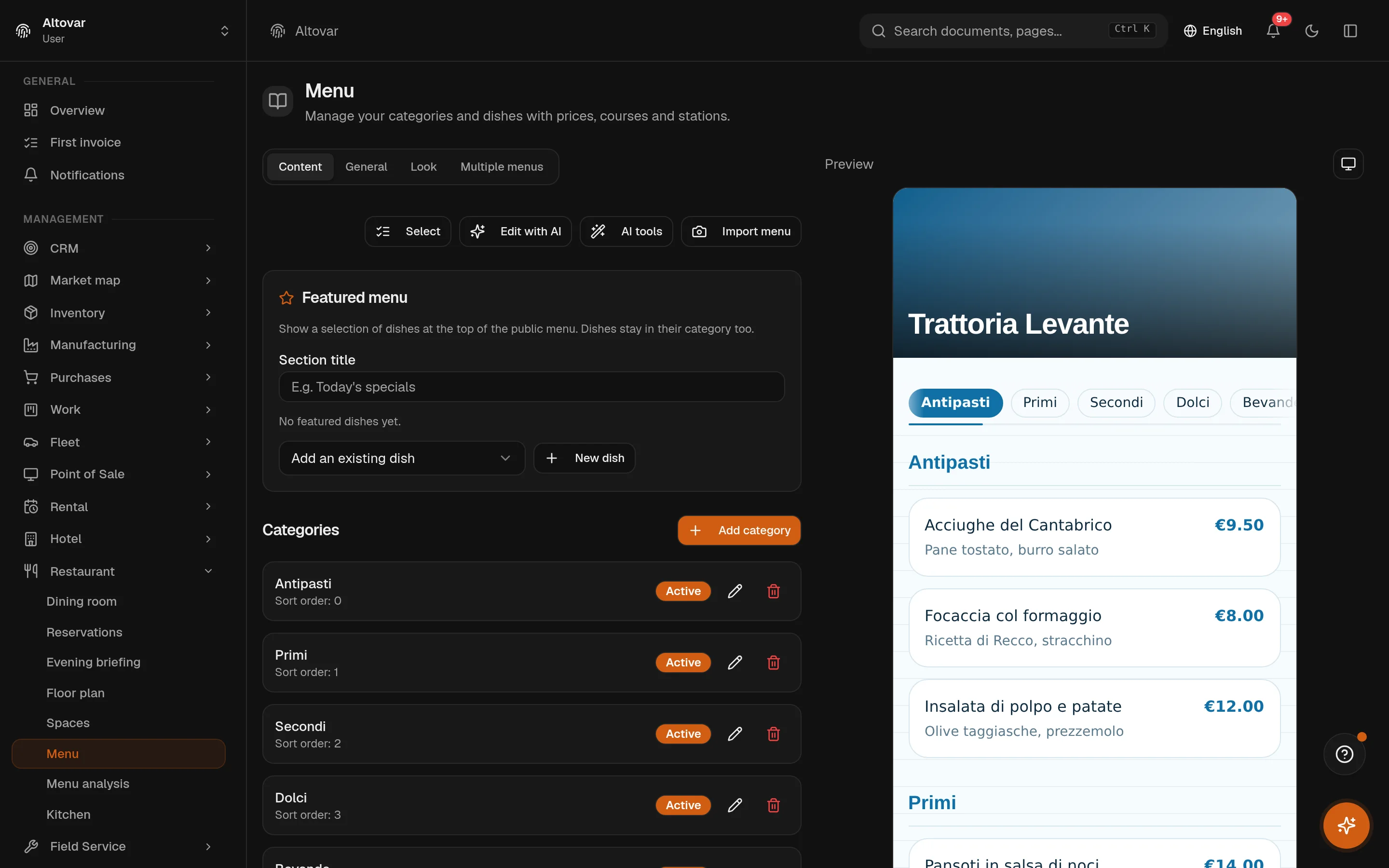
The QR menu, at your address
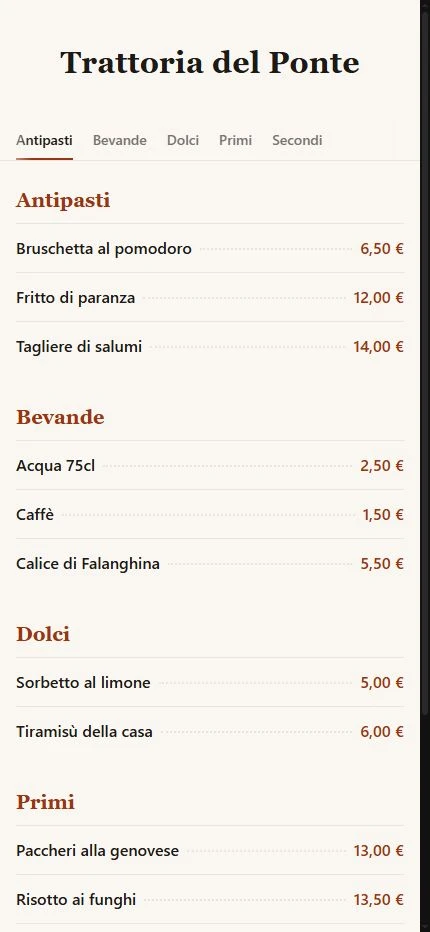
The same menu published at a public address of your choice, with a theme you pick and, if you want, your own domain. Prices and allergens are shown or hidden with a switch; each dish can carry its translations and the guest can switch language. The booking button can sit on the same page.
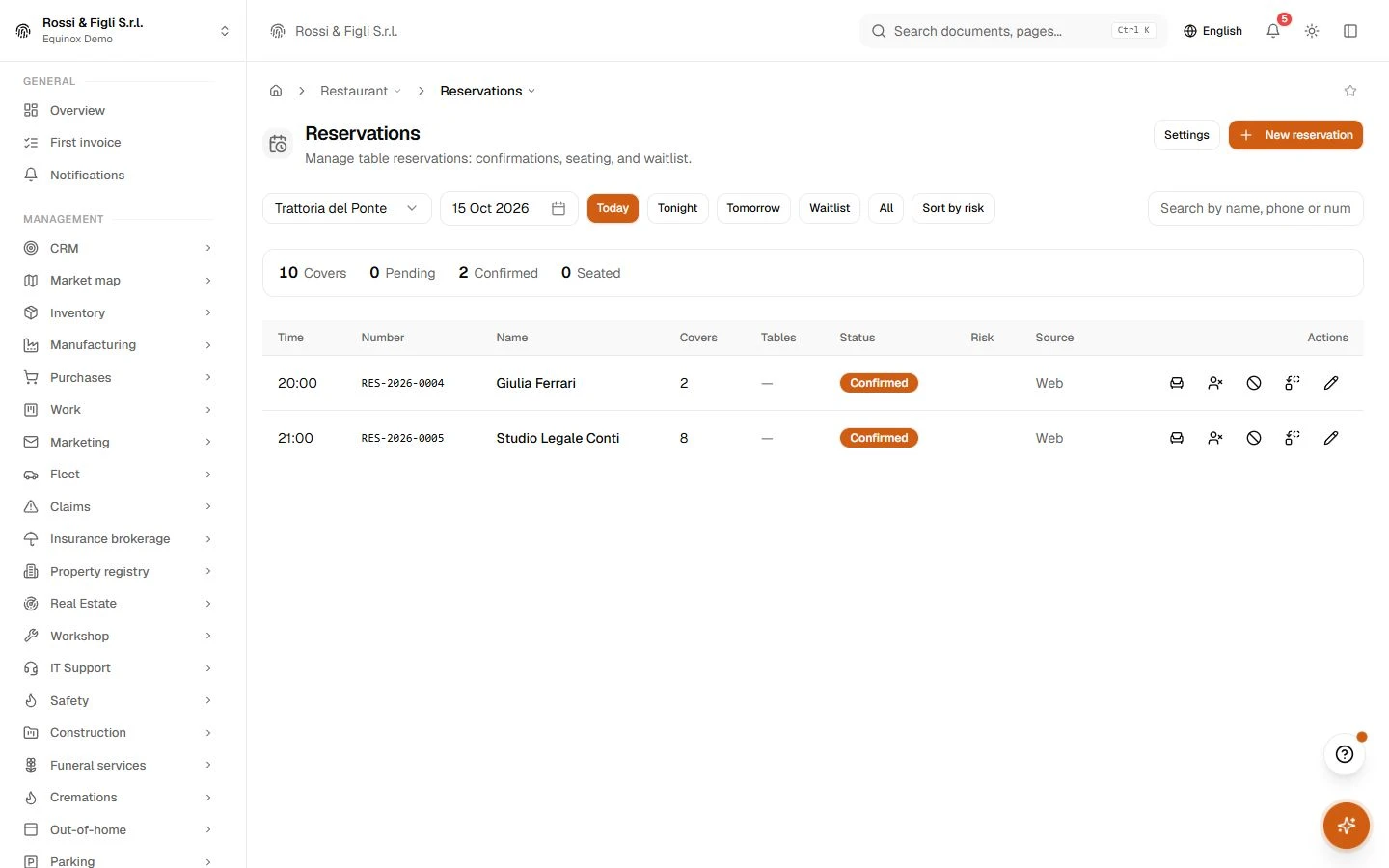
Bookings that follow your service
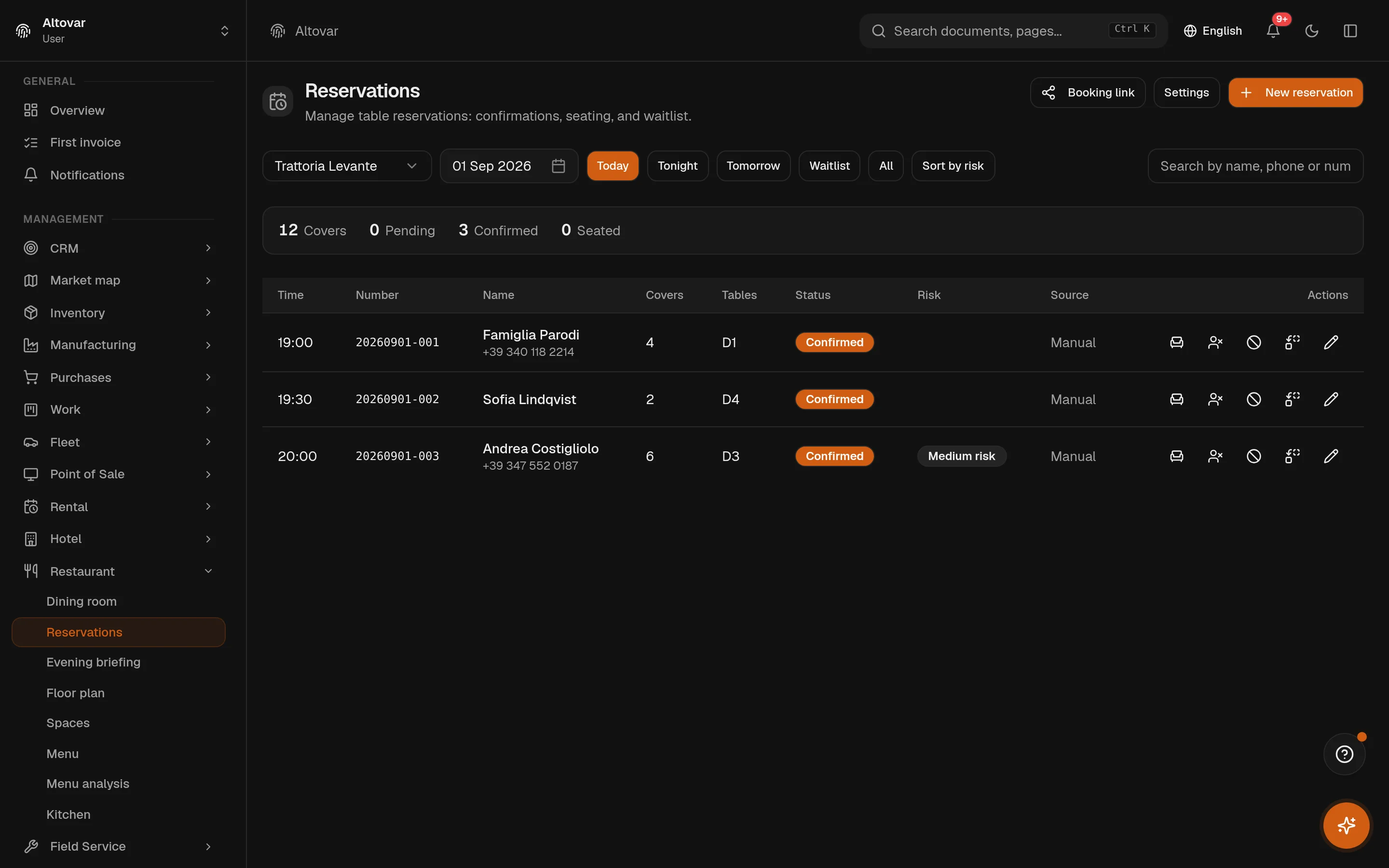
You set the service windows per weekday, the turn time and the step between slots, the booking window in days, the largest party you accept, a cap on covers per slot. The engine only offers slots that fit; a booking that does not fit goes to the waitlist. Confirmation can be automatic, no-shows are marked after the minutes you set, and every booking shows an estimated no-show risk.
- Tables assigned
- The engine assigns tables to a party from the plan; the staff can override, reassign, seat, complete or cancel from the list.
- Public booking
- A booking page and a widget to embed on your site, with the origins you authorise; reminders and the evening briefing go out on schedule.
The plan is yours to draw
Venues, floors, rooms, tables: each table has a shape, a size, a rotation and a position on the plan. Save a room as a template and apply it elsewhere, duplicate a floor, put a photo of the room behind the plan. Two tables can be joined for a party and separated afterwards. The AI can draft a layout from a description or from a picture of your plan, and suggest a better one.
- Order states
- 6open, sent, partially served, served, settled, cancelled. The order follows the table from the first dish to the till, and the state is what the kitchen and the floor both read.
- Allergens
- The 14 of the EU listevery dish carries its allergens from the list the regulation prescribes. The AI can extract them from the ingredients you wrote; the public menu shows them next to the price.
- Stations
- Kitchen and bareach dish has a course — six of them, from starter to drink — and a station. A sent order splits by station, so the bar sees the wine and the kitchen sees the fish.
- Public menu
- Your own addressthe QR menu lives at a slug you choose, or on your own domain once you verify it. Prices and allergens can be shown or hidden, and each dish can carry its translations.
In practice
The work, step by step.
Explore the activities this module brings together. Choose a step to see what you can manage.
Prepare the floor
Organise dining spaces, table layouts and the restaurant menu.
Take the order
Manage reservations and enter orders against the correct table.
Coordinate the kitchen
Follow incoming orders on the kitchen preparation view.
Start with the way you work.
Equinox
Start with the way you work.
Tell us about your processes. We can identify the modules and configuration that fit your business.
Talk about your project