

ERP core
HR & people
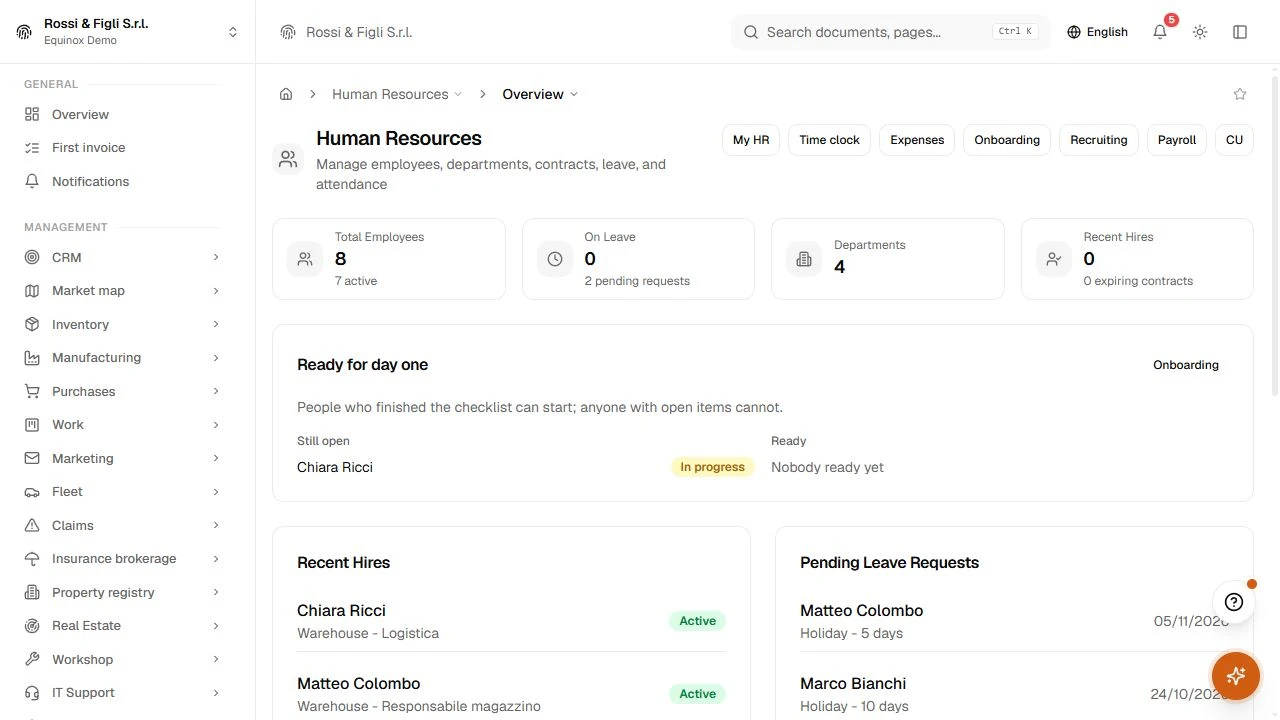
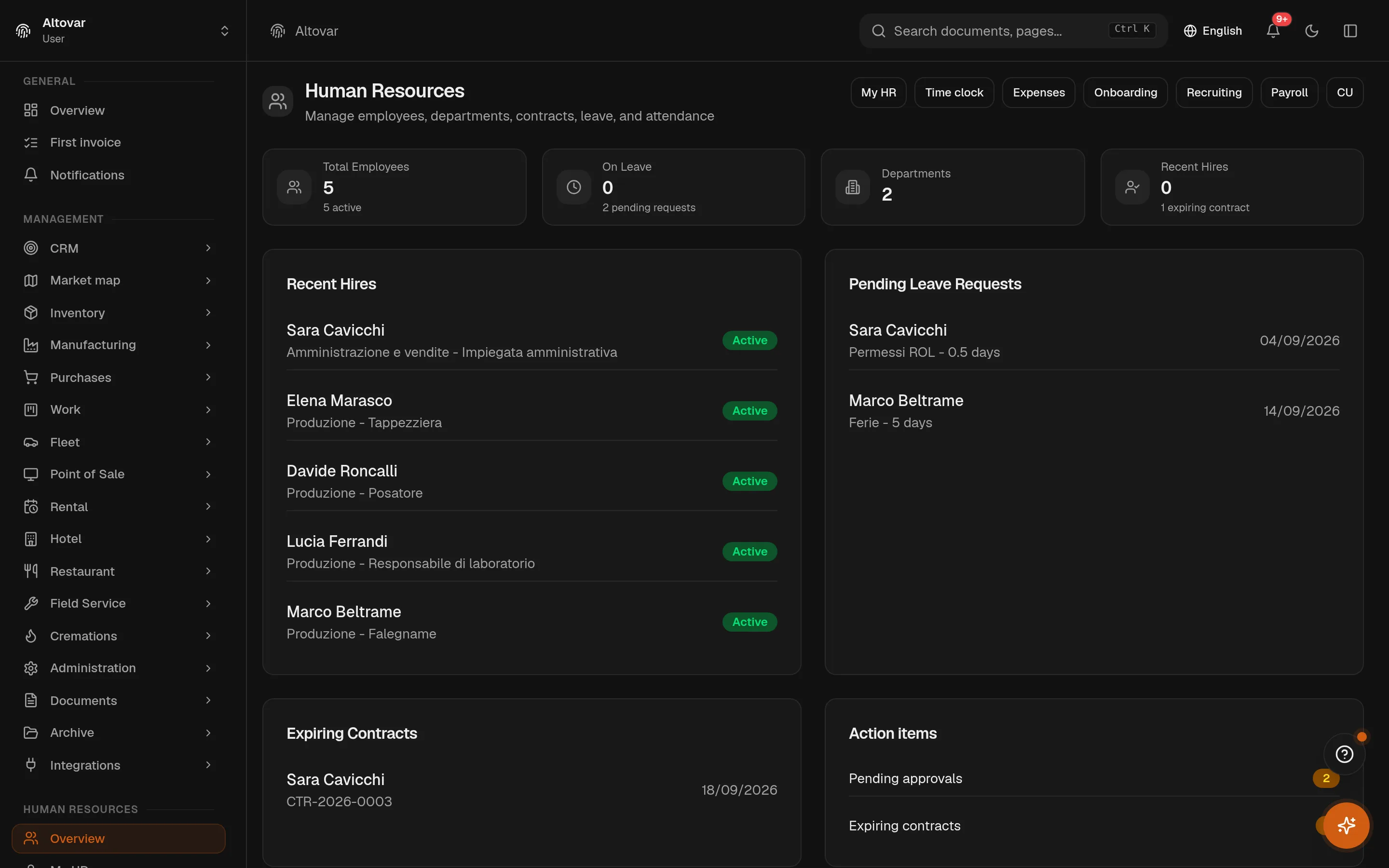
Keep the people side of the company in the same system: employee records, departments, contracts and leave, with the org chart beside them, so staffing answers stop living in scattered files.
 Try the demo

HR & people · In the plans
The people, the hours, the contracts. One register.
Employees with their department, position and manager — which is enough for the org chart to draw itself. Clock-ins that turn into monthly hours and overtime. Leave with yearly balances that approval actually moves. And contracts that warn you thirty days before they run out.
Availability depends on your Equinox plan.
HR & people
How it works
A register that holds the whole person
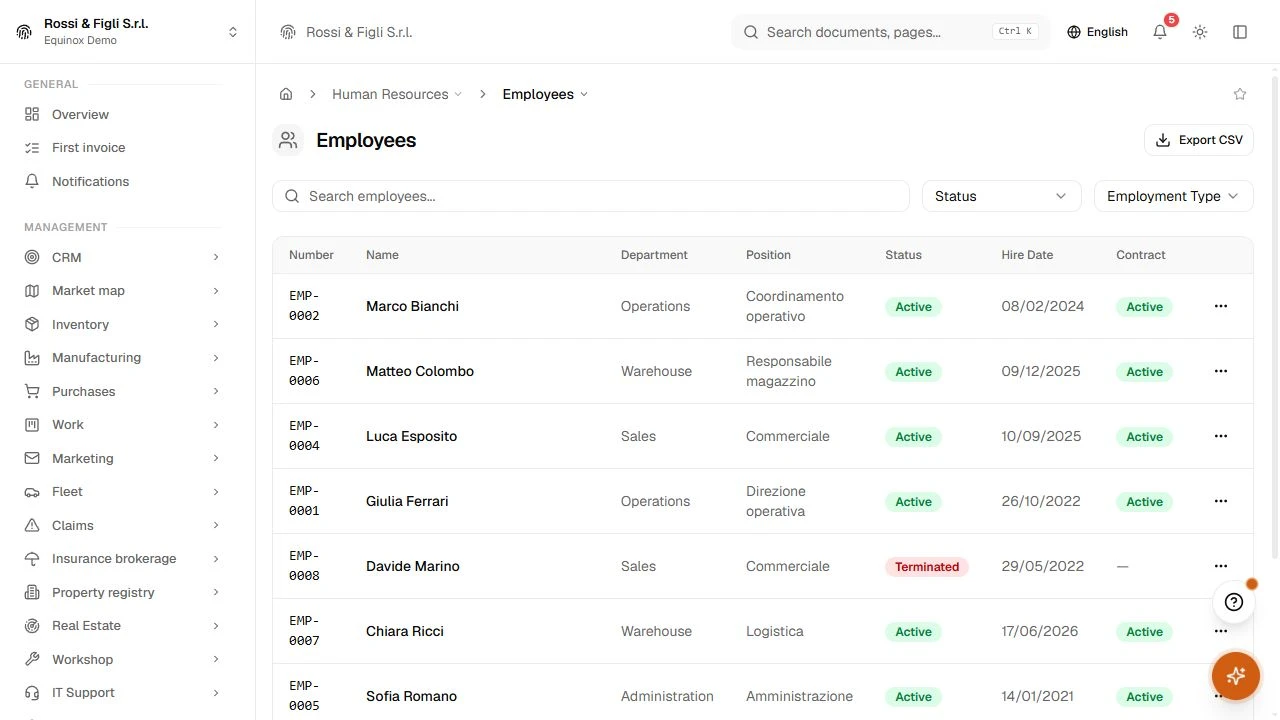
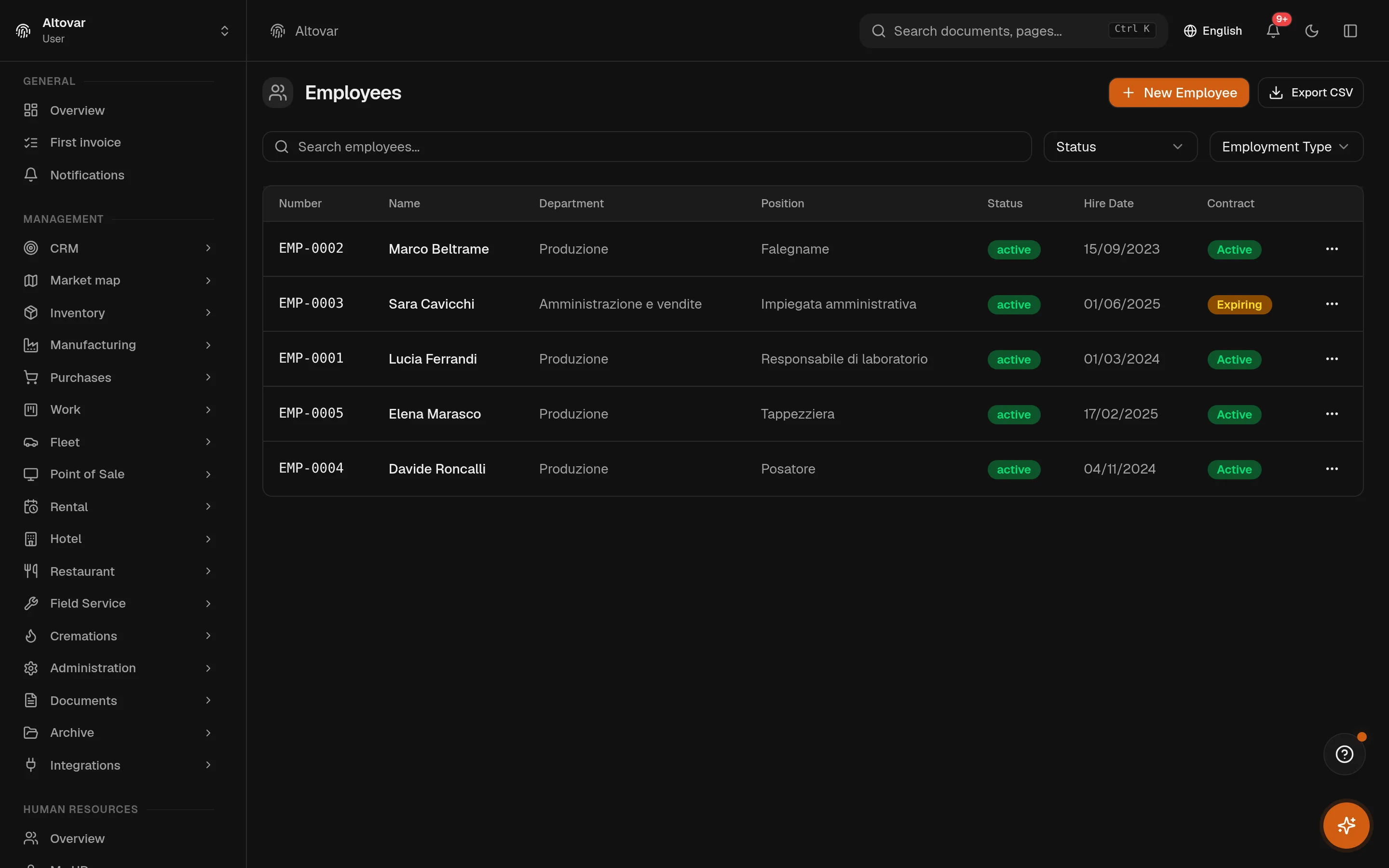
Name, employee number — assigned automatically — contacts, hire date, weekly hours, and the three links that structure everything else: department, position, manager. Departments are a tree with their own managers; positions carry a title and a home department. Statuses tell you who is active, on leave, suspended.
- Departments as a tree
- Areas contain teams; the department view counts active people per node and shows the hierarchy as a list or as a tree.
- Contracts on the person
- Permanent, fixed-term, apprenticeship — with salary, CCNL, level, trial end and notice period, and the expiry warnings that follow from them.
Clock-ins that become hours
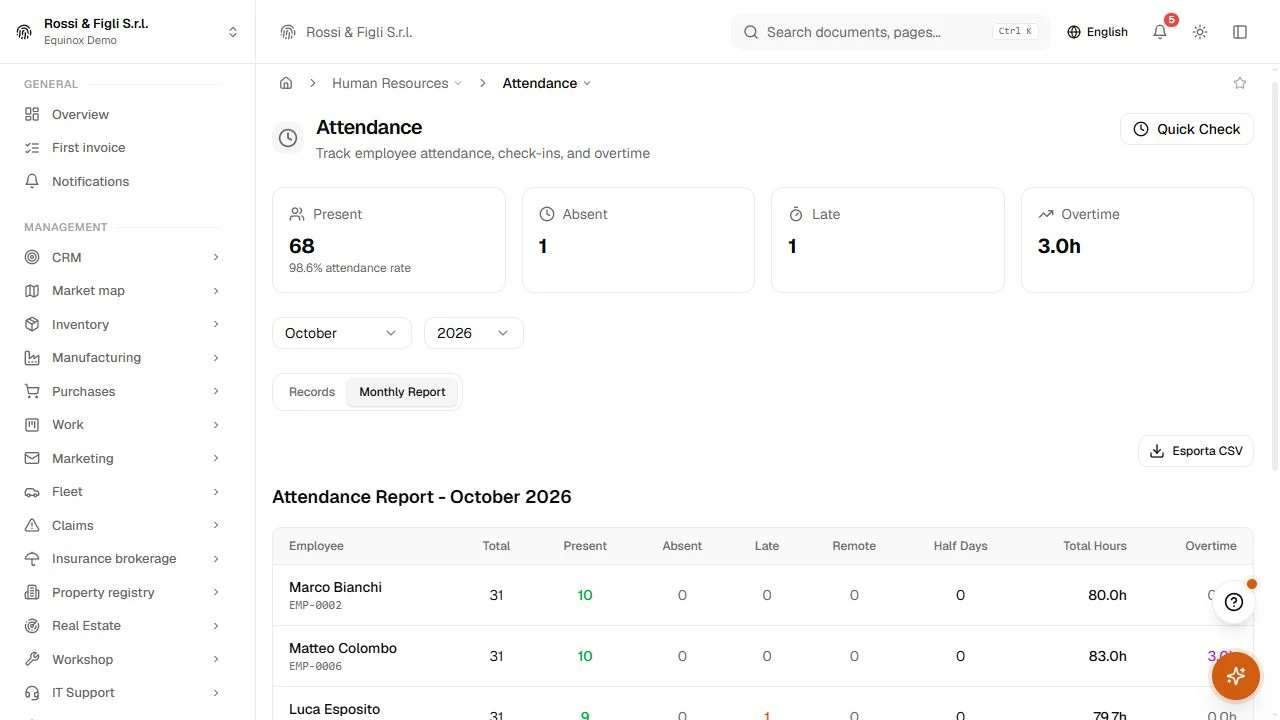
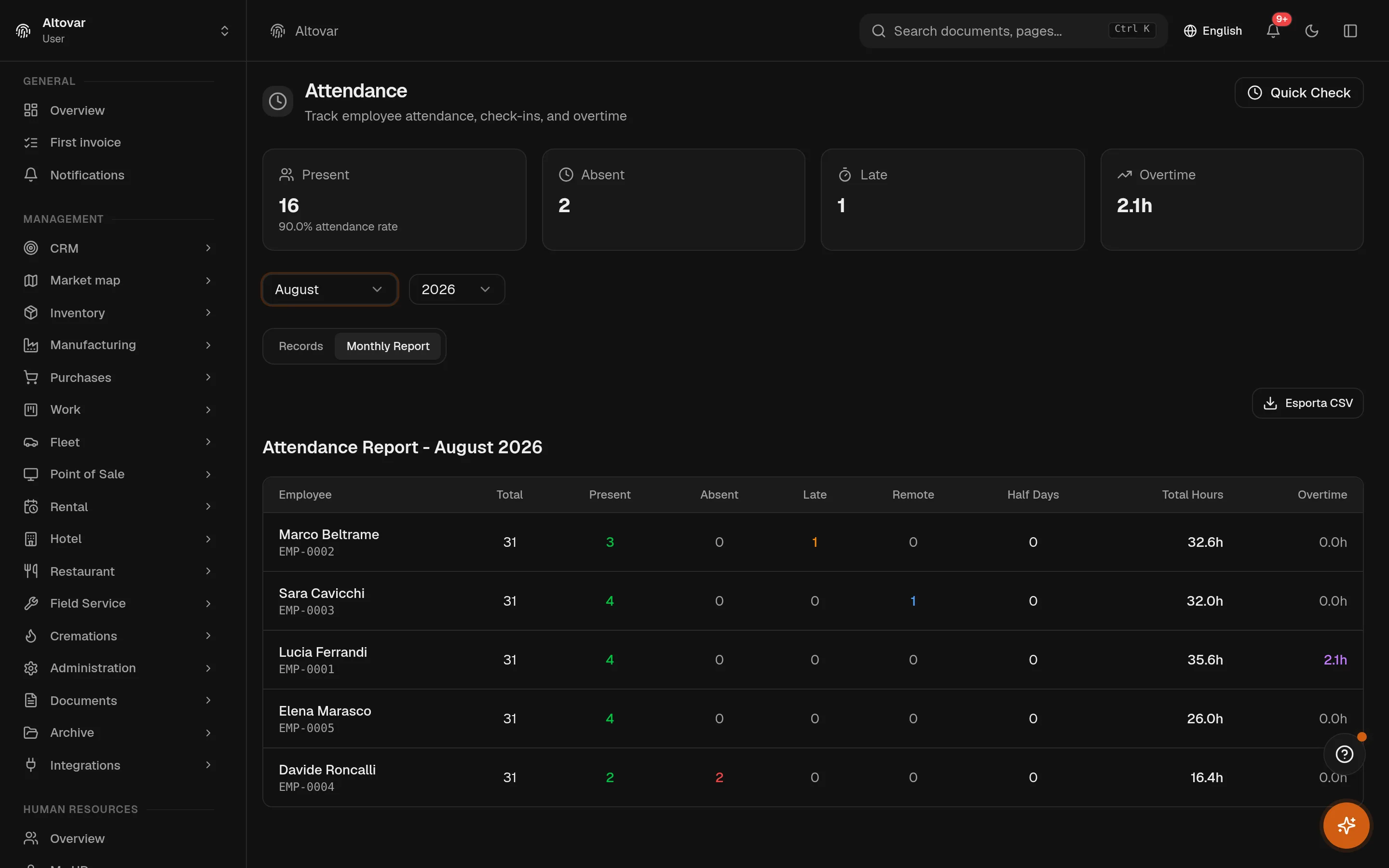
A quick clock-in and clock-out per person, one attendance row per day. At check-out the day’s hours are computed, and whatever passes eight becomes overtime on its own. The monthly report reads it all back per employee — presences, absences, late days, remote days, half days, total hours, overtime — and exports to CSV for whoever does the payroll elsewhere.
Leave that adds up
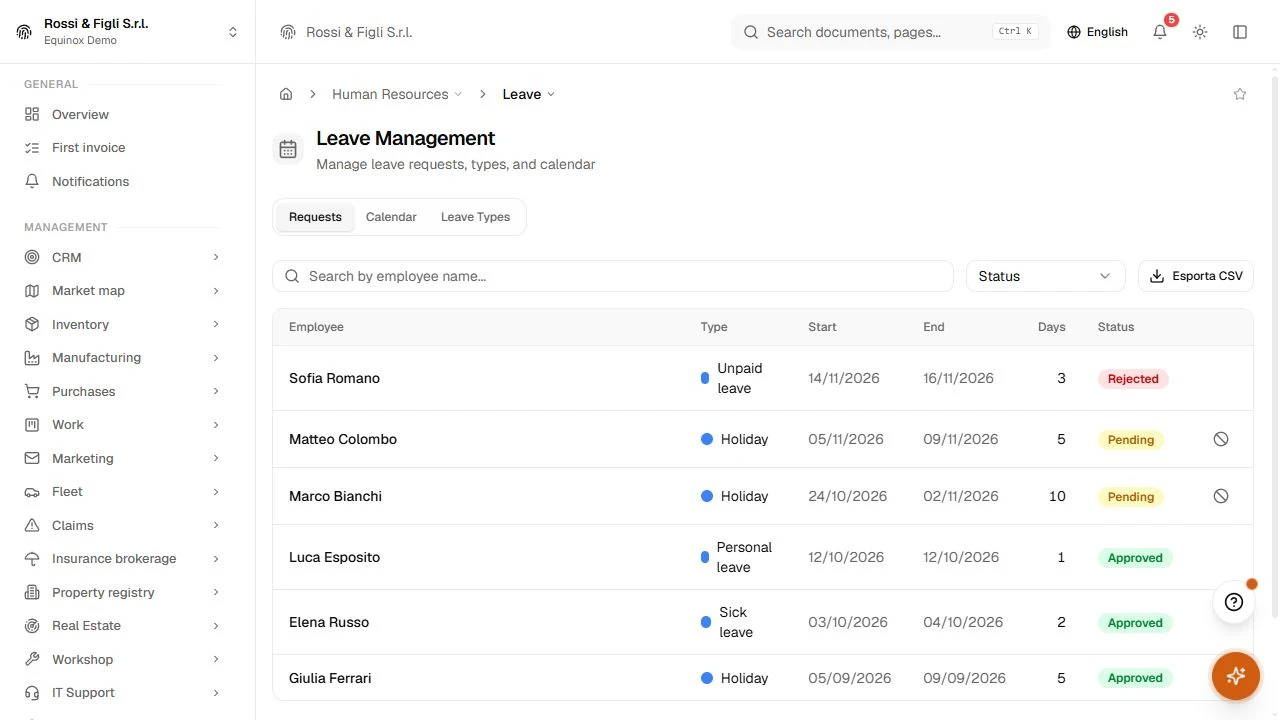
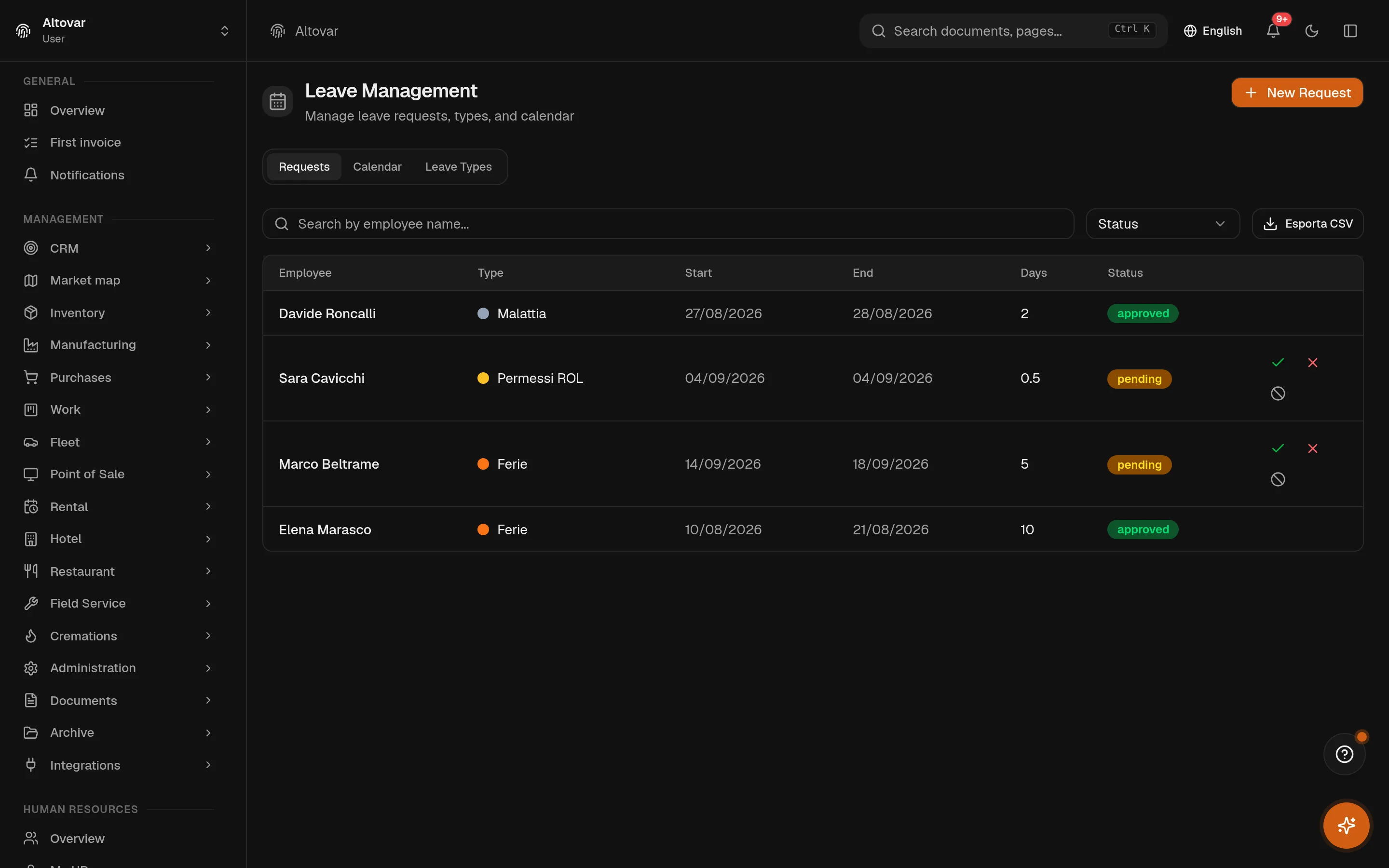
You define the types — vacation, paid leave, sickness — each with its color, its default days, whether it needs approval, whether it is paid, whether the balance may go negative. Requests carry days, half-days and a reason; approval is one click with the balance checked first. The calendar view shows who is away and when, in the type’s color.
- Balances per year
- Entitled, taken, pending, remaining — per person, per type, per year, initialised from the type’s defaults in one action.
- Nothing leaks
- A request that gets rejected or cancelled puts its days straight back. The balance is maintained by the workflow, not by memory.
An org chart nobody has to maintain
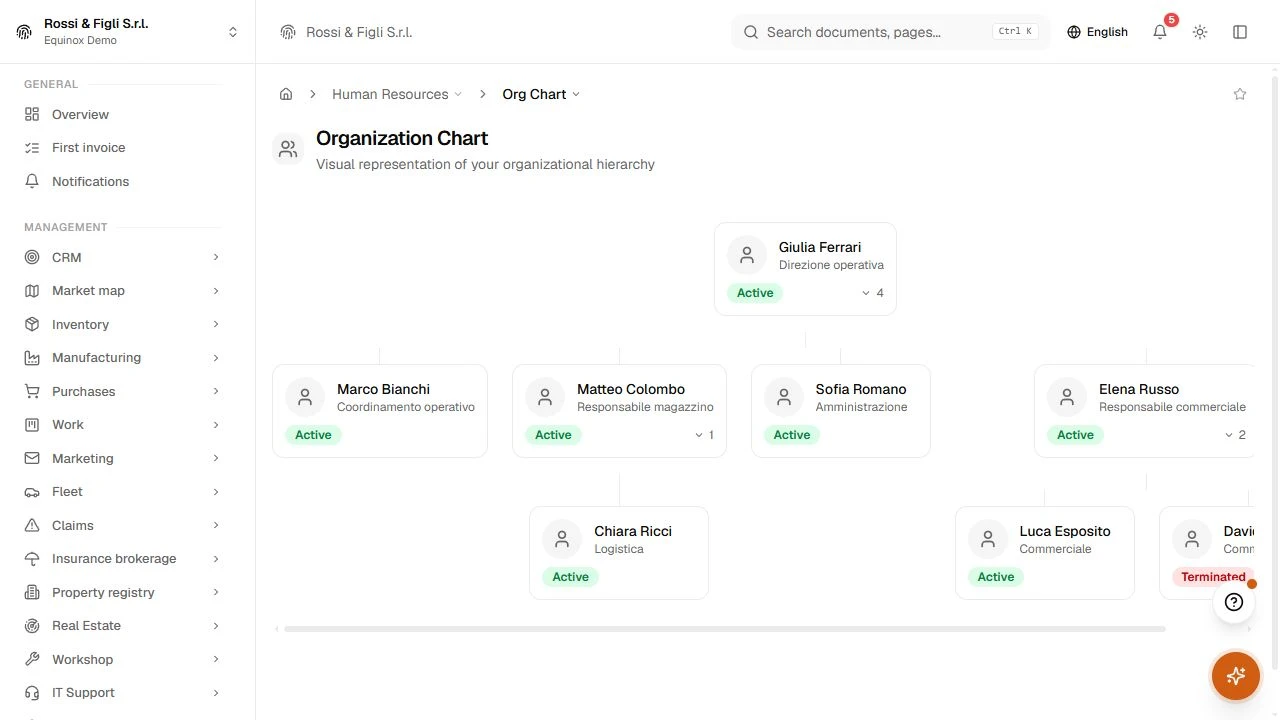
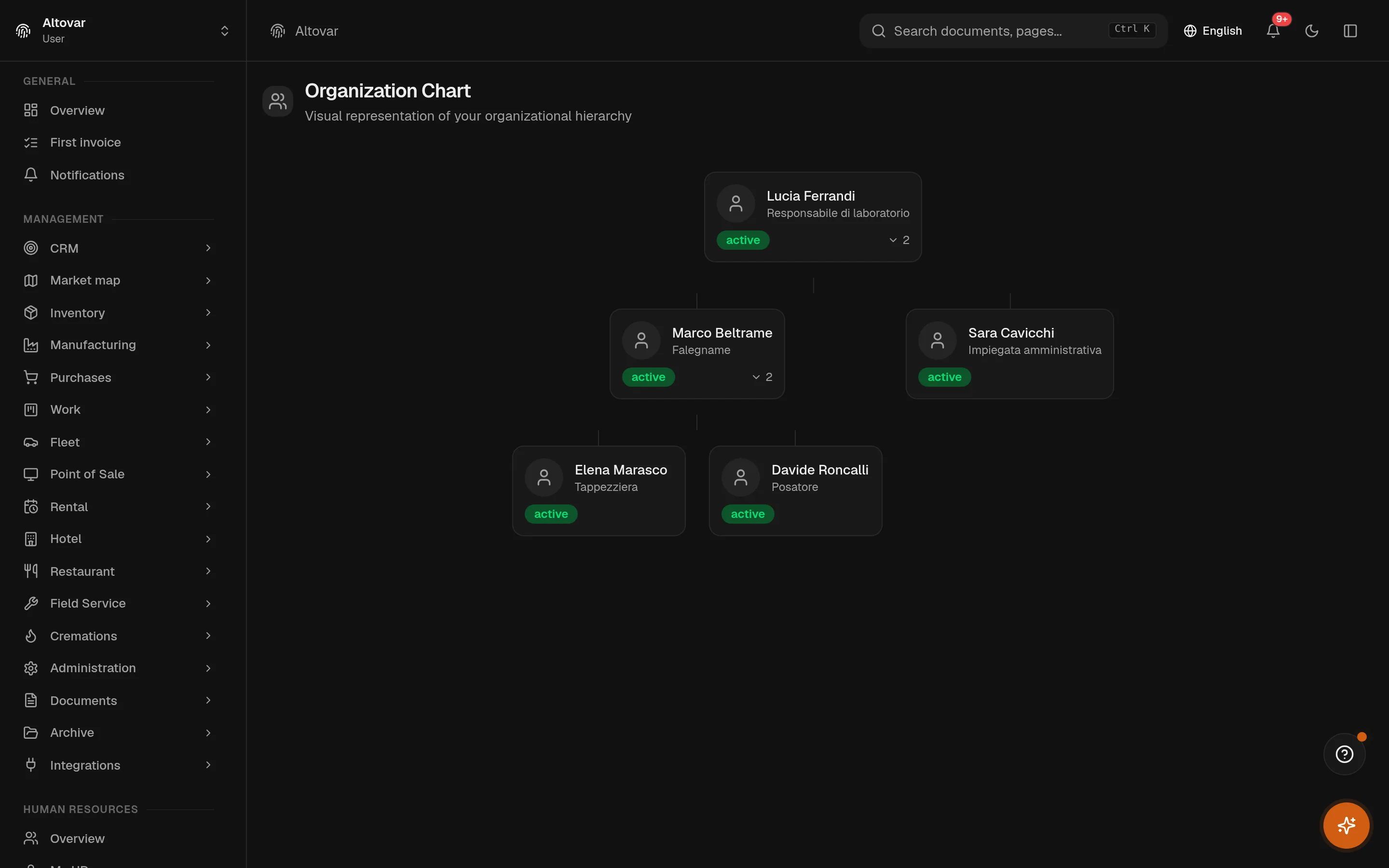
The chart is the register, drawn: whoever has no manager sits at the top, everyone else hangs from the person they report to, with their position under their name. Hire someone, set their manager, and they appear in the right place. It is a view of the truth, not a second copy of it.
- Overtime
- Beyond 8 h, computedthe day’s hours and the overtime above eight are calculated at check-out and land in the monthly report — nobody adds them up by hand.
- Leave balances
- They move both waysapproving a request moves days from pending to taken; rejecting or cancelling gives them back. The balance per type and year always adds up.
- Contracts
- 30 days of warningcontracts expiring within thirty days surface on the HR dashboard and as badges on the employee list, before they become a problem.
- Org chart
- Derived, not drawnthe tree is built from who reports to whom in the register. Change a manager and the chart follows; there is no separate diagram to keep true.
In practice
The work, step by step.
Explore the activities this module brings together. Choose a step to see what you can manage.
Records
Organise employees, departments and the company org chart.
Contracts
Track contracts, working hours and recorded leave.
Leave
Review the people overview beside projects and schedules.

Start with the way you work.
Equinox
Start with the way you work.
Tell us about your processes. We can identify the modules and configuration that fit your business.
Talk about your project